
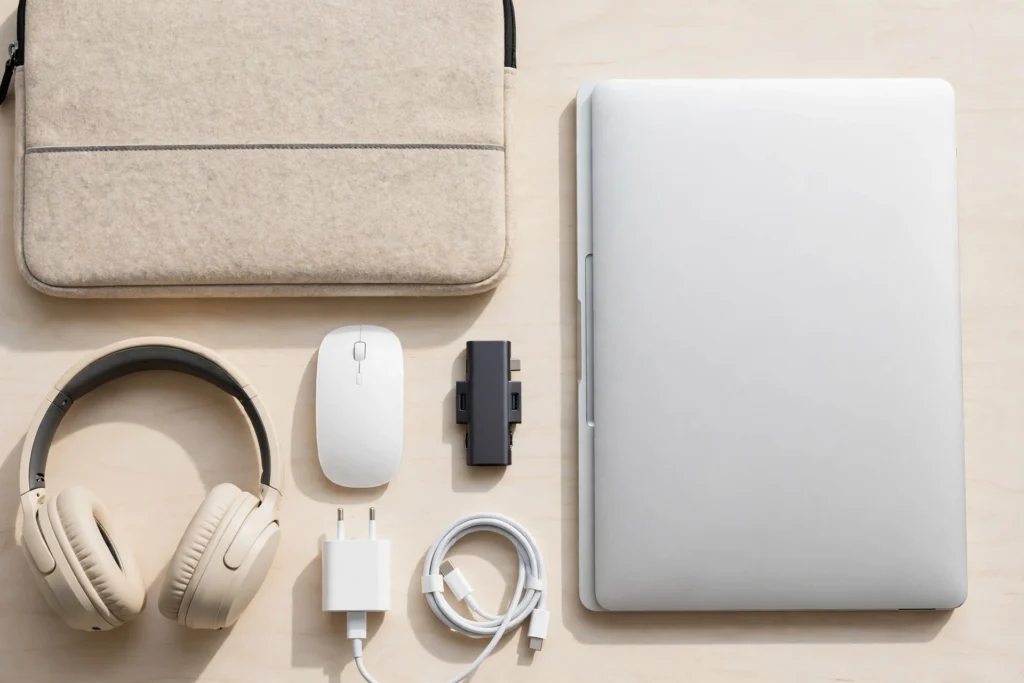
Best Googlebook Accessories
The best Googlebook accessories are a USB-C hub, a 65W USB-C charger, a sleeve sized to your screen, a Bluetooth mouse and keyboard, an external monitor, and, for the Acer only, a USI 2.0 stylus. Check your model’s ports first, because the HP has only two USB-C ports while the Asus has HDMI and USB-A built in.
Key takeaways
- A USB-C hub is the most useful accessory. It adds the HDMI, USB-A, Ethernet, and card reader ports most models lack (Chrome Geek, published November 14, 2026).
- Ports differ by model. The Asus has HDMI 2.1 and two USB-A ports; the HP has only two USB-C ports (ailaptopguide.com specs hub, November 2026).
- Googlebooks charge over standard USB-C Power Delivery, and HP ships a 65W USB-C GaN charger with the HP Googlebook 14 (HP, November 2026).
- Only the Acer Googlebook 14 supports a stylus, using USI 2.0 pens sold separately (Acer, November 2026).
- No model is confirmed to have a microSD card slot, so buy a portable SSD or a USB flash drive instead.
How we wrote this. We have not tested any Googlebook or any accessory in this guide. It is based on the one Googlebook-specific accessory guide we found (Chrome Geek, November 2026), official pages from Acer and HP, the Logitech launch announcement, and the best Chromebook accessory lists. Prices appear only where a named source with a date supports them.
Table of Contents
- What to check before you buy any Googlebook accessory
- Googlebook ports by model: what each model has
- 1. USB-C hub or dock
- 2. Spare USB-C charger
- 3. USB-C power bank
- 4. Sleeve or case
- 5. Wireless mouse
- 6. Wireless keyboard
- 7. External monitor
- 8. USI 2.0 stylus, Acer only
- 9. Portable SSD or flash drive
- 10. Headphones or earbuds
- 11. Webcam
- 12. USB-C to USB-A adapter
- What to buy first: the priority order
- What not to buy
- FAQ
- Conclusion
What to check before you buy any Googlebook accessory
Three facts decide fit: your model, its ports, and its screen size. Video output needs a USB-C port that supports DisplayPort Alt Mode, and two monitors need MST support (Chrome Geek, published November 14, 2026).
| Check | What to look for | Source |
|---|---|---|
| Your model | Acer 14, Dell XPS, Asus 14, HP 14c, or Lenovo 15 | Specs hub, November 2026 |
| Ports | HP: two USB-C ports only; Asus: HDMI 2.1, two USB-A | Specs hub, November 2026 |
| Screen size | 14-inch models, 13.4-inch Dell, 15.3-inch Lenovo | Specs hub, November 2026 |
| Charger wattage | USB-C Power Delivery; 65W is a safe choice | HP, November 2026; Chrome Geek, November 14, 2026 |
| Stylus support | Only the Acer supports a stylus, using the USI 2.0 standard | Acer, November 2026 |
| Storage slot | No model is confirmed to have a microSD card slot | Specs hub, November 2026 |
Googlebook ports by model: what each model has
Ports differ more than anything else in the lineup.
| Model | Ports | What it means | Source |
|---|---|---|---|
| Asus Googlebook 14 | 2x Thunderbolt 4 USB-C, HDMI 2.1, 2x USB-A, 3.5mm jack | Most generous ports; no hub needed | Trusted Reviews and CGMagazine, via specs hub, November 2026 |
| Lenovo Googlebook 15 | 2x Thunderbolt 4, 1x USB-A, HDMI 2.0, 3.5mm jack | HDMI and one USB-A built in | Notebookcheck and XDA, via specs hub, November 2026 |
| HP Googlebook 14 | 2x USB-C (one on each side), 3.5mm jack; no HDMI or USB-A | Thinnest ports; a hub is close to essential | PCWorld and Notebookcheck, via specs hub, November 2026 |
| Acer Googlebook 14 | 3x USB-C (Thunderbolt 4 plus two more), no USB-A, HDMI, or card reader | Plenty of USB-C, no HDMI or USB-A | StarryHope, November 4, 2026; Acer, November 2026 |
| Dell XPS Googlebook | Not listed: ports not verified from a named source | Check the Dell spec sheet first | Not verified, November 25, 2026 |
For the full comparison of all five models, see our Googlebook specs guide.
1. USB-C hub or dock
A USB-C hub is the best first accessory for a Googlebook. One USB-C plug adds the HDMI, USB-A, Ethernet, and card reader ports your model is missing, while still charging the laptop (Chrome Geek, published November 14, 2026). Chrome Geek tested six hubs and docks. Its best overall pick is the Anker 8-in-1 USB-C Hub, with HDMI up to 4K at 60Hz, Gigabit Ethernet, SD and microSD readers, and up to 85W pass-through charging. Its two-monitor pick is the Plugable UD-MSTH2 Dual 4K Dock. Check the current price.
2. Spare USB-C charger
Googlebooks charge over USB-C, so a spare charger is just a USB-C Power Delivery charger, not a Google-specific part. HP lists the HP 65W USB Type-C GaN Mini Wall Charger for the HP Googlebook 14c: an ultra-compact GaN adapter that HP says is 50 percent smaller and lighter than traditional chargers, with a removable 2-meter USB-C cable (HP, November 2026). As a rule, buy a 65W charger. Chrome Geek says most Chromebooks and Googlebooks need 45W to 65W (Chrome Geek, published November 14, 2026).
3. USB-C power bank
A USB-C power bank is for long days away from an outlet: lectures, flights, and cafes. Android Police picks the Baseus 100W Portable Laptop Charger, a 20,000mAh power bank, for Chromebooks, noting that it tops up a laptop with 100W output (Android Police, updated July 16, 2024). Since most Googlebooks need 45W to 65W (Chrome Geek, published November 14, 2026), a bank rated at 65W or higher is the safe choice.
4. Sleeve or case
A sleeve is the cheapest insurance for a $899 to $1,299 laptop, and size matters most here. No Googlebook-specific sleeve could be verified, so buy by measured size, not by brand name. The four 14-inch models need a 14-inch sleeve, and the Lenovo Googlebook 15 needs a 15-inch or 15.6-inch sleeve. The Acer Googlebook 14 measures 12.28 x 8.78 inches (StarryHope, November 4, 2026), so a 14-inch sleeve fits it with room to spare. Android Police picks the Mosiso Laptop Sleeve for Chromebooks (Android Police, updated July 16, 2024).
5. Wireless mouse
A wireless mouse is the first comfort upgrade for desk work. Logitech announced that six of its mice and keyboards support Googlebook through a Googlebook version of its Logi Options+ app: the MX Master 4 and MX Anywhere 3S mice, and the MX Keys S, MX Keys Mini, Mobi Fold, and Keys-to-Go 2 keyboards (Channel News, November 2026). Logi Options+ lets owners map a mouse button or a keyboard key to Magic Pointer, Circle to Search, or Gemini Dictation and text (RottenWifi, November 2026). A mouse with a USB receiver needs a hub or an adapter on the HP and Acer, which have no USB-A port.
6. Wireless keyboard
A wireless keyboard turns a Googlebook into a desktop machine. The MX Keys S and MX Keys Mini are the desk and compact options, the Mobi Fold folds for travel, and the Keys-to-Go 2 is the ultra-portable option (Channel News, November 2026). All four work with Logi Options+ on Googlebook, so you can map keys to Magic Pointer, Circle to Search, or Gemini Dictation (RottenWifi, November 2026). Pick by use: full-size for a permanent desk, compact for a bag. ChromeReady picks the Logitech MX Keys as its wireless keyboard for Chromebooks (ChromeReady, about March 2024).
7. External monitor
An external monitor is the biggest productivity upgrade in this guide, and the port table decides how you connect it. The Asus and Lenovo have full-size HDMI built in, so any monitor with an HDMI input plugs straight in. The HP and Acer need a USB-C hub with HDMI, or a monitor with a USB-C input. For one monitor, look for HDMI at 4K at 60Hz, and for two separate monitors, your laptop must support MST over USB-C (Chrome Geek, published November 14, 2026). Android Police picks the Samsung M50C FHD Smart Monitor, a 32-inch monitor, for Chromebooks (Android Police, updated July 16, 2024).
8. USI 2.0 stylus, Acer only
Only the Acer Googlebook 14 supports a stylus. It is the only convertible, with a 360-degree hinge that folds the laptop into tablet mode, and Acer says its touchscreen works with USI 2.0 stylus pens, sold separately (Acer, November 2026). Do not buy a stylus for a Dell, Asus, HP, or Lenovo Googlebook: their touchscreens take finger input only, as far as any source we checked states. For the Acer, Android Police lists the Penoval USI Stylus Pen at $55 in July 2024 (Android Police, updated July 16, 2024). For the full Acer review, see our Acer Googlebook 14 review.
9. Portable SSD or flash drive
Extra storage on a Googlebook means a portable SSD or a USB flash drive, not a memory card. No Googlebook model is confirmed to have a microSD card slot, so the microSD picks that fill Chromebook accessory lists do not transfer. Android Police picks the Samsung T7 Portable SSD for Chromebooks (Android Police, updated July 16, 2024): the T7 connects over USB-C, which every Googlebook has. ChromeReady picks the Samsung FIT Plus 128GB flash drive for Chromebooks (ChromeReady, about March 2024).
10. Headphones or earbuds
Headphones are the simplest pick in this guide: Bluetooth headphones and earbuds are the usual choice for calls, study, and travel, with no model-specific compatibility question. DigitalConqurer picks the Sony WH-1000XM4 noise canceling headphones (DigitalConqurer, updated September 29, 2023). Android Police picks the Jabra Elite 3 wireless earbuds for Chromebooks, noting their 7-hour battery life, with 28 hours in the case (Android Police, updated July 16, 2024).
11. Webcam
A webcam matters if you spend your day on video calls. ChromeReady picks the Logitech Brio 4K Webcam as its Chromebook webcam (ChromeReady, about March 2024), and SlashGear picks the Logitech 1080p Pro Stream Webcam (SlashGear, about April 2025). Either one plugs into a USB port and works without extra software. On the HP and Acer, a USB-A webcam needs a hub or a USB-C to USB-A adapter. Prefer a webcam with a built-in privacy shutter.
12. USB-C to USB-A adapter
Sometimes you do not need a whole hub, just one USB-A port. Chrome Geek picks the Anker USB-C to USB-A Adapter, sold as a 2-pack, as the cheapest fix for USB-A receivers and drives on USB-C-only laptops (Chrome Geek, published November 14, 2026). Each adapter turns a USB-C port into a full-size USB-A port at USB 3.0 speed. Buy a hub instead if you also need HDMI, Ethernet, or a card reader, because the adapter adds no video output and no charging (Chrome Geek, published November 14, 2026).
What to buy first: the priority order
Buy in this order and you get the most value first.
- A USB-C hub, or a USB-C to USB-A adapter. HP owners need it most; Asus owners may need neither.
- A spare 65W USB-C charger. One for the desk, one for the bag.
- A sleeve sized to your screen. 14 inches for the Acer, Dell, Asus, and HP; 15 or 15.6 inches for the Lenovo.
- A mouse and a keyboard. Pick the Logitech models named for Googlebook for the Magic Pointer shortcuts.
- An external monitor. Check our Googlebook Black Friday and Cyber Monday Deals 2026 guide first.
- A stylus, a power bank, a portable SSD, headphones, and a webcam. The stylus only if you own the Acer.
What not to buy
Four purchases waste money on a Googlebook. Do not buy a microSD card: no model is confirmed to have a microSD slot. Do not buy a stylus unless you own the Acer Googlebook 14, the only model with USI 2.0 support (Acer, November 2026). Do not buy a charger with a barrel plug: Googlebooks charge over USB-C only.
FAQ
Do Chromebook accessories work with a Googlebook?
Mostly yes, for standard gear. USB-C hubs, Bluetooth mice and keyboards, monitors, and USB-C chargers work the same way, and Chrome Geek says standard USB-C hubs work on Googlebooks with no drivers needed. The exceptions are microSD cards and styluses: no Googlebook is confirmed to have a microSD slot, and only the Acer takes a stylus.
What size sleeve fits a Googlebook?
Buy a 14-inch sleeve for the Acer, Asus, and HP Googlebook 14 models and for the 13.4-inch Dell XPS Googlebook. Buy a 15-inch or 15.6-inch sleeve for the Lenovo Googlebook 15, which has a 15.3-inch screen (StarryHope, November 4, 2026).
Does a Googlebook need a special charger?
No. Googlebooks charge over standard USB-C Power Delivery, so any USB-C charger with enough wattage works. HP ships a 65W USB-C GaN charger with the HP Googlebook 14, and Chrome Geek says most Googlebooks need 45W to 65W. Buy a 65W USB-C Power Delivery charger, preferably a compact GaN model.
Can I use a stylus with any Googlebook?
No. Only the Acer Googlebook 14 supports a stylus. It is the only convertible, and Acer says its touchscreen works with USI 2.0 stylus pens, sold separately, with pressure sensitivity and palm rejection. The Dell, Asus, HP, and Lenovo models take finger touch input only, as far as any source we checked states.
Can I connect two monitors to a Googlebook?
Maybe, depending on your model. Two separate monitors need a USB-C port that supports DisplayPort Alt Mode and MST, so check your spec sheet first. Chrome Geek picks the Plugable UD-MSTH2 Dual 4K Dock for two monitors, and warns that both monitors may show the same picture without MST support.
Does a Googlebook have a microSD card slot?
No model is confirmed to have one. The published port lists for the Asus, Lenovo, HP, and Acer models show no card reader at all. For extra storage, buy a portable SSD or a USB flash drive with a USB-C connector instead.
Conclusion
Start with a USB-C hub: ports differ so much by model that HP and Asus owners need very different things. Add a 65W USB-C charger and a sleeve sized to your screen, then a mouse, a keyboard, and a monitor. Skip the microSD card and the stylus unless you own the Acer.
Related guides: Googlebook Price: Every Model, Every Country | Googlebook specs: all 5 models compared | Where to Buy a Googlebook | Googlebook Black Friday and Cyber Monday Deals 2026 | Acer Googlebook 14 review
Sources:
- Chrome Geek, “Best USB-C Hubs and Docks for Chromebook and Googlebook”, published November 14, 2026: https://www.chromegeek.com/best-usb-c-hubs-and-docks-for-chromebook-and-googlebook/
- HP, “HP Googlebook 14c”, HP Store, accessed November 25, 2026: https://www.hp.com/ca-en/shop/products/laptops/hp-googlebook-14c-cf0000ca-dy1f6ua-abl
- HP, “HP Googlebook 14c-cf0815nr Datasheet”, November 2026: http://www8.hp.com/h20195/v2/GetDocument.aspx?docname=c09326710
- Acer, “Acer Googlebook 14”, accessed November 25, 2026: https://www.acer.com/ee-en/laptops/acer-googlebook/acer-googlebook-14
- Notebookcheck, “Acer has the cheapest Googlebook”, November 2026: https://www.notebookcheck.net/Acer-has-the-cheapest-Googlebook-here-s-what-you-get.1404977.0.html
- StarryHope, “Acer Googlebook 14”, published November 4, 2026: https://www.starryhope.com/chromebooks/models/acer-googlebook-14/
- Channel News, “Logitech Announces Googlebook Accessory Support”, November 2026: https://www.channelnews.com.au/logitech-announces-googlebook-accessory-support/
- RottenWifi, “Logi Options+ on Googlebook”, November 2026: http://blog.rottenwifi.com/logitechs-logi-options-brings-custom-mouse-and-keyboard-controls-to-googlebook/
- Android Police, “Best Chromebook accessories”, updated July 16, 2024: https://www.androidpolice.com/best-chromebook-accessories/?newsletter_popup=1
- ChromeReady, “Top 12 Accessories for Your Chromebook”, about March 2024: https://chromeready.com/12052/top-accessories-chromebook/
- DigitalConqurer, “Best Chromebook Accessories”, updated September 29, 2023: https://digitalconqurer.com/gadgets/best-chromebook-accessories/
- SlashGear, “USB Gadgets For Your Chromebook”, about April 2025: https://www.slashgear.com/1821524/best-usb-gadgets-chromebook/
- ailaptopguide.com, “Googlebook Specs”, November 2026: https://ailaptopguide.com/googlebook-specs/
By Joshe Martin. Joshe Martin covers Googlebook and Chromebook laptops for ailaptopguide.com, focusing on prices, specs, and practical buying advice. We have not tested any Googlebook or any accessory in this guide.
