
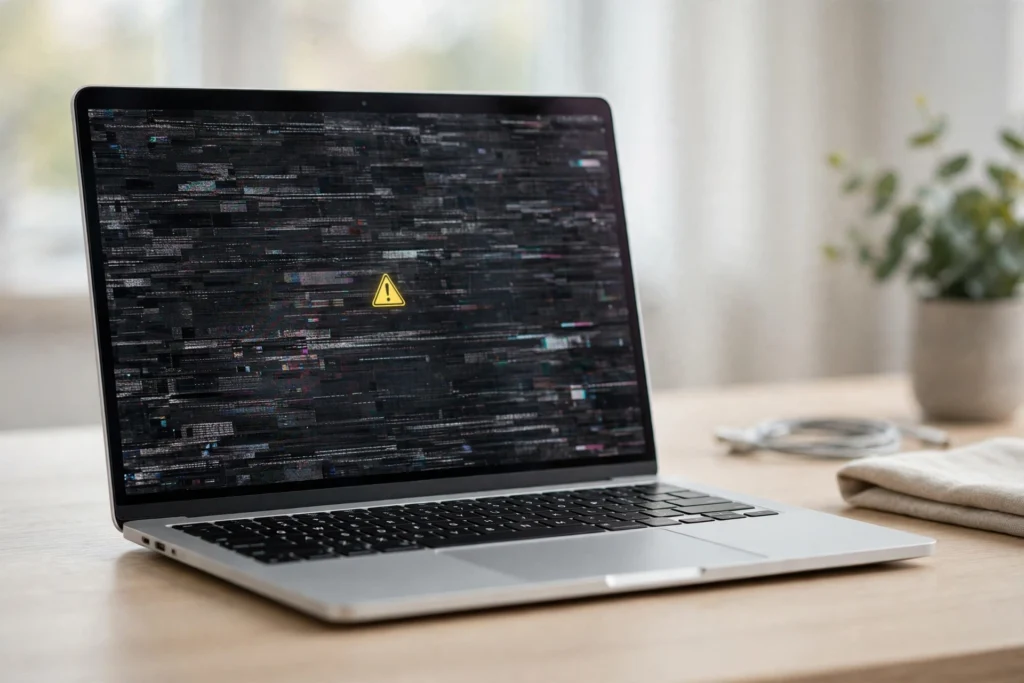
Googlebook Problems and Known Issues: What Is Fixed and What Is Still Broken
Googlebooks have strong hardware but unfinished software, and the November 5, 2026 update (build 17.CL3B.260622.286.R2) fixed about 30 issues, including Zoom crashes, USB microphone buffering, and DRM video black screens. Screen flicker on Dell and HP models, low-brightness display trouble on Asus and Acer, and most app and tablet mode problems are still not fixed.
Key takeaways
- The November 5, 2026 update fixed about 30 issues across all five Googlebooks, including Zoom crashes, USB microphone recording, Bluetooth mouse reconnect, and the interrupted-update bootloop (Google, November 5, 2026, via 9to5Google).
- Screen flicker is only partly fixed: Dell XPS and HP owners still report it on the November build, and Asus and Acer owners report poor picture quality at low brightness (Chrome Geek, November 9, 2026).
- Android apps are the biggest remaining problem: Slack, Excel, Dropbox, and games behave like phone apps or fail outright, and Intel models cannot run some ARM apps at all (Fast Company, November 10, 2026; dev.justjosh.tech, November 6, 2026).
- Tablet mode is limited by design: portrait works only in fullscreen apps, while the home screen, app tray, and Overview stay in landscape (About Chromebooks, November 16, 2026, citing Google help).
- The Lenovo Googlebook 15 has the fewest display problems reported, with no flicker seen on the test unit tracked by Chrome Geek, but it shares the same app and operating system problems as the other four models.
How we wrote this. We have not tested any Googlebook. This early-reports roundup collects published problems with credit: Fast Company, dev.justjosh.tech, Chrome Geek, About Chromebooks, How-To Geek, TechRepublic, 9to5Google, Android Authority, and aluminium-os, plus Google’s own November update changelog. Every issue carries its fix status as of the November 5, 2026 update, build 17.CL3B.260622.286.R2.
Table of Contents
- Googlebook problems at a glance
- What the November 5, 2026 update fixed
- Screen problems: flicker and washed-out blacks
- Android apps that do not work like laptop apps
- File manager, windows, and desktop basics
- Tablet mode problems
- Phone integration and Gemini problems
- What reviewers say about the problems
- Verdict: buy now or wait?
- FAQ
- Conclusion
Googlebook problems at a glance
Every problem below is reported by a named source, with its status after the November 5, 2026 update. “Fixed” means Google’s changelog or a follow-up report confirms it. “Partly fixed” means some owners report improvement while others still see the problem. “Still broken” means no fix has shipped. “In progress” means Google has confirmed a fix is being worked on but has given no date.
| Problem | Models affected | Status after Nov 5, 2026 update |
|---|---|---|
| Screen flicker and glitches | Dell XPS Googlebook 13, HP Googlebook 14 | Partly fixed: less frequent, still reported (Chrome Geek, Nov 9, 2026) |
| Poor picture quality at low brightness | Asus Googlebook 14, Acer Googlebook 14 | Still broken, no official fix or timeline (Chrome Geek, Nov 9, 2026) |
| Washed-out OLED blacks | Acer, Lenovo (OLED models) | Fixed in Oct 23 build 276.R4 (Chrome Geek, Oct 25, 2026) |
| HDR video dimming and flicker | HP, Dell | Fixed in Nov 5 update (9to5Google, Nov 5, 2026) |
| DRM video black screen on external monitors | HP, Dell | Fixed in Nov 5 update (9to5Google, Nov 5, 2026) |
| Zoom crash with background effects | All five | Fixed in Nov 5 update (9to5Google, Nov 5, 2026) |
| Bluetooth audio lag (lip-sync) | HP, Dell | Fixed in Nov 5 update; wider AAC codec support still in progress (9to5Google, Nov 5, 2026; Chrome Geek, Oct 25, 2026) |
| Bluetooth LE mice not reconnecting | All five | Fixed in Nov 5 update; re-pair once if paired on an older build (aluminium-os, Nov 11, 2026) |
| USB microphone buffering | All five | Fixed in Nov 5 update (aluminium-os, Nov 11, 2026) |
| Interrupted-update bootloop | All five | Fixed in Nov 5 update (aluminium-os, Nov 11, 2026) |
| Lock-screen PIN typing delay | All five | Fixed in Nov 5 update (9to5Google, Nov 5, 2026) |
| Keyboard and touchpad unresponsive after tablet mode | Acer Googlebook 14 | Fixed in Nov 5 update (9to5Google, Nov 5, 2026) |
| Slack sign-in and phone-style layout | All five | Still broken (Fast Company, Nov 10, 2026) |
| Excel macros and pivot-table refresh fail | Intel models (Acer, Asus, Lenovo) | Still broken (dev.justjosh.tech, Nov 6, 2026) |
| Some ARM Android apps will not run on Intel | Intel models (Acer, Asus, Lenovo) | Still broken (dev.justjosh.tech, Nov 6, 2026) |
| File manager: no network drives, no pinning, no back/forward | All five | Still broken (dev.justjosh.tech, Nov 6, 2026) |
| Cannot drag windows between virtual desktops | All five | Still broken (dev.justjosh.tech, Nov 6, 2026) |
| Tablet mode portrait limits and stuck modes | All five (Acer convertible most affected) | Still broken, except the Acer keyboard fix above (About Chromebooks, Nov 16, 2026) |
| Gboard Writing Tools greyed out | Some models | Fix in testing, no date (Chrome Geek, Oct 25, 2026) |
| Cast My Apps fails over Instant Hotspot | All five | Fix in progress, no timeline (Chrome Geek, Oct 25, 2026) |
| Find Hub missing | All five | Removed on purpose, no laptop version date (Chrome Geek, Oct 25, 2026) |
| Touch input and app drawer randomly stop working | Lenovo Googlebook 15 (reported) | Still broken as of the Oct 21, 2026 review; November status not confirmed (How-To Geek, Oct 21, 2026) |
Sources: Chrome Geek, October 25 and November 9, 2026; 9to5Google, November 5, 2026; aluminium-os, November 11, 2026; Fast Company, November 10, 2026; dev.justjosh.tech, November 6, 2026; About Chromebooks, November 16, 2026; How-To Geek, October 21, 2026. Prices and model details are in our Googlebook price guide and our Googlebook specs guide.
What the November 5, 2026 update fixed
Google’s November update is the first large fix for Googlebook OS. It started rolling out on November 5, 2026 to all five launch models as build 17.CL3B.260622.286.R2, with the November 1, 2026 Android security patch and about 30 fixes. Google published the full changelog in its Googlebook Help Community thread, and 9to5Google reported 31 entries on November 5, 2026.
| Category | What the November update fixed |
|---|---|
| Video calls and audio | Zoom no longer crashes with Background Blur, Virtual Backgrounds, Video Filters, or 3D Avatars. USB microphones and audio interfaces, including Focusrite Scarlett and Elgato Wave, record without the buffering fault. Bluetooth audio routing fixes lip-sync lag on HP and Dell models. |
| Displays | DRM video (such as Netflix) no longer shows a black screen on external monitors on HP and Dell models. 60 fps HDR video no longer dims the backlight unexpectedly. Unplugging dual external monitors no longer leaves the external wallpaper covering the built-in display. |
| Inputs and lock screen | Keystrokes now register when typing a PIN or password on the lock screen right after waking the laptop. Bluetooth Low Energy mice, such as the Logitech MX Master, reconnect after a restart. Acer keyboard and touchpad respond properly after folding back from tablet or tent mode. |
| Performance and memory | On-device AI memory use is reduced, which Google says frees 3GB to 6GB of RAM on 16GB Intel models (Acer, Asus, Lenovo). The system also reclaims memory more gracefully when background AI services compete with Chrome, cutting unexpected tab reloads and crashes. |
| Update reliability | An interrupted update can no longer trap the laptop in a reboot loop. Security patches cover around 60 vulnerabilities, per TechRepublic, November 2026. |
| Linux Terminal | Sessions survive sleep and tab switching, forwarded ports including SSH stay connected, and updates no longer reset Linux storage or custom settings. |
| Small fixes | Wallpaper and Style no longer hangs, the Files app drops a duplicate copy notification, Settings tips open the official Googlebook Help Center, and the power-off bug on HP models (powering off caused a restart) is fixed. |
Sources: 9to5Google, November 5, 2026; aluminium-os, November 11, 2026; Android Authority, November 2026; TechRepublic, November 2026.
One claim needs a caveat. The 3GB to 6GB RAM figure comes from Google’s own post on the Googlebook subreddit, not from the official release notes, which say only that on-device AI memory use improved. Aluminium-os, November 11, 2026, notes that no independent benchmark has confirmed the figure yet, and the change does not apply to the Snapdragon-based HP and Dell models.
To install the update, open Settings, then System, then Software updates, then System update, and select Check for update. The installed build should end in 286.R2. Google releases updates in stages, so a build can take several days to reach every laptop, and there is no official manual download, per aluminium-os, November 11, 2026.
Screen problems: flicker and washed-out blacks
Screen trouble is the most reported hardware-adjacent problem, and it splits by chip. The flicker affects the Snapdragon models, while the low-brightness trouble affects the Intel OLED models. Both look like software problems, which is good news, because software can be fixed with an update.
The flicker started after the October build 276.R5, mostly on the Dell XPS Googlebook, and HP Googlebook 14 owners then reported the same glitch, according to Chrome Geek, November 9, 2026. After the November update, owners still see the screen flash now and then, plus glitches along the bottom of the display, along window borders, and in split-screen mode. On Chrome Geek’s own Dell XPS unit, the flicker happens less often but has not gone away. Some owners say the November build fixed it for them, so the honest status is partly fixed. Google has shared no cause or timeline, though a Google employee has replied on Reddit that the team knows about the issue, per Chrome Geek, November 9, 2026.
Asus and Acer owners report a different symptom: picture quality drops noticeably at low brightness, especially on dark backgrounds, with occasional flicker. One Asus owner on the latest software asked on Reddit whether Google even knows about it, per Chrome Geek, November 9, 2026. Lenovo Googlebook 15 owners are the exception: Chrome Geek saw no display problems on its own Lenovo unit. Because the problems show up on both Intel and Snapdragon models and on more than one screen type, Chrome Geek reads them as software issues rather than faulty hardware.
One display problem is already fixed. Owners of OLED Googlebooks from Acer and Lenovo noticed dark scenes and letterbox bars looked dark gray instead of true black, and the October 23 build 17.CL3B.260622.276.R4 restored true blacks on Acer and Lenovo models first, according to Chrome Geek, October 25, 2026. The boot screen still showed proper blacks before the fix, which pointed to software rather than a faulty panel. The HDR dimming bug on HP and Dell models, where 60 fps HDR video dimmed the backlight and oversaturated colors, was fixed in the November update, per 9to5Google, November 5, 2026.
Workarounds, where a reputable source states one: install the November update and restart, since some owners say the flicker stopped after the update; if the dim-screen problem bothers you, raise the brightness, since owners mostly see it at lower levels; and send feedback to Google from your Googlebook describing when the flicker happens, for example in split-screen or at low brightness, per Chrome Geek, November 9, 2026.
Android apps that do not work like laptop apps
The deepest problem is not one bug but the app platform itself. Googlebook OS runs Android apps, and most Android apps were built for phones, not for a laptop with a keyboard, trackpad, and a 14-inch screen. Reviewers found the same pattern on every model they tested.
Google’s own apps are the first surprise. The preloaded Gmail, Docs, Drive, Meet, and YouTube are not optimised Android apps but web-based desktop apps powered by Chrome, and tapping the menu button reveals a “Running in Chrome” disclaimer, according to Fast Company, November 10, 2026. In Gmail the cursor hover controls do not work, so you cannot quickly trash or archive messages line by line. In Google Drive, documents open in a Chrome browser tab, while the same documents open in their own windows via Google Docs or Sheets. PCMag found the same pattern, reporting that Gmail opened like a browser tab and that personal and work email could not be combined into one inbox, per TechRepublic, October 2026, summarising PCMag and The Guardian.
Third-party apps are worse. Signing into Slack bounces out to a Chrome tab, which then fails to authenticate back inside the Android app, so the only way in is to manually enter a URL and password for each workplace, according to Fast Company, November 10, 2026. Even then, Slack’s Android app has no persistent sidebar, so you move in and out of conversations instead of seeing the whole workspace. Dev.justjosh.tech, November 6, 2026, found the same phone-style Slack, and adds that Dropbox asked for an Excel sign-in even though the reviewer was already logged in, then crashed and would not display the spreadsheet.
Work apps hit a wall on the Intel models. On the XPS Googlebook, Excel macro add-ins did not work and pivot tables could not be refreshed, and the browser version of Microsoft Office was better than the Android apps but still could not do everything needed, per dev.justjosh.tech, November 6, 2026. The cause is architecture: many Android apps are designed for ARM processors, while the Acer, Asus, and Lenovo Googlebooks use Intel x86 chips, so some apps need translation or do not run at all. The game Teamfight Tactics simply would not launch on the Lenovo model tested, and the reviewer could not confirm architecture as the precise cause. BGR warned the same way in its Asus review on October 10, 2026: most Android apps were built for ARM phones, so plenty will not run as well on Intel Googlebooks as on the Snapdragon models.
Video apps are unfinished too. Netflix and Disney+, which Google deems “Optimised for Desktop”, open automatically in fullscreen, while Fox One and NFL open in a floating window and clicking their fullscreen icons does nothing; you must highlight the maximise button, then click the small fullscreen icon, per Fast Company, November 10, 2026. None of these apps support always-visible picture-in-picture mode. The Google Play Store labels apps as “Optimised for Desktop”, “Compatible with Desktop”, or “Better on the Website”, so you can see what to expect before installing. How-To Geek, October 21, 2026, adds stability problems on the Lenovo Googlebook 15: touch input randomly stops working, the app drawer randomly stops until a restart, and apps randomly fail to launch several times in a row.
The practical advice from the reviewers is consistent: if your work depends on desktop apps, check the web version first. The browser version of Microsoft Office works better than the Android apps, per dev.justjosh.tech, November 6, 2026, and Google Docs has gained the ability to mark individual documents for offline use, which was not possible at launch, per Fast Company, November 10, 2026. But if you need Excel macros, pivot-table refresh, or specialist Windows or Mac software, no workaround in the published reports makes a Googlebook a replacement yet. Before you decide, read Is the Googlebook Worth It? for the overall buying verdict.
File manager, windows, and desktop basics
Basic laptop tasks that work without thinking on Windows and macOS are the most frustrating part of Googlebook OS, because they are the tasks every owner hits on day one.
The file manager is the worst of it. Google’s built-in file manager did not show network drives, so opening an Excel file from a network was impossible, and a third-party file manager was not much better: frequently used directories could not be pinned to the sidebar, and there were no straightforward back and forward controls, so a wrong click meant navigating through the same folders again, per dev.justjosh.tech, November 6, 2026. The Guardian found the same missing pin feature, per TechRepublic, October 2026. The reviewer ended up opening multiple file manager windows just to move between folders.
Window management adds its own problems. Windows could not simply be dragged between virtual desktops, and apps opened on a second desktop would sometimes appear on the first, per dev.justjosh.tech, November 6, 2026. Settings search is unreliable too: searching for trackpad speed launched a web search where Google’s AI explained how to change trackpad settings on a MacBook, instead of opening the relevant setting. Smaller details add up as well: the Lenovo’s white keyboard has white backlighting that is hard to read, and the backlight does not cycle with its own button, you must hold the Google key while pressing the brightness controls; bookmarklets do not work; and Chrome lacks multiple browser profiles and split-screen tabs, per dev.justjosh.tech, November 6, 2026, Fast Company, November 10, 2026, and TechRepublic, October 2026.
Some of this is improving. The November update removed the duplicate copy notification in the Files app and made Settings tips open the official Googlebook Help Center, per 9to5Google, November 5, 2026. But the core file manager gaps, network drives, pinning, and back and forward controls, have no fix in any published changelog as of November 24, 2026.
Tablet mode problems
Tablet mode is the touch-first layout a Googlebook switches to when you fold its screen back or take off its keyboard. It matters today only on the Acer Googlebook 14, the only convertible among the first five models, but it will matter far more when Lenovo’s first detachable Googlebook, the Duet 13, arrives, expected in January 2027, per About Chromebooks, November 16, 2026.
The rotation limit is documented by Google itself. Google’s help page on tablet and fullscreen mode says portrait orientation works only when an app is in fullscreen, while floating windows, the home screen, the app tray, and Overview, the view of open apps you get by swiping up and holding, all stay in landscape, per About Chromebooks, November 16, 2026. Chrome Unboxed adds that swiping up to go home from a portrait app forces the screen back to landscape, and Digital Trends separately notes that the home screen and app drawer only work in landscape. Holding the device upright works for one app at a time; everything around it stays sideways. The Verge found the same limit in October 2026: Googlebook OS does not yet support portrait orientation, so auto-rotate only flips the screen 180 degrees.
Two more problems come from Chrome Unboxed alone, as reported by About Chromebooks, November 16, 2026: you cannot drag an app from the multitasking view into split screen, and devices often get stuck in tablet mode or in desktop mode, sometimes without turning the keyboard back on. Google has not commented on either. The November update fixed one related issue, better keyboard and touchpad response on the Acer Googlebook 14 after folding it back into laptop mode, per 9to5Google, November 5, 2026, but nothing in the notes touched rotation, split screen, or Overview.
Workaround, from Google’s own help pages via About Chromebooks, November 16, 2026: to use an app in portrait on the Acer, open the app and press the Full screen key or F4, fold the screen all the way back, turn the device upright, and if the app does not rotate, tap the floating Rotate button or turn on Auto-rotate in Quick Settings. Auto-rotate is also at Settings, then Device and accessories, then Display, then Auto-rotate screen. On a detachable like the coming Duet 13, there is no keyboard to fold behind the screen, so the home screen, Overview, and split screen are what you touch most, and Google has not said whether fixes will arrive before it ships.
Phone integration and Gemini problems
Phone integration was one of the headline promises of Googlebooks, and it is one of the least finished parts. Cross-device continuity lets you continue editing a message in Gmail or a document in Google Docs after opening it on your phone, but it does not work with many apps, per Fast Company, November 10, 2026. Dev.justjosh.tech, November 6, 2026, tested it with a Samsung phone running Android 17 and found most features did not work at launch; once they did, there were two separate menus, a phone app menu and a standard app menu, so the same app could be open in both with different interfaces that conflict. Transferring calls and sharing files up to 200MB did work.
App casting is rougher. If you have a phone running Android 17, you can view your phone’s apps through a Googlebook without installing them, but scrolling is jerky and formatting has occasional issues, and a phone notification that pops up on the Googlebook can take you into the app-casting version instead of the one installed on the computer, per Fast Company, November 10, 2026. Cast My Apps has a specific bug: when a Googlebook is online through Instant Hotspot from your phone, it can get stuck on a pairing QR code instead of showing your phone’s apps, and Google is building a fix with no timeline, per Chrome Geek, October 25, 2026.
Find Hub is a different case: Google removed it from first-generation Googlebooks on purpose, because the phone app is not built for laptops, which are usually closed and asleep when they go missing, and Google has not said when a laptop version will come, per Chrome Geek, October 25, 2026. Gboard Writing Tools is also unfinished: on some Googlebooks the AI Writing Tools stay greyed out in Gmail, Docs, and other text boxes, even after a factory reset or switching to US English, and Google says it is testing a change that should fix this, per Chrome Geek, October 25, 2026. The November changelog does not mention either issue, per aluminium-os, November 11, 2026.
Gemini has its own inconsistencies. There are four main ways to invoke it: wiggling the mouse cursor, saying “Hey Google”, clicking the Gemini icon in the dock, or clicking the Gemini icon in the Chrome taskbar, per Fast Company, November 10, 2026. But the entry points do not share conversations: opening the full Gemini app while a pop-up chat window is already open closes the chat window and cuts off the conversation. Gemini also cannot yet act as an agent on files and folders the way desktop AI apps can on other platforms. PCMag found Gemini handled general questions, but asking it to install an app produced a Play Store link instead of completing the installation, and it declined to rename files or search local storage, per TechRepublic, October 2026.
Bluetooth audio is one area where the November update did help. The update fixed lip-sync lag with Bluetooth headphones on HP and Dell models and added proper audio output selection for Bluetooth Low Energy hearing aids, per 9to5Google, November 5, 2026. Wider codec support, including AAC, is still in development, and some Snapdragon Googlebooks currently offer only the basic SBC codec, per Chrome Geek, October 25, 2026, and aluminium-os, November 11, 2026.
What reviewers say about the problems
Reviewers disagree on scores but agree on the diagnosis: the hardware is good and the software is unfinished. The table below collects the verdicts that matter for a buyer weighing the problems.
| Reviewer | Date | Verdict on the problems |
|---|---|---|
| Fast Company (Jared Newman, Acer) | Nov 10, 2026 | “Googlebooks are a disjointed mess, with websites and apps that do not work quite right.” Warns Google may not invest enough, citing Stadia and Reader. |
| dev.justjosh.tech (3 models tested) | Nov 6, 2026 | “Great hardware, terrible software.” Cannot recommend any Googlebook yet; would take a MacBook Air at the same price. |
| The Verge (all five models) | Oct 22, 2026 | Googlebook OS feels like a beta; does not recommend buying any Googlebook in its current state; Acer 4 out of 10. |
| How-To Geek (Lenovo 15) | Oct 21, 2026 | “Google ruined this $1,100 laptop, not Lenovo.” Googlebook OS is “without a shadow of a doubt the worst part about this laptop.” |
| TechRadar (Acer 14) | Oct 2026 | 4 out of 5; “very good first attempt at a new breed of device”, but Googlebook OS feels underbaked. |
| Expert Reviews (Acer 14) | Oct 2026 | “Hugely likeable laptop held back by the usual early-adopter snags.” |
| PCMag / The Guardian (via TechRepublic) | Oct 2026 | App compatibility, account switching, and Gemini limits found in hands-on testing; Gemini cannot complete everyday tasks like installing apps or renaming files. |
| Chrome Geek (flicker tracking) | Nov 9, 2026 | Display reports are annoying but look like software problems a future update can solve; install the November build and send feedback. |
Two patterns are worth noting. First, the harshest verdicts come from reviewers who tested the laptops for work, not for browsing: Excel, Slack, Dropbox, and file management are where the platform fails hardest. Second, the tone is already softening where Google has shipped fixes: the OLED blacks fix arrived within two weeks of the first reports, and the November update fixed about 30 issues in the first five weeks. The question is not whether Google is fixing things, but whether the remaining list gets fixed before buyers lose patience. For the full picture on value, see our Googlebook specs guide and Is the Googlebook Worth It?
Verdict: buy now or wait?
There is no model without problems, so the decision is about which problems you can live with and which you cannot.
Buy now if you mostly use web apps, especially Google’s own suite, you do not depend on Excel macros, Slack, Dropbox, or specialist desktop software, you can live with a phone-style app experience, and you are buying the cheapest model, the Acer at $900, where the price makes the rough edges easier to accept. Install the November update on day one and check that your build ends in 286.R2.
Wait if your work depends on Excel, Slack, Dropbox, or any app that must behave like a desktop app, you need tablet mode to work properly, you are choosing between the Dell XPS and HP models and the screen flicker would bother you, or your current laptop still works. Waiting gives you the next quarterly update, a possible flicker fix, and the 32GB configurations the November build already contains hardware tables for, per aluminium-os, November 11, 2026.
Which model has the fewest problems? On the published reports, the Lenovo Googlebook 15 has the fewest display problems: Chrome Geek saw no flicker or low-brightness trouble on its test unit. But it shares every app, file manager, and tablet mode problem with the other four, and How-To Geek’s October 21, 2026 review lists touch input and app drawer failures on the Lenovo specifically. The Acer is the only convertible, so it is the only model where tablet mode problems bite today, but it is also the cheapest at $900. There is no safe pick yet, only a cheapest pick and a least-flicker pick. Compare prices before deciding in our Googlebook price guide.
FAQ
Is the Googlebook screen flicker fixed?
Only partly. The November 5, 2026 update reduced the flicker on Dell XPS and HP Googlebooks, but owners still report flashing and glitches along the bottom of the screen and window borders, per Chrome Geek, November 9, 2026. Some owners say the update fixed it for them. Google has given no cause or timeline for a full fix.
Did the November 2026 update fix Googlebook problems?
It fixed about 30 of them, including Zoom crashes, USB microphone buffering, DRM video black screens on external monitors, Bluetooth mouse reconnect, and the interrupted-update bootloop (Google, November 5, 2026). It did not fix screen flicker fully, low-brightness display trouble, app problems, tablet mode limits, Writing Tools, or Cast My Apps.
Can you use Excel and Slack on a Googlebook?
Yes, but not like on Windows or a Mac. Slack signs in through a Chrome tab and shows the phone layout with no persistent sidebar, per Fast Company, November 10, 2026. Excel macros do not work in the Android app and pivot tables cannot be refreshed, per dev.justjosh.tech, November 6, 2026. The browser version of Office works better.
What is wrong with Googlebook tablet mode?
Portrait orientation works only inside a fullscreen app. The home screen, app tray, and Overview stay in landscape, and swiping home from a portrait app forces the screen back to landscape, per Google help via About Chromebooks, November 16, 2026. You also cannot drag an app into split screen, and devices can get stuck between tablet and desktop mode.
Should I buy a Googlebook now or wait?
Wait if your current laptop still works or your job depends on Excel, Slack, Dropbox, or desktop apps. The Verge, October 22, 2026, does not recommend buying any Googlebook yet. Buy now only if you mostly use web apps, can accept phone-style apps, and want the cheapest model, the Acer at $900, with the November update installed.
Which Googlebook has the fewest problems?
The Lenovo Googlebook 15 has the fewest display problems reported: Chrome Geek, November 9, 2026, saw no flicker or low-brightness trouble on its test unit. But it shares the same app, file manager, and operating system problems as the other four models, and How-To Geek, October 21, 2026, reported touch and app drawer failures on the Lenovo itself.
Conclusion
Googlebooks are good laptops held back by unfinished software. The November 5, 2026 update fixed about 30 real problems, which shows Google is moving fast, but the list that remains is the list that matters most to buyers: screen flicker, low-brightness display trouble, Android apps that behave like phone apps, a weak file manager, and a tablet mode that does not rotate properly. If you buy now, buy the cheapest model, install the November update, and use web apps wherever you can. If you can wait, wait for the next update and the flicker fix. Check prices in our Googlebook price guide first.
Related guides: Is the Googlebook Worth It? | Googlebook price guide | Googlebook specs: all 5 models compared
Sources:
- Fast Company, “This Googlebook is driving me crazy”, November 10, 2026: https://www.fastcompany.com/91637587/this-googlebook-is-driving-me-crazy
- dev.justjosh.tech, “Googlebooks Review: Great Hardware, Terrible Software”, November 6, 2026: https://dev.justjosh.tech/articles/googlebooks-review-great-hardware-terrible-software
- Chrome Geek, “Googlebook Screen Flicker Isn’t Fully Fixed by the November Update”, November 9, 2026: https://www.chromegeek.com/googlebook-screen-flicker-november-update/
- Chrome Geek, “Googlebook OLED Fix Rolls Out, 3 More Fixes on the Way”, October 25, 2026: https://www.chromegeek.com/googlebook-fixes-oled-update-bluetooth-writing-tools/
- About Chromebooks, “Googlebook OS Tablet Mode Problems Surface Ahead Of Lenovo’s Expected Duet 13 Launch”, November 16, 2026: https://www.aboutchromebooks.com/googlebook-os-tablet-mode-problems-surface-ahead-of-lenovos-expected-duet-13-launch/
- 9to5Google, “Big Googlebook November update rolling out with 31 fixes”, November 5, 2026: https://9to5google.com/2026/11/05/googlebook-november-update/?extended-comments=1
- aluminium-os, “Googlebook OS Updates: Latest Build, Fixes And History”, November 11, 2026: https://aluminium-os.com/googlebook-os-november-updates/
- Android Authority, “Googlebook’s giant November update frees up to 6GB of RAM”, November 2026: https://mobile.androidauthority.com/googlebook-november-update-3732317/
- TechRepublic, “Googlebook November Update Fixes 30 Issues, Frees Up RAM”, November 2026: https://www.techrepublic.com/article/news-googlebook-november-update-2026/
- TechRepublic, “Googlebook OS Early Reviews Reveal App and Gemini Problems”, October 2026: https://www.techrepublic.com/article/news-googlebook-os-review-app-gemini-problems/
- How-To Geek, “Lenovo Googlebook 15 review: Google ruined this $1,100 laptop, not Lenovo”, October 21, 2026: https://www.howtogeek.com/lenovo-googlebook-15-review/
- The Verge, all-five Googlebooks review, October 22, 2026 (cited via our earlier comparison articles; direct article URL not verified, so none is given here)
- BGR, Asus Googlebook 14 review, October 10, 2026 (via Ghanamma): https://www.ghanamma.com/2026/10/10/asus-googlebook-14-review-for-android-by-android/
- Phandroid, “Google’s Looking to Fix Googlebook Issues With its November Update”, November 9, 2026: https://phandroid.com/2026/11/09/googles-looking-to-address-googlebook-issues-with-its-november-update/amp/
By Joshe Martin. Joshe Martin covers Googlebook and Chromebook laptops for ailaptopguide.com, focusing on prices, specs, and practical buying advice. We have not tested any Googlebook. This is an early-reports roundup based on published reviews and official sources, with every issue credited to a named source and date, and every fix status dated to the November 5, 2026 update.
