
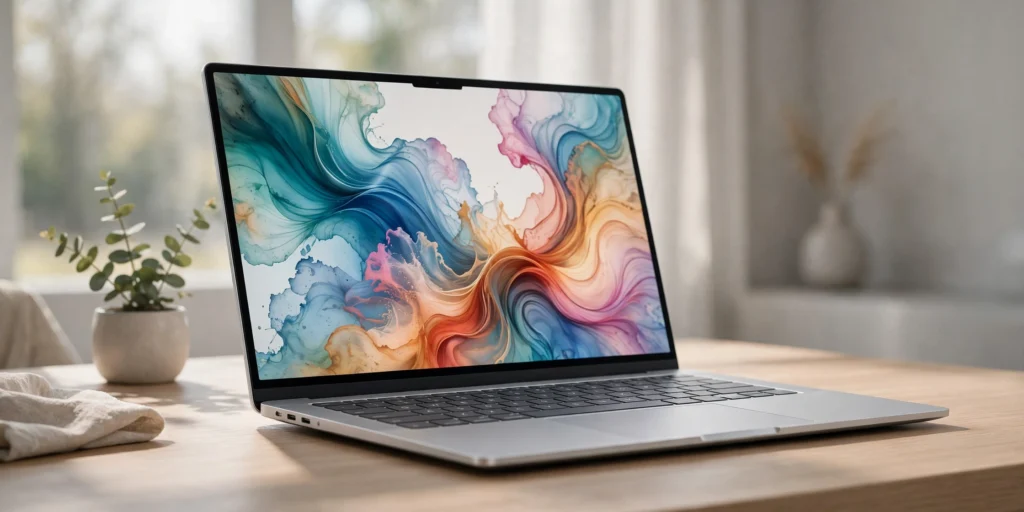
Dell XPS Googlebook: Early Reviews, Specs and Verdict
Quick answer: The Dell XPS Googlebook is the lightest Googlebook at 2.2 lb, starting at $999 with a Snapdragon X Elite chip and a 13.4 inch 2.5K 120Hz touchscreen. Tom’s Guide recommends it, Android Headlines gave it 4 out of 5, and Techaeris scored it 8.8 out of 10. Engadget was harsher at 6.5 out of 10, because Googlebook OS is unfinished.
Key takeaways
- Price: from $999.99 in the US ($999 at Best Buy) and £1,099 in the UK for 16GB RAM and 512GB storage. The 32GB model costs $1,599.99, and the 32GB model with 1TB storage costs $1,799.99.
- Specs: 13.4 inch 2560 x 1600 IPS LCD touchscreen at 120Hz, Qualcomm Snapdragon X Elite X1E-80-100, up to 32GB RAM, up to 1TB SSD, 52Wh battery, 2.2 lb, 12.7 mm thin.
- Review scores: Tom’s Guide Recommended, Android Headlines 4/5, Techaeris 8.8/10, PCMag 3.5/5, Engadget 6.5/10.
- Tested battery: 10 hours 4 minutes in Tom’s Guide’s web test at 120Hz, and 12 hours 13 minutes at 60Hz. Dell claims up to 16 hours of Netflix streaming; Google lists up to 18 hours.
- The common complaint in every review is the same: the hardware is excellent, Googlebook OS is not finished yet.
How we wrote this. We have not tested the Dell XPS Googlebook ourselves. This is a roundup of published early reviews from Tom’s Guide, Android Headlines, Techaeris, Engadget and PCMag, plus Dell’s official specifications. Every figure has a named source. New to the category? Read what a Googlebook is first.
Table of Contents
Dell XPS Googlebook specs
| Spec | Dell XPS Googlebook |
|---|---|
| Model | DX13267 |
| Display | 13.4 inch 2560 x 1600 IPS LCD touchscreen, 16:10, 30-120Hz variable refresh, 500 nits, 100% DCI-P3, anti-glare, InfinityEdge |
| Processor | Qualcomm Snapdragon X Elite X1E-80-100 (12 cores, up to 4.0 GHz, 42MB cache) |
| Graphics | Qualcomm Adreno X1-85 |
| NPU | Qualcomm Hexagon NPU, up to 45 TOPS |
| Memory | 16GB or 32GB LPDDR5X (up to 8448 MT/s) |
| Storage | 512GB or 1TB PCIe Gen 4 NVMe SSD |
| Battery | 52Wh; Dell claims up to 16 hours of Netflix streaming, Google lists up to 18 hours |
| Charging | 65W USB-C, charger included in the box |
| Weight and size | 2.2 lb (1 kg), 12.7 mm thin, 11.69 x 7.90 x 0.50 inches, CNC machined aluminum in Shimmer finish |
| Ports | 2 x USB-C 3.2 Gen 2 (10 Gbps, DisplayPort 1.4, Power Delivery), Kensington lock via USB-C |
| Wireless | Wi-Fi 7 (Qualcomm FastConnect 7800), Bluetooth 5.4 |
| Camera and security | 1080p webcam with dual-array microphones, fingerprint reader, Titan C2 security chip |
| Extras | Glowbar light bar on the lid, dedicated G key, glass haptic trackpad |
Source: Dell official specifications via Techaeris and Chrome Unboxed, October 2026. Googlebook OS, Gemini, the G key and the Glowbar come on every Googlebook by platform standard. For the full five-model comparison, see our Googlebook specs guide.
Dell XPS Googlebook price
| Configuration | US price | UK price |
|---|---|---|
| 16GB RAM, 512GB storage | $999.99 ($999 at Best Buy) | £1,099 |
| 32GB RAM, 512GB storage | $1,599.99 | Not confirmed |
| 32GB RAM, 1TB storage | $1,799.99 | Not confirmed |
Source: US prices via Next Interrupt and Techaeris, October 2026; UK base price via Tech Advisor and Gadgets360, September and October 2026. Two things to know before you buy. First, Dell cut the starting price by $200, from $1,199 to $999.99 (Gadget Review), so the $999 figure is the current price, not the original launch price. Second, the 32GB upgrade adds $600 to the price, which every reviewer calls a poor deal. Every Googlebook includes the same launch bundle: 12 months of Google AI Pro (worth $249.99), three months of YouTube Premium and a year of GeForce NOW (Google), which narrows the real price gap against cheaper models. See our Googlebook price guide for all five models and every country.
What the early reviews say
| Reviewer | Date | Verdict |
|---|---|---|
| Tom’s Guide | October 16, 2026 | Recommended. “An Android fan’s dream laptop.” Praised the Snapdragon X Elite performance, the bright screen and the battery life in video playback, but said Googlebook OS is still a work in progress and the web battery result is so-so. |
| Android Headlines | October 27, 2026 | 4 out of 5. “Dell nailed the hardware, but Google’s new software still feels like a beta.” Used the $999 model for almost a month. Praised the anti-glare screen and the 65W charger in the box; found Samsung phones on Android 17 incompatible at launch and phone mirroring laggy. |
| Techaeris | October 19, 2026 | 8.8 out of 10. Called the hardware phenomenal and the phone integration flawless, with a decade-long update commitment. Warned that at $999 it competes with the MacBook Air and Windows laptops that run full desktop software. |
| Engadget | November 2, 2026 | 6.5 out of 10. “Beautiful hardware for a useless platform.” Praised the design, screen, keyboard and Rambler AI dictation, but said Googlebook OS is half-baked, Android apps are mostly disappointing, and phone sync is useless. Recommends the $999 Windows XPS 13 instead. |
| PCMag | October 2026 | 3.5 out of 5 (as reported by Next Interrupt). Called it the lightest and most portable Googlebook in the lineup. Recorded 18 hours 18 minutes in its local video rundown, and warned against paying the $600 premium for 32GB of memory. |
The pattern across every review is identical: premium hardware, unfinished software. Nobody tested the device and disliked the build, the screen or the speed. The disagreements are all about whether the hardware is worth $999 when the operating system cannot yet do what Windows or macOS can.
Performance and benchmarks
The reviewed configuration is the base model: a 12-core Qualcomm Snapdragon X Elite X1E-80-100 with 16GB of RAM and a 512GB SSD. Tom’s Guide’s lab results put it ahead of the Intel Googlebooks: 2,997 single-core and 14,724 multi-core in Geekbench 6, and 6,688 points (40 fps) in 3DMark Wild Life Extreme.
For everyday work the performance is not in question. Tom’s Guide said it never slowed down no matter how busy the workflow became, and Android Headlines said the same after almost a month of use. Techaeris found that dozens of heavy Chrome tabs, split-screen Android apps, 4K video streaming and on-device Gemini tasks all ran with no stutter, and the dual-fan cooling rarely needed to spin up.
The chip is the same Snapdragon X Elite that powers the HP Googlebook 14, so the Dell’s edge is not raw speed. It is the lightest chassis in the lineup carrying that chip. One limit matters for buyers: because the chip is ARM-based, it cannot run x86 Windows desktop software at all, which is a platform limit, not a performance limit. See how the five models compare in our Googlebook specs guide.
Display and design
The screen is a 13.4 inch IPS LCD touchscreen at 2560 x 1600 with a variable 30Hz to 120Hz refresh rate, 500 nits brightness and 100% DCI-P3 color. Tom’s Guide measured 408 nits of SDR brightness in its lab test, covering 108.1% of the sRGB color space and 76.6% of DCI-P3, with a color accuracy Delta-E rating of 0.23. The anti-glare coating cuts reflections without muting colors, which Android Headlines praised for coffee shops and outdoor use.
Unlike the Acer and HP Googlebooks, the Dell has no OLED option. Techaeris noted that in dim rooms black levels lean toward dark charcoal gray rather than true black, and contrast falls short of rival OLED panels at this price. The trade-off is a bright, sharp, fluid panel that reviewers consistently liked.
The design is the Dell’s strongest card. The CNC machined aluminum chassis in Shimmer finish is 2.2 lb and 12.7 mm thin, the lightest and slimmest Googlebook in the lineup. Engadget praised the great keyboard and the excellent touchpad, and Techaeris called the build rigid and luxurious. The Glowbar sits on the lid and shows battery and charging status without opening the laptop, and a dedicated G key gives instant access to Gemini.
Battery life
Dell claims up to 16 hours of Netflix streaming, and Google lists up to 18 hours for this model. Tests land lower, and the gap depends on the test. Tom’s Guide measured 10 hours 4 minutes in its live-web test (30 websites cycled over Wi-Fi at 150 nits, 120Hz refresh rate), and 12 hours 13 minutes when the display was set to 60Hz. PCMag recorded 18 hours 18 minutes in a local video rundown (a locally stored 720p video at 50% brightness with Wi-Fi and Bluetooth off), which matches Dell’s claim but not a workday.
Engadget’s result shows the other side of the story. In the PCMark Android benchmark the Dell lasted 15 hours 15 minutes, which is what you would expect from a Snapdragon laptop. But in normal use, Engadget found some apps drained the battery without reason: CapCut drained 50% in one hour while sitting in the background. The honest summary: expect a full workday of light use, not the claimed 18 hours, and do not trust background apps yet. For context on how the five models compare, see the tested battery table in our worth it analysis.
Ports, webcam and extras
Connectivity is minimal: two USB-C 3.2 Gen 2 ports (10 Gbps, DisplayPort 1.4, Power Delivery) and a Kensington lock via USB-C. There is no USB-A, no HDMI, no SD card reader and no 3.5mm headphone jack, so budget for a hub and Bluetooth headphones. Wireless is Wi-Fi 7 and Bluetooth 5.4.
The webcam is a 1080p camera with dual-array microphones. Techaeris found daylight video quality decent for quick calls, but the small sensor struggles in dim light, and there is no infrared sensor for face sign-in (Techaeris). Note that Chrome Unboxed reported dedicated IR face authentication at launch, so treat face unlock as unconfirmed until Dell clarifies it. The quad-speaker array (two tweeters, two woofers) is clear at moderate volume, but pushing past 80% volume causes harshness and distortion (Techaeris).
The extras are strong for the price: a fingerprint reader, Google’s Titan C2 security chip, a 65W USB-C charger in the box, and the Gemini features (Magic Pointer, Rambler dictation, Create My Widget). Google also promises up to ten years of automatic system updates (Techaeris), which is exceptional long-term security for a laptop at this price.
Should you buy the Dell XPS Googlebook?
Buy it if: you live in the Google and Android ecosystem, you want the lightest premium laptop in the lineup, and you accept first-generation software. At $999 with a Snapdragon X Elite chip, a 120Hz touchscreen and a 10-year update commitment, the hardware is the best-built Googlebook you can buy.
Wait if: you need desktop software, a headphone jack, or proven battery life. The Windows XPS 13 with the same hardware costs $999 and runs a mature operating system (Engadget), and the Acer Googlebook 14 gives you an OLED screen and a convertible design for $100 less. See our Googlebook vs MacBook Air comparison if you are choosing between the Dell and Apple’s laptop.
Android loyalists and cloud-first travelers should buy the Dell. Everyone else should wait for Googlebook OS to mature, or buy the Windows XPS 13 instead.
FAQ
Is the Dell XPS Googlebook good?
Early reviews say the hardware is excellent and the software is unfinished. Tom’s Guide recommends it, Android Headlines gave it 4 out of 5, and Techaeris scored it 8.8 out of 10. Engadget was harsher at 6.5 out of 10, citing the unfinished software. Buy it for the premium hardware and Android integration, not for a polished experience today.
What is the Dell XPS Googlebook price?
It starts at $999.99 in the US and £1,099 in the UK for the 16GB RAM and 512GB storage model. A 32GB model with 512GB storage costs $1,599.99, and the 32GB model with 1TB storage costs $1,799.99. Every model includes 12 months of Google AI Pro, three months of YouTube Premium and a year of GeForce NOW.
Does the Dell XPS Googlebook have an OLED screen?
No. It has a 13.4 inch 2.5K (2560 x 1600) IPS LCD touchscreen at 120Hz with 500 nits brightness and 100% DCI-P3 color. Tom’s Guide measured 408 nits in SDR and 108.1% of sRGB in testing. The anti-glare coating helps in bright rooms, but blacks look gray rather than true black. The Acer and HP Googlebooks offer OLED instead.
How long does the Dell XPS Googlebook battery last?
Dell claims up to 16 hours of Netflix streaming, and Google lists up to 18 hours. Independent tests land lower. Tom’s Guide measured 10 hours 4 minutes in its web test at 120Hz, and 12 hours 13 minutes at 60Hz. PCMag recorded 18 hours 18 minutes in a video rundown. Expect a full workday of light use, not 18 hours.
Can the Dell XPS Googlebook run Windows apps?
No. It runs Googlebook OS, which is built on Android, so it cannot run native Windows desktop software or x86 programs. It runs Android apps from Google Play and the full desktop version of Chrome with extensions. If your work depends on Windows-only software, creative suites or PC games, this laptop cannot replace your current machine.
Is the Dell XPS Googlebook better than the MacBook Air?
It depends. The Dell is lighter at 2.2 lb, has a 120Hz touchscreen and tighter Android integration, and starts at $999. The MacBook Air M5 lasted 15 hours 28 minutes in Tom’s Guide testing, against 10 hours 4 minutes for the Dell, and macOS runs full desktop apps. Android fans should pick the Dell; others should pick the Air.
Conclusion
The Dell XPS Googlebook is the best-built Googlebook you can buy: the lightest chassis in the lineup, a sharp 120Hz touchscreen, Snapdragon X Elite performance that never stutters, and a 10-year update commitment. The trade-offs are the unfinished software, a tested battery well below the claim, no headphone jack, and a $600 penalty for the 32GB upgrade. If your life runs on Google and Android, no other Googlebook feels this premium. If it does not, the same $999 buys the Windows XPS 13 with the same hardware and a mature operating system.
Related guides: Googlebook specs: all 5 models compared | Acer Googlebook 14 review | Googlebook price guide | Is the Googlebook worth it? | Googlebook vs MacBook Air
Sources:
- Tom’s Guide, Dell XPS Googlebook review (October 16, 2026): https://www.tomsguide.com/computing/laptops/dell-xps-googlebook-review
- Tom’s Guide, Googlebooks battery life results (October 9, 2026): https://www.tomsguide.com/computing/laptops/googlebooks-have-a-battery-life-problem-heres-what-our-results-show
- Tom’s Guide, first 5 Googlebooks benchmarked (October 2026): https://www.tomsguide.com/computing/laptops/we-just-benchmarked-the-first-5-googlebooks-and-intel-should-be-worried
- Engadget, Dell XPS Googlebook review (November 2, 2026): https://www.engadget.com/2302835/dell-xps-googlebook-review/
- Android Headlines, Dell XPS Googlebook review (October 27, 2026): https://www.androidheadlines.com/dell-xps-googlebook-review
- Techaeris, Dell XPS Googlebook and Googlebook OS review (October 19, 2026): https://techaeris.com/2026/10/19/dell-xps-googlebook-googlebook-os-review/
- Next Interrupt, Dell XPS Googlebook review roundup (updated October 22, 2026; PCMag 3.5/5 and PCMag 18h18m video rundown as reported there): https://www.nextinterrupt.com/hardware/products/dell-xps-googlebook-6d5fdd60
- Chrome Unboxed, Dell XPS Googlebook unboxing (October 27, 2026): https://chromeunboxed.com/dell-xps-googlebook-unboxing-macbook-air-vibes-and-snapdragon-power/
- Chrome Unboxed, Dell XPS Googlebook official (September 21, 2026): https://chromeunboxed.com/the-dell-xps-googlebook-is-official-snapdragon-x-elite-machined-aluminum-and-iconic-xps-design/
- Gadget Review, Dell XPS Googlebook price cut to $999.99 (October 6, 2026): https://www.gadgetreview.com/dells-new-13-inch-laptop-now-costs-999-with-up-to-32gb-ram
- Tech Advisor, every Googlebook price and key specs (October 5, 2026): https://www.techadvisor.com/article/3241804/every-googlebook-price-key-specs-features-pros-cons.html
- Gadgets360, Dell XPS Googlebook price and features (September 22, 2026): https://www.gadgets360.com/laptops/news/asus-acer-hp-googlebook-14-dell-xps-lenovo-15-price-launch-specifications-features-12081187
- Google, Googlebook launch post (September 21, 2026): https://blog.google/products-and-platforms/devices/googlebook/pre-order-googlebook/
By Joshe Martin. Last updated November 6, 2026.

Pingback: Googlebook for Developers: Is It Good for Coding?