
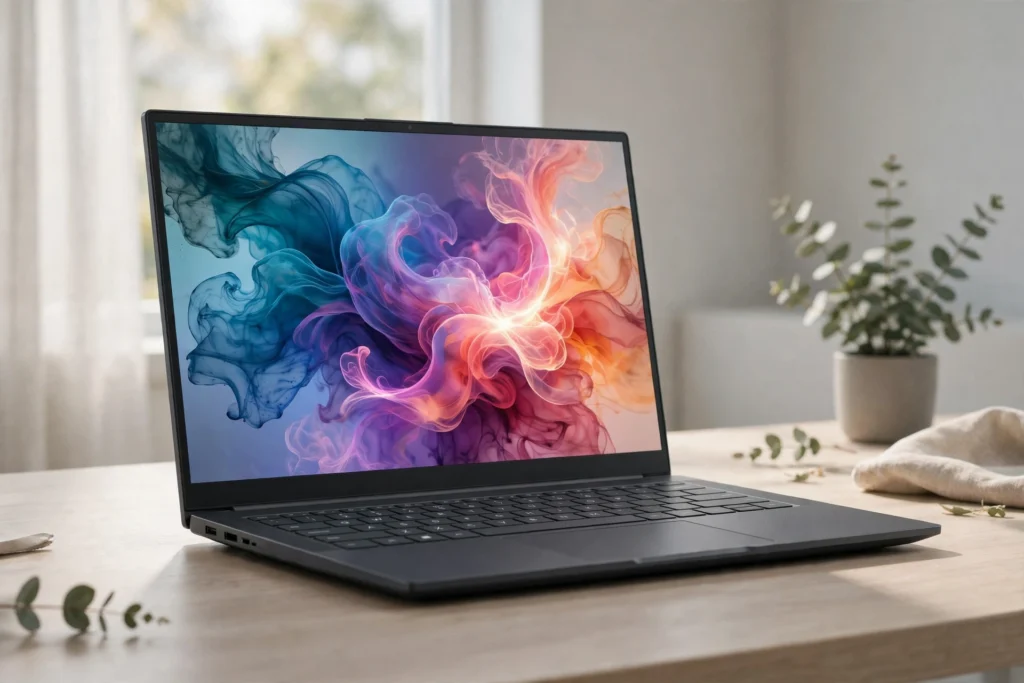
Asus Googlebook 14 (CX9): Early Reviews and Specs
Quick answer: The Asus Googlebook 14 (CX9406CAA) starts at $1,299.99 and pairs a 14 inch 3K OLED touchscreen with a 2.18 lb magnesium chassis. Early reviews praise the screen, speakers and ports: Notebookcheck scored it 86.5 percent and Pocket-lint gave 80 percent. The weak spots are battery life and unfinished Googlebook OS software.
Key takeaways
- Price: from $1,299.99 in the US, $1,799 CAD in Canada, £1,199.99 in the UK, and €1,699 for the Notebookcheck review unit in Europe.
- Specs: 14 inch 2880 x 1800 matte OLED touchscreen at 120Hz, Intel Core Ultra 5 325 or Core Ultra 7 355, 16GB RAM, 256GB or 512GB SSD, 2.18 lb, 10.9 mm thin.
- Review scores: Notebookcheck 86.5%, Pocket-lint 80%, BGR and XDA positive with reservations and no numeric score, Expert Reviews positive with reservations.
- Tested battery: Notebookcheck measured 13 hours 20 minutes of Wi-Fi browsing, but Tom’s Guide measured only 6 hours 18 minutes in its heavier live-web test. ASUS claims up to 18 hours.
- The common complaint in every review is the same: premium hardware, unfinished software, and app compatibility problems on the Intel chip.
How we wrote this. We have not tested the Asus Googlebook 14 ourselves. This is a roundup of published early reviews from Notebookcheck, Expert Reviews, BGR, Pocket-lint, XDA Developers, Windows Central, CGMagazine and iPhone in Canada, plus ASUS official specifications and press material. Every figure has a named source. The full model number is CX9406CAA. New to the category? Read what a Googlebook is first.
Table of Contents
- Asus Googlebook 14 specs
- Asus Googlebook 14 price
- What the early reviews say
- Performance and benchmarks
- Display: matte OLED with a calibration problem
- Battery life: the claim vs the tests
- Design, ports and extras
- Googlebook OS and app compatibility
- Asus Googlebook 14 vs Acer Googlebook 14
- Should you buy the Asus Googlebook 14?
- FAQ
- Conclusion
Asus Googlebook 14 specs
| Spec | Asus Googlebook 14 |
|---|---|
| Model | CX9406CAA |
| Display | 14 inch 2880 x 1800 OLED touchscreen, 16:10, 120Hz, 450 nits typical, up to 1,000 nits HDR peak, 100% DCI-P3, matte anti-glare Gorilla Glass Victus, Pantone Validated |
| Processor | Intel Core Ultra 5 325 (8 cores, up to 4.5 GHz) or Core Ultra 7 355 (8 cores, up to 4.7 GHz), Panther Lake, AI Boost NPU up to 47 TOPS |
| Memory | 16GB LPDDR5X onboard (up to 64GB in higher configurations) |
| Storage | 256GB PCIe Gen 4 NVMe SSD in the US base SKU; 512GB in other SKUs; up to 1TB in higher configurations |
| Battery | 70Wh; ASUS claims up to 18 hours of FHD video playback; Google lists up to 15 hours video and 16 hours browsing for this model |
| Weight and size | 2.18 lb (0.99 kg) claimed, 2.13 lb (967 g) measured by Notebookcheck; 10.9 mm at its thinnest, 16.5 mm at its thickest |
| Form factor | Clamshell, CNC-machined magnesium-aluminum alloy, Nano Ceramic coating, Dusk Ash finish, MIL-STD 810H tested |
| Ports | 2 x Thunderbolt 4 USB-C, 2 x USB 3.2 Gen 2 Type-A, 1 x HDMI 2.1b, 3.5 mm headphone jack |
| Wireless | Wi-Fi 7, Bluetooth 6.0 (ASUS); Notebookcheck measured Bluetooth 5.4 on its review unit |
| Camera and security | 1080p webcam with physical privacy shutter, fingerprint reader in the power button, Titan C2 security chip |
| Audio and input | Six-speaker system with dual force-canceling woofers; 6 inch haptic touchpad with six-point force sensing; backlit keyboard, 1.5 mm travel |
| Extras | Glowbar status light on the lid; 12 months of Google AI Pro with 5TB storage included |
Source: ASUS official specifications and press release, September 2026; Notebookcheck measurements, October 2026. Googlebook OS, Gemini, the G key and the Glowbar come on every Googlebook by platform standard. Check the exact SKU before you order: the US base model ships with 256GB of storage, while most other markets get 512GB. See the full five-model comparison in our Googlebook specs guide.
Asus Googlebook 14 price
| Region | Starting price | Availability |
|---|---|---|
| United States | $1,299.99 (Core Ultra 5, 16GB RAM, 256GB SSD) | October 4, 2026, via the ASUS Store and Best Buy |
| Canada | $1,799 CAD (Core Ultra 5); $1,899 CAD (Core Ultra 7) | October 5, 2026 |
| United Kingdom | £1,199.99 (ASUS UK store); £1,199 reviewed price (Expert Reviews) | October 2026 |
| Europe | €1,699 (Notebookcheck review unit price) | October 2026 |
Source: ASUS press release and store pages, Chrome Unboxed, MobileSyrup via Windows Forum, Expert Reviews, Notebookcheck, September and October 2026. Two warnings before you buy. First, the Core Ultra 7 version costs about $300 more for the same RAM and storage, and Notebookcheck says the upgrade makes no sense given the low power limits and Android app restrictions. Second, iPhone in Canada advises waiting for a price drop, since $1,799 CAD buys a 13 inch M5 MacBook Air with the same RAM and storage. Every Googlebook includes the same launch bundle: 12 months of Google AI Pro (worth $249.99), three months of YouTube Premium and a year of GeForce NOW. See our Googlebook price guide for all five models and every country.
What the early reviews say
| Reviewer | Date | Verdict |
|---|---|---|
| Notebookcheck | October 15, 2026 | 86.5%. “A very lightweight companion for everyday tasks within the Android ecosystem, but Googlebook OS is limited.” Praised the chassis, matte OLED, speakers and ports. Criticised the display calibration, the lack of 5G, and the Core Ultra 7 upgrade price. |
| Pocket-lint | October 5, 2026 | 80%. “Sprinkled with hints of greatness.” Praised the effortless Android handset integration for buyers invested in the Google ecosystem. |
| BGR | October 10, 2026 | No numeric score. “A lot to like: a stunning display, pretty good performance, reasonably sturdy.” Warned that at this price it must compete with MacBook Air and Dell XPS machines, and that many apps will not run as well on Intel as on Snapdragon Googlebooks. |
| XDA Developers | October 18, 2026 | No numeric score. “After a week with a Googlebook, I can’t shake the feeling I’m using an Android tablet disguised as a laptop.” Struggled to see who would buy it over a similarly priced Windows laptop or MacBook beyond hardcore Android fans. |
| Expert Reviews | October 2026 | No numeric score quoted. “Lovely hardware; now, about that software.” Praised the matte OLED touchscreen, the robust design and the responsiveness. Called the battery mediocre and said Googlebook OS is not quite there yet. |
| Windows Central (first impressions) | October 2026 | No score; first 24 hours only. “Lovely laptop, wrong operating system for me.” Called the 6 inch haptic touchpad “immediately fantastic” but hit real app failures with Slack, Edge and DaVinci Resolve. |
| CGMagazine | October 2026 | No numeric score captured. “Some of the best AI integration I have ever tested” and about 17 hours of battery over two days of constant work, but concerned about long-term viability at the $1,799.99 Canadian price. |
| iPhone in Canada (hands-on) | October 13, 2026 | No score; hands-on only. “Great hardware, but is it worth $1,799?” Praised the weight, the bright 3K OLED display and everyday speed. Advised waiting for a price drop. |
The pattern across every review is identical: premium hardware, unfinished software. Nobody tested the device and disliked the screen, the build, the speakers or the speed. The disagreements are all about whether the hardware is worth $1,299.99 when the software is this young.
Performance and benchmarks
The reviewed configuration in most tests is the base model: an eight-core Intel Core Ultra 5 325 with 16GB of RAM and a 512GB SSD (256GB in the US base SKU). Notebookcheck tested the Core Ultra 7 355 version and measured Geekbench 7 at 2,518 single-core and 11,542 multi-core, WebXPRT 4 at 350 points, and 3DMark Steel Nomad Light at 1,897 points. For everyday work the performance is not in question: BGR found apps opened fast and multitasking between browser tabs and Android apps was smooth, and Expert Reviews used the laptop for days of writing, photo editing in Snapseed and email without big crashes.
Two warnings matter more than the benchmark numbers. First, Notebookcheck says the Core Ultra 7 355 version makes no sense: it costs about $300 more than the Core Ultra 5 version with the same RAM and storage, yet the chip is limited to around 18 watts sustained, so the extra speed rarely shows. Second, BGR warns that Googlebook OS runs Android apps, and most of those were built for ARM phones. Most apps will work well on Snapdragon-based Googlebooks at launch, but plenty will not run as well on Intel models. If app compatibility is your top priority, a Snapdragon Googlebook is the safer pick for now.
Display: matte OLED with a calibration problem
The screen is the Asus best hardware feature and its most confusing one. It is a 14 inch OLED multitouch panel at 2880 x 1800 with a 120Hz refresh rate, 450 nits typical brightness, up to 1,000 nits HDR peak, 100% DCI-P3 color and a matte anti-glare coating. Expert Reviews called the matte-finish OLED touchscreen “a real treat for the eyes (and the fingers)”, and The Gadgeteer called the matte OLED gorgeous. The matte coating cuts reflections far better than the glossy OLED on the Acer Googlebook 14.
Notebookcheck lab measurements tell a different story underneath. It measured average SDR brightness of 525 nits and HDR peak brightness of 1,266 nits, which are excellent, but the black level was raised to 0.42 cd/m2, giving contrast of only 1,250:1, far below what an OLED panel should deliver. The panel is locked to the sRGB gamut with no calibration options, and color accuracy was poor, with a ColorChecker Delta E of 3.5 and a greyscale Delta E of 5.6. Notebookcheck explicitly advises against buying this laptop for photo or image editing and hopes a software update fixes the display pipeline. The screen also flickers at 720Hz (PWM) below full brightness, though most users will not notice it.
Battery life: the claim vs the tests
| Source | Test method | Result |
|---|---|---|
| ASUS (claim) | FHD video playback, 50% brightness, wired headphones | Up to 18 hours |
| Google (claim for this model) | Controlled video playback / web browsing tests | Up to 15 hours video / 16 hours browsing |
| Notebookcheck | Wi-Fi web browsing at 150 nits | 13 hours 20 minutes; 8 hours 5 minutes at full brightness |
| Tom’s Guide | Live-web test, 150 nits, 30 live sites reloaded every 30 seconds, 120Hz | 6 hours 18 minutes first run; 6 hours 50 minutes average of two runs (second run 7 hours 23 minutes) |
| Expert Reviews | Local video playback at 170 cd/m2 | 12 hours 30 minutes |
| CGMagazine | Two days of pretty constant real work | About 17 hours per charge |
Source: ASUS press release, Google support page on Googlebook battery life, Notebookcheck, Tom’s Guide via UMA Technology and Ghanamma, Expert Reviews, CGMagazine, September and October 2026. The honest summary: the tests disagree because the test methods disagree. Tom’s Guide runs the heaviest test, a live-web workload at 120Hz, and the Asus scored the worst of all five Googlebooks in it, at 6 hours 18 minutes against the HP Googlebook 14 at 11 hours 52 minutes. Tom’s Guide has contacted ASUS about the result and notes the laptop may have a defect. Notebookcheck’s gentler Wi-Fi test gave 13 hours 20 minutes, and CGMagazine got about 17 hours of light real work. Expect a full working day of light use, not 18 hours, and check for a software fix before you trust the heavy-browsing number. For context on how the five models compare, see the tested battery table in our worth it analysis.
Design, ports and extras
Portability is the headline. ASUS rates the laptop at 2.18 lb (0.99 kg) and 10.9 mm at its thinnest point, and Notebookcheck measured 967 g on its scale, which is 2.13 lb. Windows Central’s Ben Wilson measured about 2.13 lb too. BGR notes it is a fair bit lighter than a 13 inch MacBook Air, and in a backpack you will hardly notice it. The chassis is CNC-machined magnesium-aluminum alloy with a Nano Ceramic coating in Dusk Ash, tested to the MIL-STD 810H durability standard. The catch, spotted by BGR: the finish can feel a little plasticky, with some flex in the keyboard bed and lid, and the laptop may feel too light to seem premium to some buyers.
The port selection is the best in the Googlebook lineup: two Thunderbolt 4 USB-C ports, two USB 3.2 Gen 2 Type-A ports, one HDMI 2.1b port and a 3.5 mm headphone jack. No dongle is needed for older accessories. Wireless is Wi-Fi 7 and Bluetooth 6.0 according to ASUS, though Notebookcheck measured Bluetooth 5.4 on its review unit.
The extras are strong for the price: a six-speaker system that Notebookcheck rated the best audio in its comparison class, a 6 inch haptic touchpad with six-point force sensing that Windows Central called “immediately fantastic”, a backlit keyboard with 1.5 mm travel, a 1080p webcam with a physical privacy shutter, a fingerprint reader built into the power button, and Google’s Titan C2 security chip. The Glowbar light strip on the lid shows battery and charging status and pulses when you talk to Gemini. Two gaps: there is no 5G or LTE option, and the RAM is soldered, so buy the memory you need on day one.
Googlebook OS and app compatibility
Googlebook OS is Android 17 with a desktop skin, not ChromeOS with a new name. Apps come from the Play Store, sorted into five tiers: Made for desktop, Optimized for desktop, Compatible with desktop, Better on the website, and Built for mobile. Windows Central’s first day with the laptop shows what that means in practice: Slack landed in “Better on the website” and could not be installed as a web app, installing the Android app anyway was worse than using Slack in Chrome, Microsoft Edge was rated “Compatible with desktop” but launching it froze the whole machine until a restart, and DaVinci Resolve was not available at all.
Phone integration is the other marquee feature that does not work yet. The handoff and app sharing features need an Android 17 phone, and Notebookcheck could not establish the connection even with a modern Android 17 smartphone. Expert Reviews adds that Samsung, the biggest Android phone manufacturer, does not currently support the integration. The AI features are real but modest: Magic Pointer activates Gemini when you wiggle the cursor, Rambler cleans up dictated speech, and the file manager can describe file contents, but Expert Reviews calls most of the AI features window dressing. Google says the 2026 Googlebook launch is designed for personal consumer use and does not yet support domain enrollment or centralized fleet management, so this is not a business fleet laptop. Read our Googlebook OS explained guide before you buy.
Asus Googlebook 14 vs Acer Googlebook 14
| Feature | Asus Googlebook 14 | Acer Googlebook 14 |
|---|---|---|
| US starting price | $1,299.99 | $899 |
| Weight | 2.18 lb (0.99 kg) | 2.51 lb (1.14 kg) |
| Display | 14 inch 3K matte OLED, 120Hz, up to 1,000 nits HDR peak | 14 inch 3K glossy OLED, 120Hz, 500 nits peak |
| Processor | Intel Core Ultra 5 325 or Ultra 7 355 | Intel Core Ultra 5 325 or Ultra 7 355 |
| Ports | 2x Thunderbolt 4, 2x USB-A, HDMI 2.1b, headphone jack | 2x USB-C, 1x Thunderbolt 4, headphone jack |
| Form factor | Clamshell | 360 degree convertible 2-in-1 |
| Review scores | Notebookcheck 86.5%, Pocket-lint 80% | TechRadar 4/5, PCMag first among four Googlebooks tested |
| Tested battery | 13h 20min (Notebookcheck Wi-Fi); 6h 18min (Tom’s Guide) | 10h 25min (Tom’s Guide web test) |
Source: ASUS and Acer official specifications, Notebookcheck, TechRadar, PCMag, Tom’s Guide, October 2026. The Asus is the lighter, better connected, better sounding laptop with a matte screen that works outdoors. The Acer is $400 cheaper, folds into a tablet, and has the better tested battery in Tom’s Guide’s test. Both run the same unfinished Googlebook OS. Read the full Acer Googlebook 14 review before you choose, and compare all five models in our Googlebook specs guide.
Should you buy the Asus Googlebook 14?
Buy it if: you live in the Android ecosystem, you mostly use web apps, you want the lightest Googlebook with the best port selection and speakers, and you accept first-generation software. At $1,299.99 the hardware value is real, and the matte OLED is the best screen in the lineup for bright rooms.
Wait if: you need desktop apps, you need reliable battery life, you edit photos, or you want the price to drop. The Tom’s Guide battery result is unresolved, the display calibration problem has no fix yet, and iPhone in Canada expects a price drop. The MacBook Air M5 starts at a similar price with proven software and better battery life, so compare the two in our Googlebook vs MacBook Air comparison before you spend $1,300.
Android-first buyers who want the platform should also check the Snapdragon Googlebooks, which BGR says run Android apps better than this Intel model. If the platform is right for you but the Asus price is not, the Acer Googlebook 14 gives you the same chip and a convertible design for $899. Our worth it analysis covers the platform decision in full.
FAQ
Is the Asus Googlebook 14 good?
Yes, for its hardware, but not yet as a finished laptop. Notebookcheck scored it 86.5 percent and Pocket-lint gave it 80 percent, praising the matte OLED screen, the 2.18 lb body, the speakers, and the port selection. The problem is Googlebook OS: apps are limited, phone integration is unreliable, and battery life varies widely by test.
What is the Asus Googlebook 14 price?
It starts at $1,299.99 in the US for the Core Ultra 5 model with 16GB of RAM and a 256GB SSD. In Canada it starts at $1,799 CAD, in the UK at £1,199.99, and in Europe at €1,699. The Core Ultra 7 version costs about $300 more, but Notebookcheck says the upgrade is not worth it.
How long does the Asus Googlebook 14 battery last?
It depends on the test. ASUS claims up to 18 hours. Notebookcheck measured 13 hours 20 minutes of Wi-Fi browsing at 150 nits. Tom’s Guide measured 6 hours 18 minutes in its heavier live-web test. Expert Reviews got 12 hours 30 minutes of local video playback. Expect a full working day of light use, not 18 hours.
Does the Asus Googlebook 14 run Windows apps?
No. The Asus Googlebook 14 runs Googlebook OS, which is Android 17 with a desktop skin, so it cannot run Windows desktop apps. You get Android apps from the Play Store and web apps from Chrome. Windows Central found Slack, Microsoft Edge, and DaVinci Resolve all had problems on it. If you need Windows software, buy a Windows laptop instead.
Is the Asus Googlebook 14 screen good for photo editing?
No, not for photo work. Notebookcheck measured the matte OLED panel at only 1,250:1 contrast with a raised black level, and found the color calibration was poor and locked to the sRGB gamut. The panel looks good for movies and general use, and the matte coating cuts reflections, but Notebookcheck advises against buying this laptop for photo or image editing.
Is the Asus Googlebook 14 better than the Acer Googlebook 14?
It depends on your budget. The Acer costs $899, is the only convertible Googlebook, and has a glossy OLED screen. The Asus costs $1,299.99, is lighter at 2.18 lb, has a matte OLED screen, more ports including USB-A and HDMI, and better speakers. Both run the same unfinished Googlebook OS. Most buyers should pick the Acer and save $400.
Conclusion
The Asus Googlebook 14 is the most polished hardware in the Googlebook lineup: the lightest body, the best port selection, the best speakers Notebookcheck measured, and a matte OLED screen that works in bright rooms. The trade-offs are the unfinished software, the unresolved battery question, a display calibration problem that rules out photo editing, and a $1,299.99 price that buys a proven MacBook Air instead. If you live in Android and web apps, no other Googlebook gives you this much hardware. Everyone else should wait for a price drop and a software update.
Related guides: What is a Googlebook? | Googlebook specs: all 5 models compared | Acer Googlebook 14 review | Googlebook price guide | Is the Googlebook worth it? | Googlebook vs MacBook Air
Sources:
- Notebookcheck, Asus Googlebook 14 Laptop Review (October 15, 2026): https://www.notebookcheck.net/Asus-Googlebook-14-Laptop-Review-An-ExpertBook-Ultra-with-a-Glowbar.1423934.0.html
- Notebookcheck, Asus Googlebook 14 CX9406CAA Reviews and Specs (October 2026): https://www.notebookcheck.net/Asus-Googlebook-14-CX9406CAA-Reviews-and-Specs.1426938.0.html
- Expert Reviews, Asus Googlebook 14 review (October 2026): https://www.expertreviews.co.uk/technology/laptops/asus-googlebook-14-review
- BGR, Asus Googlebook 14 Review: For Android, By Android (October 10, 2026, via Ghanamma): https://www.ghanamma.com/2026/10/10/asus-googlebook-14-review-for-android-by-android/
- Windows Forum, ASUS Googlebook 14 First Impressions (Windows Central summary, October 2026): https://windowsforum.com/news/asus-googlebook-14-first-impressions-premium-hardware-app-limits-for-windows-users.448044/
- Windows Forum, Asus Googlebook 14 Review: OLED, Ports and Android App Limits (BGR summary, October 2026): https://windowsforum.com/news/asus-googlebook-14-review-oled-ports-and-android-app-limits-for-windows-users.447889/
- iPhone in Canada, ASUS Googlebook 14 Hands-On (October 13, 2026): https://www.iphoneincanada.ca/2026/10/13/asus-googlebook-14-hands-on/
- CGMagazine, ASUS Googlebook 14 Review (October 2026): https://www.cgmagonline.com/review/hardware/asus-googlebook-14-review/
- Chrome Unboxed, The ASUS Googlebook 14 is official (September 21, 2026): https://chromeunboxed.com/the-asus-googlebook-14-is-official-2-18-pounds-3k-oled-and-panther-lake-power/
- ASUS press release, Announcing the New ASUS Googlebook 14 (September 23, 2026): https://press.asus.com/news/press-releases/asus-googlebook-14-gemini-intelligence/
- ASUS US store, ASUS Googlebook 14 CX9406CAA-DH566T specifications: https://eshop.asus.com/us/90cb0a71-m003d0-asus-googlebook-14.html
- ASUS UK store, ASUS Googlebook 14 CX9406CAA specifications and price: https://uk.store.asus.com/90cb0a71-m001m0-asus-googlebook-cx9406caa.html
- The Gadgeteer, ASUS Googlebook 14 costs more than Lenovo’s (September 28, 2026): https://the-gadgeteer.com/2026/09/28/asus-googlebook-14-costs-more-than-lenovos-so-what-does-the-extra-money-buy/
- Google support, Understand your Googlebook’s battery life: https://support.google.com/product-documentation/answer/18428895?visit_id=639290265609792523-1702978592&p=battery_claims&rd=1
- Tom’s Guide battery results via UMA Technology (October 2026): http://umatechnology.org/googlebook-battery-life-what-early-tests-show-and-what-google-claims/
- Google, Googlebook launch post (September 21, 2026): https://blog.google/products-and-platforms/devices/googlebook/pre-order-googlebook/
Last updated: 6 November 2026. Author: Joshe Martin. Prices are launch prices from the sources listed and may change; check the retailer listing before you buy.
