
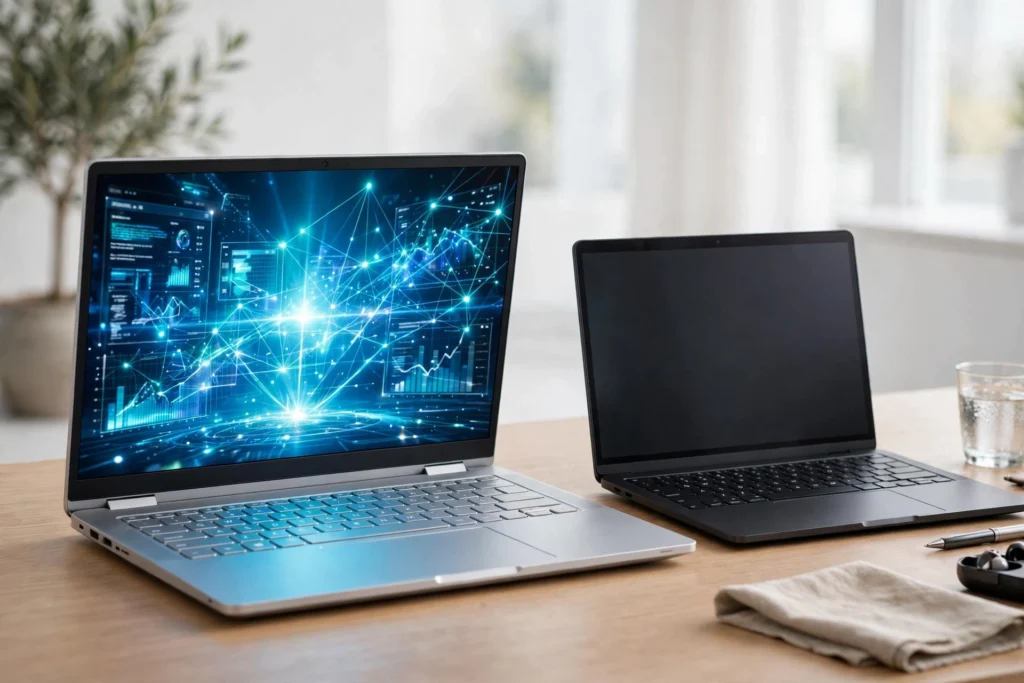
Acer Googlebook 14 vs Dell XPS Googlebook
The Dell XPS Googlebook is faster, and the Acer Googlebook 14 is the better value for most buyers. In Tom’s Guide’s lab test (October 7, 2026), the Dell scored 2,997/14,724 in Geekbench 6, against 2,465/9,960 for the Acer. The Acer costs $100 less, has a brighter OLED screen with HDR, and is the only convertible Googlebook.
Key takeaways
- The Dell wins on speed: about 48 percent higher multi-core in Geekbench 6 and 40 fps against about 24 fps in 3DMark.
- The Acer wins on screen: a 14-inch 2.8K OLED touchscreen with HDR, against the Dell’s 13.4-inch LCD.
- Tested battery is nearly tied: 10 hours 25 minutes (Acer) vs 10 hours 4 minutes (Dell), Tom’s Guide, October 9, 2026.
- Both share 16GB of RAM, 512GB of storage, a 120Hz touchscreen, a fingerprint reader, and the same launch bundle.
- The Verge (October 22, 2026) said Googlebook OS feels like a beta. Google shipped fixes on November 5, 2026.
How we wrote this. We have not tested either laptop. This early-reviews roundup uses published reviews with credit: Tom’s Guide, Techlicious, The Verge, TechRadar, Expert Reviews, PCMag, and Starry Hope. Prices are US list prices, checked November 17, 2026.
Table of Contents
Acer vs Dell at a glance
The two cheapest Googlebooks share a foundation and differ on chip, screen, shape, ports, and price.
| Feature | Acer Googlebook 14 | Dell XPS Googlebook |
|---|---|---|
| US starting price | $899 (limited-time launch price) | $999 |
| Processor | Intel Core Ultra 5 325 (Panther Lake), 8-core | Qualcomm Snapdragon X Elite X1E-80-100, 12-core |
| Display | 14-inch 2880×1800 OLED touch, 120Hz, 500 nits peak, 100% DCI-P3, DisplayHDR True Black | 13.4-inch 2560×1600 LCD touch, 120Hz, anti-glare, about 408 nits measured, no HDR |
| Form factor | 360-degree convertible, hinge rated 20,000 cycles, USI 2.0 stylus-ready | Clamshell |
| Weight and build | 2.51 lb, 13.9 mm thin, aluminum-magnesium, Elemental Blue | 2.2 lb, anodized aluminum |
| Battery | 71Wh; Acer claims up to 16 hours web browsing | 52Wh; Google claims up to 18 hours web browsing |
| Ports | 2x USB-C 3.2 Gen 2, 1x Thunderbolt 4, headphone jack | 2x USB-C only, no headphone jack |
Sources: Acer specs via Chrome Unboxed and Guru3d, Oct 2026; Techlicious, Sep 29, 2026; Tom’s Guide Dell review. The Acer is the only convertible, and the Dell is the only one with an LCD screen. See all five models in our Googlebook specs guide.
Which is faster?
The Dell is faster by a wide margin, on the same Tom’s Guide lab test, published October 7, 2026.
| Test | Acer Googlebook 14 | Dell XPS Googlebook |
|---|---|---|
| Geekbench 6, single-core | 2,465 | 2,997 |
| Geekbench 6, multi-core | 9,960 | 14,724 |
| 3DMark Wild Life Extreme | 4,068 points, about 24 fps | 6,688 points, 40 fps |
Source: Tom’s Guide, Oct 7, 2026. The Dell is about 21 percent higher on single-core, about 48 percent higher on multi-core, and about 67 percent higher on 3DMark frame rate. Tom’s Guide put it plainly: the Dell “crushed the Acer Googlebook 14 in Geekbench tests for only $100 more”.
For everyday work, the gap matters less than the numbers suggest. Browsing, documents, email, and video calls should feel smooth on either one. The gap shows up in heavier work: photo and video editing, large files, and many apps at once. Neither is a gaming machine at these frame rates.
One counterpoint: PCMag reported on October 11, 2026 that the Acer ranked first among the four Googlebooks it tested in WebXPRT 4 and PCMark Work 3.1 for Android. Read our Acer Googlebook 14 review and our Dell XPS Googlebook review for each model on its own.
Which screen is better?
The Acer has the better screen for most buyers. OLED beats LCD on contrast and color, and the Acer adds HDR, a larger panel, and higher resolution.
The Acer panel is a 14-inch 2880×1800 OLED touchscreen at 120Hz, with 500 nits peak, 100 percent DCI-P3, and DisplayHDR True Black (Acer specs via Chrome Unboxed and Guru3d, Oct 2026). Expert Reviews called the Acer “hugely likeable” and measured 520 nits SDR and 1,206 nits HDR. TechRadar gave the Acer 4 out of 5 in October 2026. That matters most for photos, video, and movies.
The Dell panel is a 13.4-inch 2560×1600 LCD touchscreen at 120Hz with an anti-glare coating. Tom’s Guide measured about 408 nits, and the Dell has no HDR. The coating cuts reflections, but it adds a slight rainbow shimmer and dims the screen. It covers only 76.6 percent of DCI-P3, so it is less vivid than the Acer.
Battery life: claims vs tests
The claims are far apart, but the tested results are nearly tied. Do not choose on battery life alone.
| Model | Claimed | Tested at 120Hz | Tested at 60Hz |
|---|---|---|---|
| Acer Googlebook 14 (71Wh) | Up to 16 hours (Acer) | 10 hours 25 minutes | Not tested |
| Dell XPS Googlebook (52Wh) | Up to 18 hours (Google) | 10 hours 4 minutes | 12 hours 13 minutes |
Source: Tom’s Guide, Oct 9, 2026. The test cycled live websites at 150 nits and 120Hz; Google’s ratings come from a test at 100 nits with Battery Saver on. The Acer lasted 21 minutes longer at 120Hz; the Dell pulls ahead only at 60Hz, at 12 hours 13 minutes. Read our Googlebook battery life guide.
Design, ports, and everyday use
The Dell is lighter and simpler. The Acer is more versatile and better connected. Your daily habits decide which matters more.
The Acer weighs 2.51 lb and is 13.9 mm thin, in aluminum-magnesium in Elemental Blue. It folds flat into tablet mode and is stylus-ready with USI 2.0 (pen sold separately). It has 2x USB-C 3.2 Gen 2, 1x Thunderbolt 4, a headphone jack, Wi-Fi 7, and Bluetooth 6.0, plus a 5MP webcam with a privacy shutter and a Titan-C chip.
The Dell weighs 2.2 lb in anodized aluminum and is smaller at 13.4 inches. It is a clamshell only, with 2x USB-C ports and nothing else, so wired headphones need an adapter. Tom’s Guide praised its keyboard and trackpad. If you still plug in headphones, a monitor, or a drive, the Acer is the practical pick. See our best Googlebook for students guide.
Price and value: is the Dell worth $100 more?
Yes, if speed and lightness matter most. No, if screen, versatility, and price matter more. Both share the same RAM, storage, refresh rate, fingerprint reader, and bundle, so the $100 buys a faster chip and a lighter bag.
The Acer starts at $899, a limited-time launch price Acer says it may reassess (The Verge). The Dell starts at $999 (Techlicious, Tom’s Guide, Starry Hope). Older listings show higher figures for a reason: Dell cut the starting price from $1,199 to $999.99 (Gadget Review, via our Dell XPS Googlebook review), and Tech Advisor’s $1,099 matches the UK price of £1,099, not the US price. Both include 12 months of Google AI Pro, three months of YouTube Premium, and one year of GeForce NOW (Google). 32GB versions list from $1,599 (Starry Hope). See our Googlebook price guide.
What the reviewers say
Reviewers agree on the hardware. Both laptops are well built and well reviewed, and both run the same unfinished software.
The Verge reviewed all five Googlebooks on October 22, 2026, said Googlebook OS feels like a beta, and does not recommend buying any Googlebook in its current state. It rated the Acer 4 out of 10 and picked the Dell as a good second computer. Google shipped fixes for external monitors, Bluetooth audio, and Linux Terminal on November 5, 2026, but the platform is still young.
TechRadar gave the Acer 4 out of 5 in October 2026 (Value 4, Design 4, Performance 3.5, Battery 3). Tom’s Guide praised the Dell’s keyboard and trackpad and called it an Android fan’s dream laptop, while warning that Googlebook OS is still a work in progress. Read our guide on whether a Googlebook is worth it and our Googlebook vs MacBook Air comparison.
Verdict: choose Acer if, choose Dell if
There is no single winner. The choice turns on one question: speed and lightness, or screen and versatility?
Choose the Acer Googlebook 14 if you want the best screen in this price range, a convertible hinge for notes or drawing, a headphone jack and Thunderbolt 4, and the lowest price, $899. Read our full Acer Googlebook 14 review before you buy.
Choose the Dell XPS Googlebook if you want the fastest Googlebook under $1,000, the lightest bag at 2.2 lb, and the best keyboard and trackpad, and you do not need a headphone jack, a convertible hinge, or OLED. Read our full Dell XPS Googlebook review before you buy.
Wait if The Verge warning matters more than the hardware. If your current laptop still works, waiting gives you a more finished Googlebook OS and clearer pricing. If you are replacing a Chromebook, read our Googlebook vs Chromebook guide first.
FAQ
Is the Dell XPS Googlebook worth $100 more than the Acer Googlebook 14?
Yes, if speed and lightness matter most. The Dell is about 48 percent faster on multi-core Geekbench 6 and reaches 40 fps in 3DMark against about 24 fps for the Acer (Tom’s Guide). No, if screen and versatility matter more: the Acer has the better OLED screen and a convertible hinge for $100 less.
Which has the better screen, the Acer or the Dell?
The Acer has the better screen. Its 14-inch 2.8K OLED panel has HDR and measured 520 nits SDR and 1,206 nits HDR (Expert Reviews). The Dell has a 13.4-inch LCD with no HDR and about 408 nits measured by Tom’s Guide. The Dell’s anti-glare coating helps in bright rooms but dims the screen slightly.
Which Googlebook has better battery life?
They are nearly tied. Tom’s Guide measured 10 hours 25 minutes for the Acer and 10 hours 4 minutes for the Dell at 150 nits and 120Hz on October 9, 2026. The Dell pulls ahead at 60Hz, lasting 12 hours 13 minutes. Both fall far short of the claims of up to 16 and 18 hours.
Which is better for students, the Acer or the Dell?
It depends on how the student works. The Acer is better for handwritten notes and drawing: it folds into tablet mode, supports a USI 2.0 stylus, and has a headphone jack and Thunderbolt 4. The Dell is better for carrying all day at 2.2 lb and for heavy multitasking, because its chip is much faster.
Should I buy a Googlebook now or wait?
Wait if your current laptop still works. The Verge reviewed all five Googlebooks on October 22, 2026, said Googlebook OS feels like a beta, and does not recommend buying any Googlebook yet. Google shipped fixes on November 5, 2026, but the platform is still young. Buy now only if you need a laptop today.
Conclusion
The Dell is faster and the Acer is the better value for most buyers. Pay $999 for the Dell if speed, lightness, and the best keyboard matter most. Pay $899 for the Acer if the OLED screen, the convertible hinge, and the extra ports matter more. The hardware is strong and the software is still maturing. Compare prices in our Googlebook price guide first.
Related guides: Googlebook vs MacBook Air: Which Should You Buy? | Acer Googlebook 14 review | Dell XPS Googlebook review | Googlebook price guide | Googlebook battery life
Sources:
- Tom’s Guide benchmarks, October 7, 2026: https://www.tomsguide.com/computing/laptops/we-just-benchmarked-the-first-5-googlebooks-and-intel-should-be-worried
- Tom’s Guide battery test, October 9, 2026: https://www.tomsguide.com/computing/laptops/googlebooks-have-a-battery-life-problem-heres-what-our-results-show
- Tom’s Guide, Dell XPS Googlebook review: https://www.tomsguide.com/computing/laptops/dell-xps-googlebook-review
- Techlicious, September 29, 2026: https://www.techlicious.com/guide/which-googlebook-should-you-buy/
- Starry Hope, which Googlebook to buy 2026: https://www.starryhope.com/chromebooks/which-googlebook-to-buy-2026/
- ChromeGeek, all five Googlebooks compared: https://www.chromegeek.com/googlebook-reviews-all-five-compared/
- Tech Advisor, every Googlebook price and specs: https://www.techadvisor.com/article/3241804/every-googlebook-price-key-specs-features-pros-cons.html
By Joshe Martin. Joshe Martin covers Googlebook and Chromebook laptops for ailaptopguide.com, focusing on prices, specs, and practical buying advice. We have not tested either laptop. This is an early-reviews roundup based on published reviews and official sources, with every figure credited to a named source and date.
