
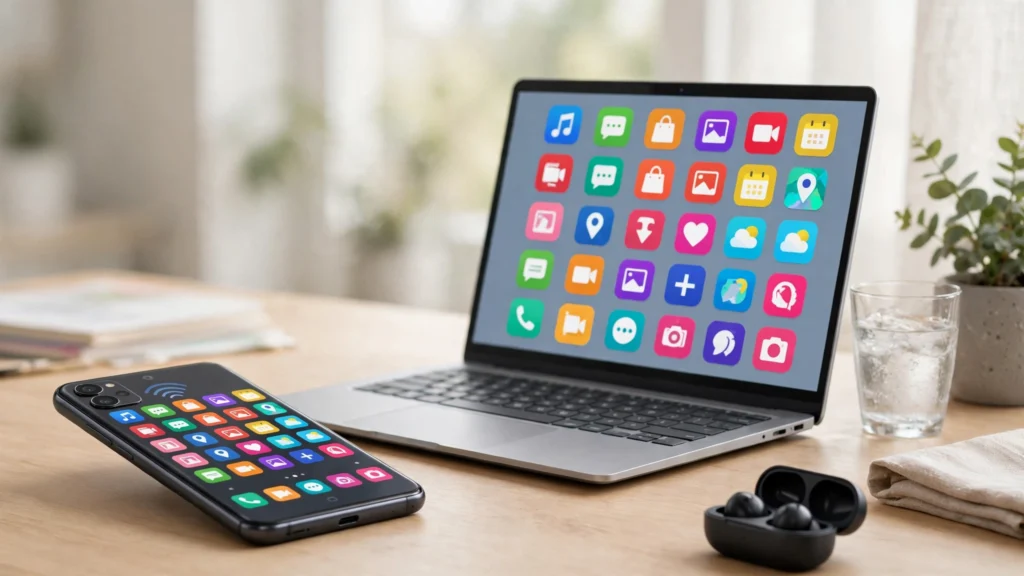
Cast My Apps Requirements: What You Need and Which Phones Work
Cast My Apps needs a Googlebook, an Android phone running Android 17 or higher, Bluetooth and Wi-Fi on, both devices on the same Wi-Fi network, the same Google Account, and cross-device services on. Your phone also needs Google Play services 26.37 or higher and Cross-device services 1.0.1346 or higher.
Key takeaways
- Cast My Apps streams a phone app into a window on your Googlebook. It is not installed on the laptop.
- The hard floor is Android 17, plus Google Play services 26.37 or higher and Cross-device services 1.0.1346 or higher.
- Both devices need the same Google Account, Bluetooth and Wi-Fi on, the same Wi-Fi network, and cross-device services on.
- Google lists Pixel, Samsung (One UI 9.0), Xiaomi, Oppo, OnePlus, Motorola, Lenovo, Honor, Sharp and Sony.
- Some apps cannot be cast, only a limited number can be open at once, and Google has not said how many. iPhones cannot use Cast My Apps.
How we wrote this. We have not tested any Googlebook ourselves. This guide uses Google’s Cast My Apps help page and its October 10, 2026 Better Together update, plus reporting from TechRepublic, 9to5Google, SamMobile, Tech-Ish, The Gadgeteer and UMA Technology. Where Google has published nothing, we say so. Checked November 18, 2026.
Table of Contents
What is Cast My Apps?
Cast My Apps opens an app from your Android phone in a window on your Googlebook, so you can use it on a bigger screen without installing it. The app keeps running on the phone.
Google presents it as one of four Better Together features, the bundle that links a Googlebook with an Android phone. The other three are Continue On, which resumes a phone task on the laptop, Quick Access, which opens phone files from the laptop, and Notification Sync, which brings phone notifications to the laptop. All four share the same requirements. Starry Hope gives the everyday examples: a Duolingo lesson, ordering dinner, or grabbing a one-time code from Messages.
Cast My Apps requirements at a glance
Google’s help page lists six requirements, and its October 10, 2026 update adds two version floors.
| Requirement | What it means | How to check it |
|---|---|---|
| A Googlebook | Only Googlebook laptops, not Chromebooks | Any of the five launch models |
| Android 17 phone | The hard floor for every Better Together feature | Settings, then About phone, then Android version |
| Bluetooth and Wi-Fi on | Both radios must be active on both devices | Quick settings on the phone and the laptop |
| Same Wi-Fi network | Both devices must share one network, or a personal hotspot | Same network name on both; private home network only |
| Same Google Account | Google recommends the same primary personal account | The signed-in account on both devices |
| Cross-device services on | The service that powers the phone link | Search Settings for Cross-device services, then Continue activity; turn on Tasks, Apps, Notifications, Files and media sharing |
| Play services 26.37+, Cross-device services 1.0.1346+ | Minimum versions from Google’s October 10, 2026 update | Settings, then Apps, then See all apps, then each app, then App details, and update if offered |
Sources: Googlebook Help Center, “Share your phone apps with your Googlebook with Cast My Apps”; Googlebook Community, October 10, 2026; TechRepublic.
Which phones support Cast My Apps?
Any compatible Android phone running Android 17 or higher can use Cast My Apps, but Google publishes no full model list. Its October 10, 2026 update names the brands: Pixel and compatible Android 17 phones including Xiaomi, Oppo, OnePlus, Motorola, Lenovo, Honor, Sharp, Sony, Samsung (One UI 9.0), and more. The test is the Android version and the service versions, not the brand alone. Every brand below also needs the two service versions in the table above.
| Phone brand | Status | What you need |
|---|---|---|
| Google Pixel | Supported from launch | Android 17+ |
| Samsung Galaxy | Supported since October 10, 2026 | One UI 9.0 |
| Xiaomi | Supported | Android 17+ |
| Oppo | Supported | Android 17+ |
| OnePlus | Supported | Android 17+ |
| Motorola | Supported | Android 17+ |
| Lenovo | Supported | Android 17+ |
| Honor | Supported | Android 17+ |
| Sharp | Supported | Android 17+ |
| Sony | Supported | Android 17+ |
| iPhone | Not supported | No support announced |
Sources: Googlebook Community, October 10, 2026; TechRepublic; 9to5Google, October 10, 2026; Tech-Ish, October 13, 2026.
Tech-Ish reported on October 13, 2026 that the Galaxy Z Fold8 Ultra, Z Fold8 and Z Flip8 launched with One UI 9 in July. Updates then rolled out in stages from South Korea: the S26 series from September 16, the S25 series, Z Fold7 and Z Flip7 from September 28, and the S24 series, Z Fold6 and Z Flip6 from October 6. Other regions can lag, and any Galaxy on One UI 8.5 or older must wait for Samsung’s update.
How to set up Cast My Apps
Setup has two halves: the phone, then the Googlebook. Work through the phone checks first, because most failures sit there.
On your phone, start with the Android version. Open Settings, then About phone, then Android version. It must read Android 17 or higher. Next, update the two service apps: Google Play services must be at version 26.37 or higher, and Cross-device services at 1.0.1346 or higher. Open Settings, then Apps, then See all apps, and update each one from App details.
Then verify the four toggles. On your phone, search Settings for Cross-device services, then Continue activity, and confirm that Tasks, Apps, Notifications and Files and media sharing are all on. The Apps toggle is the one Cast My Apps needs, but Google tells you to confirm all four. Also confirm that both devices use the same personal Google Account, with Bluetooth and Wi-Fi on, and both on a private home Wi-Fi network.
On the Googlebook, open Settings, select Continue activity, and turn on Apps. That is the whole laptop-side setup. To open a phone app, select your phone’s apps on the taskbar. A window opens with your phone’s apps. If the phone apps icon does not appear, restart both devices, then recheck the list.
What does not work with Cast My Apps?
Some apps cannot be cast at all. Google says the feature is not available for some apps that display sensitive information or play certain copyright protected content. Banking apps are the example most coverage gives, but that is an example from reporting, not a Google list. Assume any app handling money or health data may refuse to cast.
You can only open a limited number of phone apps at a time, and Google does not say how many. Do not trust any guide that states one. The second limit is about the phone itself: if you launch an app on your phone while it is being cast, the app closes on the Googlebook. The phone runs the app, so the phone wins.
The network can block you too. Public, office and guest Wi-Fi often use client isolation, which stops devices on the same network from talking to each other. Google’s cross-device documentation, summarised by TechRepublic, adds that the network must support Multicast DNS, or mDNS, and that a personal hotspot can substitute for shared Wi-Fi. VPNs and DNS blockers can also break the connection, so pause them during setup. Android work profiles are not supported, so an employer-managed phone may never connect. Notebookcheck could not connect an ASUS Googlebook 14 even with a suitable Android 17 phone, as reported in our Android apps guide.
Cast My Apps vs installing Android apps on the Googlebook
Cast My Apps and native installation solve different problems. Casting is the route for apps that live only on your phone.
| Cast My Apps | Install from Google Play | |
|---|---|---|
| Where the app runs | On your phone; the laptop shows it in a window | On the Googlebook itself |
| Phone required? | Yes, Android 17 or higher, with setup | No |
| Works without the phone? | No, the phone must stay connected | Yes |
| Same Wi-Fi and account? | Yes, plus Bluetooth and cross-device services | No |
| App limits | Some sensitive and protected apps cannot be cast; limited number at once | Some apps do not appear in the Play Store, or install but will not launch |
Sources: UMA Technology; Googlebook Help Center; Google’s product FAQ via TechRepublic.
Use casting when the phone is the authoritative device for the app, meaning the account, the messages or the data live there and no laptop version exists. Use native installation when you want the app to run as a Googlebook application, use the laptop without the phone, or avoid the phone-session limits of casting. See every model in our Googlebook specs guide before you choose a laptop for either route.
What if your phone does not qualify?
First, check whether your phone will get Android 17 at all. Many phones from 2024 and 2025 are on maker update lists, and a phone one update away will qualify as soon as that update arrives.
Second, a Googlebook works fine without a qualifying phone. Native Android apps install from Google Play with no phone involved, desktop Chrome keeps full extension support, and the Gemini features do not need a phone. Cast My Apps, Continue On and Quick Access are the features you lose, not the laptop.
Third, iPhone owners face a different answer. Google has not announced iPhone support for Cast My Apps, and no date exists. PCWorld, quoted in our guide to what a Googlebook is, says iPhone owners get little beyond notification and text syncing, and are better off with a Mac or a Windows laptop.
FAQ
What are the Cast My Apps requirements?
You need a Googlebook, an Android 17 phone, Bluetooth and Wi-Fi on, both devices on the same Wi-Fi network, the same Google Account, and cross-device services on. Your phone also needs Google Play services 26.37 or higher and Cross-device services 1.0.1346 or higher.
Does Cast My Apps work with Samsung phones?
Yes, since October 10, 2026, when Google announced Better Together support for Samsung phones on One UI 9.0, Samsung’s Android 17. At launch it did not work. One UI 9 reached Galaxy models in stages from July to October 2026, so a Galaxy on One UI 8.5 or older must wait.
Does Cast My Apps work with an iPhone?
No. Cast My Apps needs an Android phone running Android 17 or higher, and Google has announced no iPhone support and no date for it. PCWorld says iPhone owners get little beyond notification and text syncing. If the phone link matters to you, a Mac or a Windows laptop is the better fit.
How many apps can I cast at once?
Google says only “a limited number” and has published no figure, so any guide that states a number is guessing. Google does say that opening a cast app on your phone closes it on the Googlebook, because the app keeps running on the phone.
Conclusion
Cast My Apps needs seven things: a Googlebook, an Android 17 phone, Bluetooth and Wi-Fi on, the same Wi-Fi network, the same Google Account, cross-device services on, and the two service versions Google named in October 2026. Check them in that order and most setups work. The two checks people miss are the service versions and the Continue activity toggles, so start there if the feature never appears.
Related guides: Googlebook OS Explained, Does Googlebook Run Android Apps?, Googlebook Specs: All 5 Models Compared, What Is a Googlebook?
Sources: Googlebook Help Center, https://support.google.com/googlebook/answer/16945281?hl=en; Googlebook Community, Oct 10, 2026, https://support.google.com/googlebook/thread/472325070/update-on-better-together-setup-samsung-galaxy-rollout-on-googlebook?hl=en; TechRepublic, https://www.techrepublic.com/article/news-googlebook-cheat-sheet/ and https://www.techrepublic.com/article/news-googlebook-samsung-galaxy-support/; 9to5Google, Oct 10, 2026, https://9to5google.com/2026/10/10/googlebook-android-sync-updates-samsung-support-rolling-out/; SamMobile, Oct 12, 2026, https://www.sammobile.com/news/googlebooks-now-support-galaxy-phones/; Tech-Ish, Oct 13, 2026, https://tech-ish.com/2026/10/13/googlebook-now-works-with-samsung-galaxy-phones/; The Gadgeteer, Oct 7, 2026, https://the-gadgeteer.com/2026/10/07/googlebook-app-compatibility-what-works-whats-limited-and-whats-coming/; UMA Technology, http://umatechnology.org/can-googlebook-run-android-apps-what-installs-natively-and-what-does-not/; Starry Hope, https://www.starryhope.com/chromebooks/googlebook-announcement-explained-2026/.
By Joshe Martin. Joshe Martin covers Googlebook and Chromebook laptops for ailaptopguide.com. We have not tested any Googlebook ourselves. Every price and figure is credited to a named source and date.

Pingback: Cast My Apps vs Phone Link: Which Phone Link Wins?