
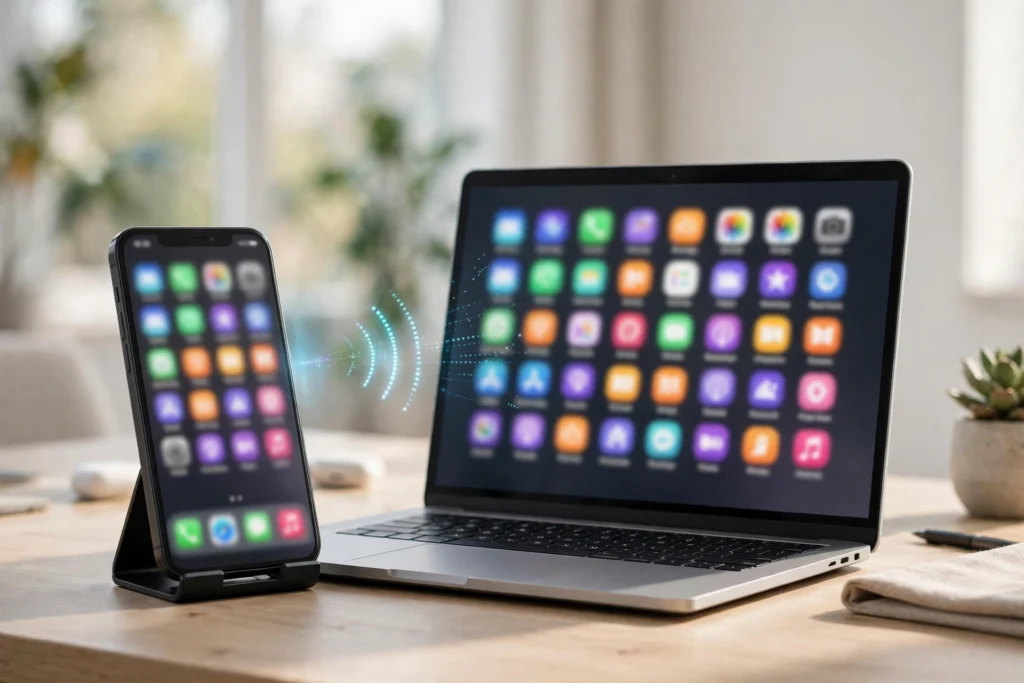
Cast My Apps vs Phone Link
Cast My Apps streams Android phone apps into windows on a Googlebook, and it needs an Android 17 phone. Phone Link connects an Android phone or an iPhone to a Windows PC, and it covers messages, calls, photos and notifications, plus apps on supported Android phones. Your laptop decides which one you use.
Key takeaways
- Cast My Apps is Android only: a Googlebook plus an Android phone running Android 17 or higher. Phone Link works with Android and iPhone.
- Both run phone apps on the laptop, with different limits. Cast My Apps opens a limited number at once, and Google has not said how many. Phone Link runs apps only on select devices.
- Phone Link is the broader tool: messages, calls, notifications, photos, files and apps in one window. Cast My Apps does one job, and the other Better Together features cover the rest.
- iPhone owners get a real phone link only on Windows. Phone Link handles iPhone messages, calls and notifications. Cast My Apps has no iPhone support at all.
- Both are free, and neither can be installed on the other laptop. Pick the laptop first and take its phone link with it.
How we wrote this. We have not tested either laptop ourselves. This comparison uses Google’s and Microsoft’s help pages, plus reporting from Chrome Unboxed, Gizmodo, Trusted Reviews, Wikipedia, RottenWifi and iTechGuides. Where no figure has been published, we say so. Checked November 20, 2026.
Table of Contents
What is Cast My Apps?
Cast My Apps is Google’s phone link for the Googlebook. It opens an app from your Android phone in a window on your laptop, and the app keeps running on the phone. Nothing is installed on the laptop, and you use it with your keyboard, trackpad and mouse on a bigger screen.
Google calls the Googlebook “the perfect partner for your Android phone”. Gizmodo reported in May 2026 that the apps appear as phone-sized screen apps, similar to Apple’s iPhone Mirroring on macOS. The point, as Chrome Unboxed put it in August 2026, is the apps that only exist on your phone: banking, smart home and authenticator apps with no laptop version.
Under the hood it runs on Google Play services. Chrome Unboxed reported in August 2026 that Play services v26.33 added support for streaming phone apps to a Googlebook over local Wi-Fi and Bluetooth Low Energy, with keyboard, trackpad and clipboard mapped to the session. Cast My Apps is one of four Better Together features, alongside Continue On, Quick Access and Notification Sync. For the full requirements, see our Cast My Apps requirements guide.
What is Phone Link?
Phone Link is Microsoft’s phone link for Windows, and it is the older and broader of the two tools. It connects a Windows PC to an Android phone or an iPhone so you can handle phone activity from your desk: texts, calls, notifications, photos, files and, on supported Android phones, mobile apps.
Phone Link started life as Your Phone. Microsoft rebranded it to Phone Link in March 2022, and renamed the mobile companion app to Link to Windows at the same time. It is built into Windows 10, since version 1809, and Windows 11. Link to Windows is either preinstalled on your phone or downloaded from Google Play or the Samsung Galaxy Store. Both devices sign in with the same Microsoft account.
Phone Link is a whole phone hub, not a single feature. Microsoft’s support page sums it up: read and reply to texts, view recent photos, use mobile apps, make and receive calls, and manage notifications, all on your PC. Wikipedia adds the number Microsoft leaves out: the 2,000 most recent photos on the phone. Phone Link is free, with no subscription, per Gizmodo.
Cast My Apps vs Phone Link at a glance
The two tools look similar in a headline, but they are built for different laptops and phones. This table puts the comparison in one place.
| Cast My Apps | Phone Link | |
|---|---|---|
| Laptop | Googlebook only | Windows 10 or Windows 11 PC |
| Phones supported | Android only, Android 17+ | Android 10+, and iPhone on iOS 16+ |
| Main job | Open phone apps in laptop windows | Messages, calls, notifications, photos, files and apps |
| Messages and calls | Not included; separate Better Together features handle them | Yes: SMS, MMS, RCS on Samsung, calls over Bluetooth |
| Apps on the laptop | Yes, any compatible phone app, with a limited number open at once | Yes, on select Android devices only, in select markets |
| Screen mirroring | No; apps open one at a time in windows | Yes, only on select Android devices with Link to Windows preinstalled |
| Cost | Free, built into Googlebook OS | Free, built into Windows 10 and 11 |
Sources: Googlebook Help Center; Microsoft Support; Wikipedia; Chrome Unboxed, August 26, 2026; RottenWifi; iTechGuides.
Features compared
The table tells you what each tool does. This section looks at how well each one does it.
Apps on your laptop
Both tools open phone apps on the laptop, but the limits differ. Cast My Apps streams any compatible app into a desktop window, with no virtualization lag. Phone Link runs Android apps in a window only where supported: Microsoft limits it to Android devices in select markets running Android 9.0 or greater with Link to Windows installed, plus Surface Duo 2 on Android 11. In practice the widest support sits with Samsung, Surface Duo and some HONOR phones.
Messages, calls and notifications
This is where Phone Link pulls ahead. It handles SMS and MMS from the PC, plus RCS on Samsung phones through Samsung Messages, and it makes and receives calls over Bluetooth. Notifications appear on the PC, where you can dismiss or act on them without touching the phone. Cast My Apps does none of that on its own. Messages and notifications on a Googlebook come from the other Better Together features, and calls from the laptop are not part of the Googlebook phone story in the sources we checked.
Photos, files and clipboard
Phone Link gives you the 2,000 most recent photos from your phone, ready to drag into an email or folder without a cable, plus wireless drag and drop file transfers on supported devices. Cast My Apps has no photo view of its own. Photos and files come through Quick Access, which puts your phone’s storage inside the Googlebook file browser. Both tools let you copy on one device and paste on the other.
Requirements compared
The requirements decide who can use each tool at all. Cast My Apps asks for a new phone. Phone Link asks for almost any phone made in the last six years.
| Requirement | Cast My Apps | Phone Link |
|---|---|---|
| Laptop | A Googlebook. Chromebooks do not qualify. | A PC running Windows 10 with the October 2022 update or later, or Windows 11. |
| Phone | A compatible Android phone running Android 17+. | Android 10+, or iPhone on iOS 16+. |
| Account | The same Google Account on both devices. | The same personal Microsoft account in both apps. Work or school accounts are not supported. |
| Network | Bluetooth and Wi-Fi on, both devices on the same Wi-Fi network. | Same Wi-Fi network for Android; Bluetooth for iPhone. |
| Software versions | Google Play services 26.37+ and Cross-device services 1.0.1346+. | Link to Windows, preinstalled or from Google Play or the Samsung Galaxy Store. |
Sources: Googlebook Help Center; Googlebook Community, October 10, 2026; Microsoft Support; RottenWifi; iTechGuides. For the full checklist, see our Cast My Apps requirements guide.
The Android version floor is the biggest difference here. Android 17 is brand new, so only recent phones qualify for Cast My Apps, and many 2024 and 2025 phones are still waiting for their maker’s update. Phone Link’s Android 10 floor covers phones going back to 2019.
What about iPhone owners?
iPhone owners get a real phone link only on Windows. Phone Link supports iPhone on Windows 11 and on Windows 10 with the May 2019 update or later. The iPhone needs iOS 16 or higher, and the PC needs Bluetooth Low Energy. The iPhone gets messages, calls and notifications, but no apps in a window and no phone screen mirroring. Microsoft rolled iPhone support out in April 2023, on Windows 11 only at first.
Cast My Apps has no iPhone support at all. Google’s help page lists an Android 17 phone as a hard requirement, with no iPhone version announced. Our guide to using a Googlebook with an iPhone agrees: Cast My Apps, Continue On and Quick Access are Android only.
Google built something separate for iPhone owners. Link to iOS handles RCS texts, contact sync and notifications, but not iMessage, and it needs the Link to Googlebook app on the iPhone, which requires iOS 18.0 or later. You can send and receive RCS chats from the Googlebook, but blue-bubble iMessage conversations stay on the iPhone. That is a messaging bridge, not a phone link.
Limits and catches
Both tools have limits the marketing does not mention. Here they are, before the verdict.
Cast My Apps has four limits. First, some apps cannot be cast at all. Google says the feature is not available for some apps that display sensitive information or play certain copyright protected content, so assume any app handling money or health data may refuse. Second, you can only open a limited number of phone apps at a time, and Google does not say how many. Third, if you launch an app on your phone while it is being cast, the app closes on the Googlebook. Fourth, the feature is new and unproven: Notebookcheck could not connect an ASUS Googlebook 14 even with a suitable Android 17 phone, as reported in our Android apps guide.
Phone Link’s limits are mostly about which phone you own. The Apps feature and phone screen mirroring work only on select Android devices, generally those with Link to Windows preinstalled, and mostly Samsung, Surface Duo and some HONOR models. A budget Android phone gets messages, calls, notifications and photos, but no apps in a window. iPhone users get no apps and no screen mirroring at all. Work or school Microsoft accounts are not supported.
One more catch applies to both. Both tools need both devices on the same Wi-Fi network, and public, office and guest Wi-Fi often use client isolation, which stops devices on the same network from talking to each other. The network must support Multicast DNS, and a personal hotspot can substitute for shared Wi-Fi.
Which should you choose?
You do not choose between the two tools. You choose between a Googlebook and a Windows laptop, and the phone link comes with the laptop. Neither tool runs on the other platform.
Choose Cast My Apps if: you own a Googlebook and an Android phone running Android 17 or higher, and your main need is opening phone-only apps on a bigger screen. It is the better app streaming design, because any compatible app can be cast. Read how Googlebook OS works and check the five Googlebook models before you buy, and confirm your phone will get Android 17 first.
Choose Phone Link if: you own a Windows PC, with any Android phone from Android 10 up or any iPhone from iOS 16 up. It is the broader tool: messages, calls, notifications, photos, files and apps in one window. It is also the only choice of the two that works with an iPhone at all.
Pick neither yet if: you carry an iPhone and you are considering a Googlebook. Cast My Apps will not work, and Link to iOS only covers RCS texts. Our iPhone guide says it plainly: buy a MacBook if iPhone continuity is the priority, or a Windows laptop if Phone Link’s iPhone support is enough. Do not buy a Googlebook mainly for the phone features: Notebookcheck’s failed connection on the ASUS Googlebook 14 is a warning that the feature is early.
FAQ
Does Cast My Apps work with an iPhone?
No. Cast My Apps needs an Android phone running Android 17 or higher, and Google has announced no iPhone support. iPhone owners on a Googlebook get RCS texts through Link to iOS, but not app casting. If the phone link matters, a Windows laptop or a MacBook fits better.
Can I use Phone Link on a Googlebook?
No. Phone Link runs on Windows 10 and Windows 11 only, and it needs the Link to Windows app plus a Microsoft account. Googlebook OS cannot run Windows apps, so you cannot install Phone Link on a Googlebook. A Googlebook’s phone link is Cast My Apps and the other Better Together features.
Can I use Cast My Apps on a Windows laptop?
No. Cast My Apps runs only on Googlebook laptops, and it needs an Android 17 phone with cross-device services on. It is not an app you can download for Windows. A Windows laptop’s equivalent is Phone Link, built into Windows 10 and 11, and it works with Android phones and iPhones.
How many apps can I cast at once with Cast My Apps?
Google says only “a limited number” and has published no figure, so any guide that states a number is guessing. Opening a cast app on your phone closes it on the Googlebook, because the app keeps running on the phone. Expect the limit to be small, and test it yourself first.
Does Phone Link work with any Android phone?
Mostly. Any Android phone running Android 10 or higher can link for messages, calls, notifications and photos. The Apps feature and phone screen mirroring work only on select devices with Link to Windows preinstalled, mostly Samsung, Surface Duo and some HONOR models. Check your exact model before counting on app streaming.
Which is better, Cast My Apps or Phone Link?
Phone Link is the broader tool today: it covers messages, calls, notifications, photos, files and apps, works with Android and iPhone, and has shipped since Windows 10 version 1809. Cast My Apps streams any compatible app with no virtualization lag, but it is Android only and new. Your laptop decides.
Conclusion
Cast My Apps and Phone Link answer the same question, how do I use my phone from my laptop, on two different laptops. Phone Link is the mature answer: it does more, it works with more phones, and it is the only one of the two that welcomes an iPhone. Cast My Apps is the newer and narrower answer: it streams any compatible Android app into a window, but it needs a Googlebook and an Android 17 phone. Neither tool runs on the other laptop, so the comparison ends at the laptop decision. Buy the laptop that fits your work, and treat the phone link as a bonus.
Related guides: Googlebook OS Explained, Does Googlebook Run Android Apps?, Cast My Apps Requirements, Does Googlebook Work with iPhone?, Googlebook Specs: All 5 Models Compared
Sources: Googlebook Help Center, “Share your phone apps with your Googlebook with Cast My Apps”, https://support.google.com/googlebook/answer/16945281?hl=en; Microsoft Support, “Phone Link requirements and setup”, https://support.microsoft.com/en-us/windows/apps/phonelink/phone-link-requirements-and-setup; Wikipedia, “Phone Link”, https://en.wikipedia.org/wiki/Phone_Link; Chrome Unboxed, “Google is prepping your phone apps for Googlebook with a new Play Services update”, August 26, 2026, https://chromeunboxed.com/google-is-prepping-your-phone-apps-for-googlebook-with-a-new-play-services-update/; Gizmodo, “Google’s New Googlebook Will Ensure You’ll Never Escape Android or AI”, May 12, 2026, https://gizmodo.com/googlebook-will-ensure-youll-never-escape-android-or-ai-2000757615; Trusted Reviews, “The new Googlebook could be the ideal laptop for Android owners”, https://www.trustedreviews.com/news/the-new-googlebook-could-be-the-ideal-laptop-for-android-owners; RottenWifi, “Phone Link on Windows 11: Android and iPhone Guide”, https://blog.rottenwifi.com/a-guide-to-using-phone-link-on-windows-11-with-android-or-iphone/; iTechGuides, “How to Use Phone Link on Windows 11 With Android or iPhone”, http://itechguides.com/a-guide-to-using-phone-link-on-windows-11-with-android-or-iphone/; Gizmodo, “Phone Link / Link to Windows”, updated June 8, 2026, https://gizmodo.com/download/phone-link-link-to-windows.
By Joshe Martin. Joshe Martin covers Googlebook and Chromebook laptops for ailaptopguide.com. We have not tested either laptop ourselves. Every price and figure is credited to a named source and date. Prices are launch prices from the sources listed and may change; check the retailer listing before you buy.
