
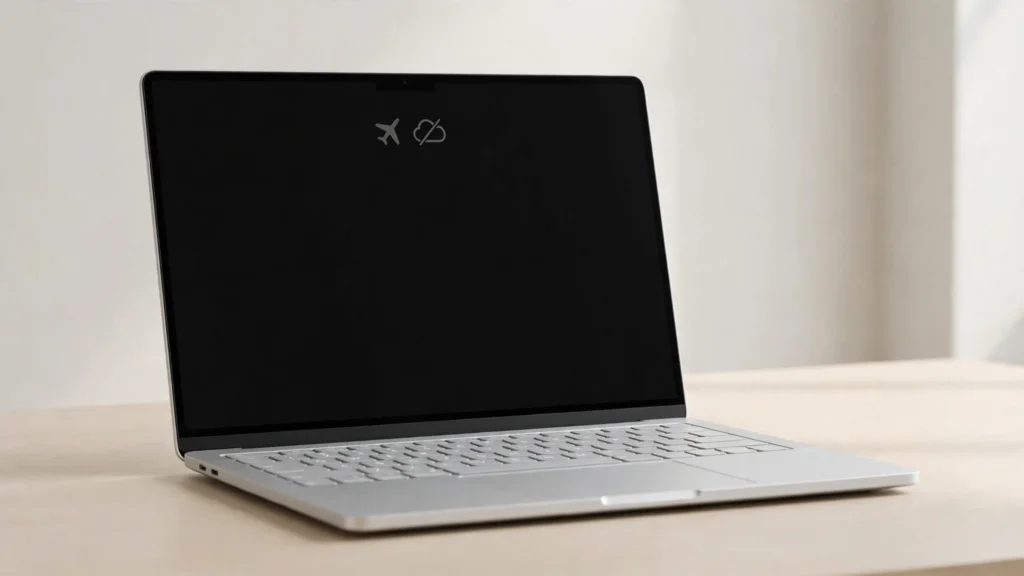
Does Googlebook Work Offline?
Yes, a Googlebook works offline, but only for the right tasks. Documents, email, local files and downloaded shows keep working without Wi-Fi if you prepare them first. Magic Pointer, Create My Widget and cloud Gemini stop, and the phone continuity features need a shared Wi-Fi network. So the laptop works offline, but the AI layer mostly does not.
Key takeaways
- Yes, a Googlebook works offline for documents, email, local files and downloaded media, as long as you set offline access up while you still have Wi-Fi.
- Magic Pointer and Create My Widget need an internet connection, according to a note on Google’s official Googlebook website.
- Google Docs, Sheets, Slides and Gmail keep working offline once enabled, and changes sync on reconnect.
- The Android phone features are the weak point: Cast My Apps, Continue On and Quick Access need both devices on the same Wi-Fi network, and Gizmodo could not get them working on airport or hotel Wi-Fi.
- Rambler’s offline status is unconfirmed, so check your own apps before a trip.
How we wrote this. We have not tested a Googlebook ourselves. This guide uses Google’s blog post of September 21, 2026, Google’s Docs and Gmail help pages, the Acer Community FAQ of October 9, 2026, Codimite, TechRadar, Smartprix and Gizmodo’s Lenovo Googlebook 15 review (updated November 2, 2026). Checked November 21, 2026.
Table of Contents
- Does Googlebook work offline?
- What works offline on a Googlebook
- What stops working without Wi-Fi
- Do Googlebook Gemini features work offline?
- What about the Android phone features?
- Googlebook vs Chromebook offline
- How to set up your Googlebook for offline work
- Should you buy a Googlebook if you often work offline?
- FAQ
- Conclusion
Does Googlebook work offline?
Yes. A Googlebook works offline for everyday tasks such as writing documents, reading email, opening local files and watching downloaded shows. What stops is the AI layer: Magic Pointer, Create My Widget and cloud Gemini need a connection, and so do the phone continuity features when you are away from home Wi-Fi.
Google first introduced Googlebook in May 2026 and launched it at its Made by Google event on September 21, 2026. Devices reached shelves on October 4 in the US, starting at $899. Codimite, the only site with a dedicated article on this exact question, puts it well: an internet requirement for one feature is not the same as an internet-only laptop. Read our Googlebook OS Explained guide for the full picture.
What works offline on a Googlebook
Most ordinary work survives. Documents, email, local files, downloaded media and many Android apps keep working without Wi-Fi, if you prepare them while you are still online. Here is the verdict per feature.
| Feature | Works offline? | What you need first | Source |
|---|---|---|---|
| Google Docs, Sheets, Slides | Yes, create, view and edit | Turn on offline access in Drive settings while online; install the Docs Offline extension; Chrome or Edge, no private browsing | Google Docs Editors Help |
| Gmail | Yes, read, search and reply | Turn on offline mail in Chrome while online; choose sync days; sent mail waits in Outbox | Gmail Help |
| Google Drive files | Yes, for files marked available offline | Mark files Available offline while online; recent files are saved automatically | Google Docs Editors Help |
| Local files and folders | Yes | Save files on the device; every Googlebook has 512 GB of storage | Google Store, Acer Googlebook page |
| Android apps | It depends on the app | Check each app and download its offline content first; Acer says offline Android apps stay functional | Acer Community FAQ, October 9, 2026 |
| Netflix and HBO Max | Yes, downloaded shows and movies | Download before you leave Wi-Fi | Smartprix, September 2026 |
| Adobe Photoshop and CapCut | Yes, for local editing | Install from Google Play; keep project files on the device | TechRadar hands-on, September 2026; Gizmodo, November 2, 2026 |
Sources: Google Docs Editors Help; Gmail Help; Google Store; Acer Community FAQ; Smartprix; TechRadar; Gizmodo.
The pattern is simple. Anything stored on the device keeps working. Anything that lives in the cloud needs preparation first. The Android app catalog is the real offline advantage: TechRadar’s hands-on found desktop-level apps with online and offline access to Canva, Netflix and Adobe apps, and Gizmodo’s reviewer used the Photoshop app and CapCut. See which apps run in our Googlebook Android apps guide.
What stops working without Wi-Fi
Magic Pointer, Create My Widget, cloud Gemini and most web apps stop without Wi-Fi. Sync also pauses: Drive stops syncing and Gmail stops sending until you reconnect.
Start with the two named features. Google’s official Googlebook website carries a note that Magic Pointer and Create My Widget require an internet connection, as reported by Codimite on September 18, 2026. A Play Store listing for Magic Pointer says the same in plainer terms: it relies on Gemini’s cloud-based AI, so an active internet connection is required. Next is everything cloud Gemini does. Gemini Live, Gemini Spark and Gemini in Chrome all need a connection. Google’s launch blog says you can close your laptop while Gemini Spark works in the background, but that work happens online. Read our Googlebook Gemini features guide for what each tool does when you are connected. Then there are web apps. Smartprix notes that Gmail and Calendar open on Googlebook as web-based Trusted Web Activities rather than native Android apps, which is why Gmail needs its offline mode switched on. Streaming is out too: Nvidia will craft a Googlebook-native version of GeForce Now, according to Gizmodo, and a streaming game service needs internet by definition.
If Wi-Fi drops mid-task, nothing is lost, but nothing finishes either. In Docs, Sheets or Slides, you can keep editing while offline, and changes sync in Drive once you reconnect. In Gmail, a message you send while offline is saved in Outbox and sent automatically when you reconnect. The AI features are the exception: a Magic Pointer prompt needs a connection to return an answer, though unsent selections are saved as a draft, according to the Googlebook Help Center. Gemini Spark tasks also need connectivity to finish. So do your AI tasks, searches and syncing before you go offline.
Do Googlebook Gemini features work offline?
Mostly no. Gemini’s cloud features need an internet connection, and that includes Magic Pointer’s answers, Gemini Live and Gemini Spark. The one nuance is that part of Magic Pointer runs on your device, but the part that answers you does not.
Magic Pointer is the feature where the confusion lives, because it genuinely is half local. Google Senior Director Alexander Kuscher explained the split on the Android Faithful podcast, reported by Chrome Unboxed on September 26, 2026. When Magic Pointer is engaged, recognizing the elements on your display is handled entirely on-device using local hardware acceleration. Data is only sent to cloud Gemini when you explicitly trigger an action. So Magic Pointer can spot an email address or an image with no connection at all, but the moment you ask Gemini about it, the request needs the internet. Compare the two screen AI tools in our Magic Pointer vs Click to Do guide. Rambler is the open question: our Gemini features guide notes sources disagree on whether it needs internet, and Gizmodo’s reviewer found it worked well in testing but did not test it offline, so do not plan a flight around it. The same caution applies to “on-device Gemini” in general. Google’s launch blog says it brings Gemini directly on your device, and every Googlebook has a 45 TOPS NPU baseline, according to Notebookcheck’s September 2026 pre-order report. But no source confirms you can prompt on-device Gemini with no connection at all, and one launch article’s claim that large language models run entirely offline on the NPU is uncorroborated, so treat it as unproven.
What about the Android phone features?
No, not reliably. The Android phone features need both devices on the same Wi-Fi network, so they are the first thing to fail when you travel.
Google’s “Better Together” continuity features are Cast My Apps, which streams a phone app to the laptop display, Continue On, which moves a task from phone to laptop, and Quick Access and Sync, which opens phone files and photos from the laptop’s Files app. Gizmodo’s Raymond Wong tested them on the Lenovo Googlebook 15. Both devices must be on the same Wi-Fi, have Bluetooth on, and be paired within the same device family, and Google says the network must allow mDNS local device communication. Wong had issues pairing on airport Wi-Fi, hotel Wi-Fi and his hotspot, and Google may enable direct Wi-Fi pairing later, but that is a future fix. The phone also needs Android 17. At home, the features work, and Wong calls access to phone files the best of the bunch. On a plane or in a hotel, they likely do not work at all. Files already on the laptop still work offline; only the phone link breaks.
Googlebook vs Chromebook offline
A Chromebook is the safer pick for browser-first offline work, because Google documents its offline tasks in detail. A Googlebook wins if your offline work needs native Android apps and local files.
| Googlebook | Chromebook | |
|---|---|---|
| Operating system | Googlebook OS, Android plus ChromeOS foundations | ChromeOS |
| Offline documents | Docs, Sheets and Slides offline once enabled | Same, with documented offline tasks |
| Offline email | Gmail offline once enabled in Chrome | Same, with documented offline tasks |
| Apps offline | Native Android apps from Google Play; each app decides | ChromeOS apps and supported Android apps; varies by model |
| Media offline | Downloaded Netflix and HBO Max; local files on 512 GB storage | Downloaded media and local files; storage varies by model |
Sources: Google Docs Editors Help; Gmail Help; Google Store; Acer Community FAQ; Smartprix; GeekChamp.
GeekChamp states the key caveat plainly: offline work is possible for documented Chromebook tasks, but Google has not established identical offline behavior for every Googlebook app. ChromeOS guidance is useful evidence, not proof that every Googlebook application behaves the same way. A Chromebook’s offline behavior is documented and mature. A Googlebook’s is mostly the same building blocks, plus a larger Android app catalog and more storage, but with less documentation and rough edges such as the phone features failing away from home Wi-Fi.
How to set up your Googlebook for offline work
Do this once, while you still have Wi-Fi. Every step needs an internet connection to set up: offline access cannot be switched on after the connection is already gone.
- Turn on Docs, Sheets and Slides offline. Open Google Drive, open Settings, and turn on the Offline setting. Use Chrome or Microsoft Edge, not private browsing, and install the Google Docs Offline extension. Turning it on for one of Docs, Sheets, Slides or Drive turns it on for the rest.
- Mark the files you need as available offline. Open the Docs, Sheets or Slides home screen and click Available offline on the files you need. Recent files are saved automatically if space allows, but do not rely on that for the file your meeting depends on. Keep local copies in the Files app too.
- Turn on Gmail offline mail. In Gmail, go to Settings, then See all settings, then the Offline tab, and check Enable offline mail. Choose how many days of messages to sync. This works only in a Chrome window that is not in Incognito mode, and only for the account you were signed in to at setup.
- Download your shows and movies. Open Netflix, HBO Max or your media app of choice and download what you want before you leave Wi-Fi. Smartprix reports offline Netflix and HBO Max downloads on Googlebook.
- Check each Android app you rely on. Open it, confirm its offline content is downloaded, and confirm it opens with Wi-Fi off. Acer’s FAQ says offline Android apps remain functional without Wi-Fi, but each app decides what that means.
- Charge fully. The Acer Googlebook claims up to 16 hours of battery on the Google Store page, but real life varies, so read our Googlebook battery life guide and top up before you leave.
One last check: switch Wi-Fi off for five minutes and open the files and apps you will need. If something is missing, you are still in time to fix it.
Should you buy a Googlebook if you often work offline?
Choose a Googlebook if: your offline work is documents, email, local files and downloaded media; you use Android apps with offline modes such as Photoshop or CapCut; and you want 512 GB of local storage with a full Android app catalog.
Choose a Chromebook or a Windows laptop if: you need Gemini AI without Wi-Fi, since Magic Pointer, Create My Widget and cloud Gemini all stop offline; you rely on phone handoff while traveling, since Cast My Apps and Continue On need a shared home Wi-Fi network; or your work lives in web apps that need a connection.
Wait if: you need confirmed offline behavior for one specific app, since Google has not published per-app offline status; or your travel is mostly planes and hotels, where the phone and AI features will not work anyway.
FAQ
Can I use Google Docs offline on a Googlebook?
Yes. Google’s Docs Editors Help says you can create, view and edit Docs, Sheets and Slides files without an internet connection. Turn on offline access in Google Drive settings while you are still online, install the Google Docs Offline extension, and mark the files you need as available offline.
Does Magic Pointer work without Wi-Fi?
No. Google’s official Googlebook website notes that Magic Pointer requires an internet connection, and the Play Store listing says it relies on Gemini’s cloud-based AI. Its element recognition runs on your device, so it can spot an email address or image offline, but asking Gemini about it needs a connection.
Can I watch Netflix offline on a Googlebook?
Yes. Smartprix reports that Googlebooks support offline Netflix and HBO Max downloads, and TechRadar’s hands-on found desktop-grade apps with offline access to Netflix and Adobe apps. Download shows or movies before you leave Wi-Fi, and keep them on the laptop’s 512 GB of storage.
Do the Android phone features work without Wi-Fi?
No, not reliably. Gizmodo found that Cast My Apps, Continue On and Quick Access need both devices on the same Wi-Fi network, plus a network that allows mDNS. The reviewer could not pair devices on airport Wi-Fi, hotel Wi-Fi or a hotspot, so treat these features as home-only for now.
Does Gemini work offline on a Googlebook?
Mostly no. Gemini Live, Gemini Spark and Gemini in Chrome need an internet connection, and Magic Pointer’s answers come from cloud Gemini. Google says Gemini runs on the device, and part of Magic Pointer does, but no source confirms you can prompt Gemini with no connection at all.
Conclusion
A Googlebook works offline, but only for the right tasks. Documents, email, local files and downloaded shows are safe. Magic Pointer, Create My Widget, cloud Gemini and the phone features are not. The difference between a good offline trip and a frustrating one is ten minutes of setup while you still have Wi-Fi.
Related guides: Googlebook OS Explained, Googlebook Gemini Features Explained, Does Googlebook Run Android Apps?, Googlebook Specs: All 5 Models Compared
Sources: Google, Googlebook and on-device Gemini introduce a new way to work, September 21, 2026, https://blog.google/products-and-platforms/devices/googlebook/googlebook-built-in-intelligence/; Google Docs Editors Help, Work on Google Docs, Sheets, and Slides offline, https://support.google.com/docs/answer/6388102; Gmail Help, Set up and use Gmail offline, https://support.google.com/mail/answer/1306849; Googlebook Help Center, Get answers and insights with Magic Pointer from Gemini, https://support.google.com/googlebook/answer/18290162; Codimite, Googlebook Offline: What Works Without Wi-Fi?, September 18, 2026, https://codimite.ai/blog/no-wi-fi-now-what-the-googlebook-offline-question/; Acer Community, Acer Googlebook Overview and Chromebook Comparison, October 9, 2026, https://community.acer.com/en/en/kb/articles/20136-acer-googlebook-overview-and-chromebook-comparison; Chrome Unboxed, Google clarifies how Magic Pointer and Rambler work on Googlebook without subscriptions, September 26, 2026, https://chromeunboxed.com/google-clarifies-how-magic-pointer-and-rambler-work-on-googlebook-without-subscriptions/; Uni24, Google Magic Pointer Play Store Listing Reveals Gemini Shortcut for Googlebooks, listing updated July 10, 2026, https://uni24.co.za/google-magic-pointer-gemini-shortcut-googlebooks/; TechRadar, Meet the Googlebook, September 2026, https://www.techradar.com/computing/laptops/meet-the-googlebook-i-tried-googles-new-answer-to-the-macbook-that-combines-chromeos-with-android-and-this-could-be-the-start-of-something-big; Smartprix, What Is A Googlebook? Google’s New Android-ChromeOS Laptop, Explained, September 2026, https://www.smartprix.com/bytes/what-is-a-googlebook-googles-new-android-chromeos-laptop-explained/; Gizmodo, Lenovo Googlebook 15 Review: The Costs of Being an Early Adopter, published October 14, 2026, updated November 2, 2026, https://gizmodo.com/lenovo-googlebook-15-review-2000825563; GeekChamp, Googlebook OS vs Windows: Which Laptop Is Better in 2026?, November 2026, https://geekchamp.com/googlebook-or-windows-laptop-choose-by-apps-management-and-travel-needs/; Google Store, Acer Googlebook, https://store.google.com/product/acer_googlebook?hl=en-US; Notebookcheck, Googlebooks now up for pre-order, September 2026, https://www.notebookcheck.net/Googlebooks-now-up-for-pre-order-powered-by-Intel-Panther-Lake-and-Snapdragon-X-Elite-chips-starting-899.1404713.0.html.
By Joshe Martin. Joshe Martin covers Googlebook and Chromebook laptops for ailaptopguide.com. We have not tested a Googlebook ourselves. Every fact is credited to a named source and date. Prices and offers are launch terms from the sources listed and may change; check the official listing before you buy.
