
Does Googlebook Run Android Apps?
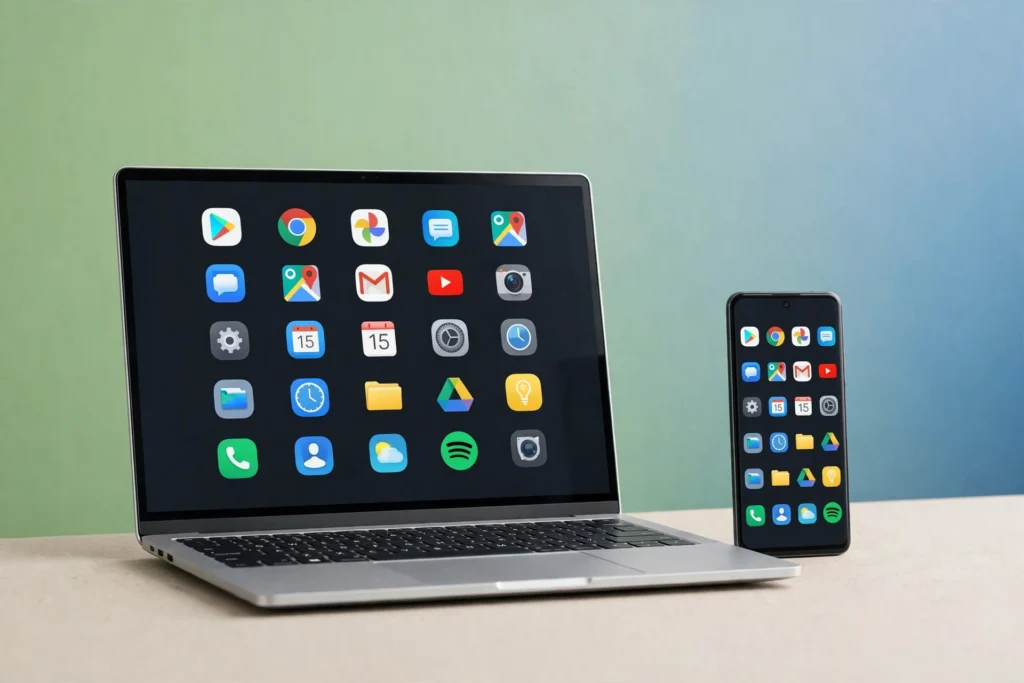
Yes, a Googlebook runs Android apps natively from Google Play, with no container like the one Chromebooks used. But many Android apps were built for phones, not laptops, so quality varies a lot. Some apps work well, some feel like stretched phone apps, and a few do not appear in the Play Store at all.
Key takeaways
- Googlebook OS runs Android apps natively from Google Play. Chromebooks ran them through a container called ARCVM. Googlebook drops the container.
- Google grades every Play Store app with one of five labels, from “Made for desktop” down to “Built for mobile”. Only the top two labels mean a real desktop experience.
- Many Android apps were never designed for large screens. Reviewers found they often feel like stretched phone apps, with touch targets and layouts built for a phone.
- Some apps do not appear in the Play Store at all, or install but will not launch. Minecraft and Fortnite are incompatible, and Google gives no advance compatibility list.
- For most desktop work, the web app is the better choice. How-To Geek found no Play Store app felt better than its web version on the Lenovo Googlebook 15.
How we wrote this. We have not tested any Googlebook ourselves. This guide uses Google’s own pages and FAQ, as reported by TechRepublic, plus hands-on reporting from Engadget, How-To Geek (October 22, 2026), Android Police (October 19, 2026) and Notebookcheck (October 14, 2026). Every figure has a named source and a date. If you are new to the category, start with our guide to what a Googlebook is.
Table of Contents
- How Android apps work on a Googlebook
- What Google’s five Play Store labels mean
- Which apps work well, and which do not
- Android apps vs web apps: which should you use?
- Do Android apps work the same on Intel and Snapdragon Googlebooks?
- What about your phone apps?
- What else can a Googlebook run?
- Bottom line
- FAQ
How Android apps work on a Googlebook
Android apps run natively on a Googlebook, straight from Google Play. Google’s FAQ confirms it, and Google describes the platform as built on the Android technology stack with desktop foundations from ChromeOS. There is no container in the way. That is the big change from Chromebooks, which ran Android apps inside a compatibility container called ARCVM. For the full comparison, see our Googlebook vs Chromebook guide.
Google launched the Googlebook on September 21, 2026, and the first models went on sale in the US on October 4, 2026. Prices start at $899, and five makers build them: Acer, ASUS, Dell, HP and Lenovo. Sources: Indian Express, September 23, 2026; TechRepublic.
Google says 96.6 percent of the top 10,000 most-used Android apps run flawlessly on Intel Googlebooks. That claim appears in our Googlebook OS guide, sourced to Google via Notebookcheck. Treat it as Google’s claim, not as a guarantee for your apps. The hands-on reviews below tell a more mixed story, and the gap between the claim and the reviews is the point of this guide.
What Google’s five Play Store labels mean
Google grades every Play Store app on a Googlebook with one of five labels. The label tells you how much desktop work the developer and Google put into the app. Android Police decoded the system on October 19, 2026, and Engadget’s Lenovo Googlebook 15 review confirms the labels appear in the store.
| Label | What it means | What to expect |
|---|---|---|
| Made for desktop | Built for mouse, keyboard and a big display, with desktop features and controls | The best experience. Examples include Adobe Photoshop, Luminar and Fantastical |
| Optimized for desktop | Adapted for a comfortable desktop experience | Good. Layouts and controls are adjusted for a laptop, though not fully rebuilt |
| Compatible with desktop | Understands mouse clicks and keyboard input, but the interface is not reworked | Usable, but limited. Right-click may do nothing and shortcuts may be missing. Most usable apps carry this label |
| Better on the website | The browser version gives a better experience | Use the web app instead. Google uses this label for Facebook and Twitch |
| Built for mobile | Not tested on desktop, and it may keep its phone layout | Expect a stretched phone app. Quality is untested, so try it and see |
Source: Android Police, “I decoded the Play Store’s five Googlebook app labels”, October 19, 2026.
Only the top two labels promise a real desktop experience, as Android Police puts it. Most usable apps sit at “Compatible with desktop”, which means the app works but still thinks like a phone app. Check the label before you install anything you plan to use every day.
Which apps work well, and which do not
Some apps work well on a Googlebook, and some do not. The table below pulls together what hands-on reviewers actually found, with credit to each source.
| Works well | Has problems or is missing |
|---|---|
| Google Keep, Google Home, Calendar, Photos and Google TV, which Google lists as working well (Engadget) | Slack, which only works as a mobile Android app on the Dell XPS Googlebook, with a single channel or DM view, no desktop view and long-press to react (Engadget) |
| Todoist and Spotify, which are native to Googlebook with multi-column layouts (Engadget) | Evernote, which does not appear in the Play Store at all on the Dell XPS Googlebook (Engadget) |
| Teenage Mutant Ninja Turtles: Shredder’s Revenge and Limbo, which ran without issues (Engadget) | Adobe Photoshop from the Play Store, which is the mobile edition, not the full desktop suite (Engadget Lenovo Googlebook 15 review) |
| Netflix and HBO Max, whose Android apps allow offline viewing (Notebookcheck, via our OS guide) | Minecraft and Fortnite, which are incompatible and do not appear in the Play Store (Notebookcheck) |
| Adobe Photoshop, Lightroom and CapCut in desktop-ready Android versions (Notebookcheck, via our OS guide) | Some apps that install but will not launch, with no advance compatibility list from Google (Notebookcheck; How-To Geek) |
One more catch applies to Google’s own apps. Some Google apps, including Gmail and Calendar, open as web wrappers, known as Trusted Web Activities, rather than native apps, according to Smartprix and TechTimes. Productivity services such as Docs and Sheets default to their full desktop web interfaces, according to Notebookcheck. That is normal, and for those apps the web version is the point.
The pattern is clear. Apps built or rebuilt for the desktop are fine. Apps that are just phone apps in a bigger window are usable at best. And a small but important set of apps is simply not there.
Android apps vs web apps: which should you use?
For most desktop work, the web app wins. That is the clearest verdict in the hands-on coverage, and it surprises many buyers who assume the Play Store app is always the right choice.
How-To Geek tested the Lenovo Googlebook 15 and published its verdict on October 22, 2026: “Web apps are still better than Android apps on Googlebooks”. The reviewer found that most Android apps still behave like a tablet app at best and a stretched phone app at worst. Even TIDAL, whose web and mobile versions offer similar features, was better as a web app, with smoother performance, real tooltips, a large-screen layout and consistent navigation, while the mobile app had unresponsive touch targets. For Asana and Slack, the reviewer said the gap was even wider. No Play Store app felt better than its web alternative in the testing.
Engadget reached a similar place on the Dell XPS Googlebook. The reviewer switched to web versions of Slack and Evernote after finding the Android options limited or missing.
Use the Play Store app when:
- You need offline use, such as watching downloaded shows in Netflix or HBO Max.
- The app carries a “Made for desktop” or “Optimized for desktop” label.
- The app has a native multi-column layout, such as Todoist or Spotify.
- You are playing a game that reviewers confirm runs well, such as Shredder’s Revenge or Limbo.
Use the web app when:
- The Play Store label says “Better on the website”, as it does for Facebook and Twitch.
- You do productivity work in Slack, Asana, Gmail, Docs or Sheets, where the full desktop web version has more features.
- Mouse and keyboard details matter, such as right-click menus, shortcuts and tooltips.
- The Android app is missing from the Play Store, as Evernote is. Install the site as a Progressive Web App through Chrome instead.
The trade-off is offline use. Web apps can lose some function without an internet connection, and Google’s own help page agrees that some web apps may not work completely offline. If you often work without Wi-Fi, check whether your key apps work offline before you commit.
Do Android apps work the same on Intel and Snapdragon Googlebooks?
No, not always. Many Android apps are built for ARM, so on x86 Intel models they can bug or stutter. That is Engadget’s finding from the Lenovo Googlebook 15 review, which used an Intel machine. How-To Geek, also testing an Intel-based Lenovo Googlebook 15, found that supported apps can perform poorly on x86 Intel systems compared with Arm64 Qualcomm ones.
Missing apps are a different story: Notebookcheck found the same restrictions on both Intel and Snapdragon models. Some apps do not appear in the Play Store, or install but will not launch, on either chip family. Google gives no advance list, so you cannot check compatibility before you buy. If your must-have apps matter, look for reports on your exact model, not just the platform in general. See the full model breakdown in our Googlebook specs guide.
What about your phone apps?
Phone features are separate from native apps, and it is easy to mix them up. Cast My Apps streams an app from your phone into a desktop window on the Googlebook, without installing it. Continue On resumes tasks from your phone on the laptop. Both need an Android phone on Android 17 or above, plus setup, Bluetooth, Wi-Fi and the same Google Account, according to TechRepublic.
These features are early-stage. Notebookcheck could not establish the phone connection on the Asus Googlebook 14 even with a suitable Android 17 phone. Do not buy a Googlebook for Cast My Apps or Continue On until reviewers confirm they work reliably.
File transfers have a limit too. Transfers from a phone are limited to under 200MB, according to Engadget’s Lenovo Googlebook 15 review. Larger files need Quick Share instead.
What else can a Googlebook run?
A Googlebook is not limited to Play Store apps. The desktop Chrome browser has full extension support, according to TechRepublic, so your browser workflow carries over. A Debian-based Linux terminal is available for development tools. That covers a lot of desktop software, but it does not cover Windows desktop programs, which Googlebook OS cannot run. For the full OS picture, read our Googlebook OS guide.
Bottom line
Yes, a Googlebook runs Android apps, and that is the point of the platform. But the honest answer has three parts: check the Play Store label before you install, check that your must-have apps actually appear and launch, and expect to use web apps for serious desktop work. If your key apps are on the “Made for desktop” list or work well as web apps, a Googlebook will serve you well. If your workflow depends on an app that is missing or mobile-only, wait for the platform to mature or choose a different laptop.
FAQ
Does Googlebook run Android apps?
Yes. Googlebook OS runs Android apps natively from Google Play, with no container like the one Chromebooks used. Google’s FAQ confirms it, and the platform is built on the Android technology stack with desktop foundations from ChromeOS. Most popular apps work, but quality varies, and some apps are missing or work better as web apps.
Can I install any app from Google Play on a Googlebook?
No. Some apps do not appear in the Play Store on a Googlebook at all, and others install but will not launch. Notebookcheck found this on both Intel and Snapdragon models, and Google gives no advance compatibility list. Popular games Minecraft and Fortnite are incompatible. Check your must-have apps in the Play Store before you buy, or ask the developer.
Are Android apps or web apps better on a Googlebook?
For desktop work, web apps win. How-To Geek tested a Lenovo Googlebook 15 in October 2026 and found no Play Store app felt better than its web version. Web apps mirror desktop features and suit mouse and keyboard use. Use the Play Store app when you need offline use, a Made for desktop label, or a game that runs well.
Can I play Minecraft or Fortnite on a Googlebook?
No, not through the Play Store. Notebookcheck reported that Minecraft and Fortnite are incompatible with Googlebook OS, and the games do not appear in the Play Store on either Intel or Snapdragon models. Some games do work: Engadget found Teenage Mutant Ninja Turtles: Shredder’s Revenge and Limbo ran without issues. For demanding games, streaming through GeForce NOW is the option.
Do Android apps work the same on Intel and Snapdragon Googlebooks?
Not always. Many Android apps are built for ARM, so on x86 Intel models they can bug or stutter, according to Engadget’s Lenovo Googlebook 15 review. How-To Geek found supported apps can perform poorly on Intel systems compared with Arm64 Qualcomm ones. Missing apps are a problem on both chip families. If your apps matter, check reports for your model.
Can I use my phone apps on a Googlebook without installing them?
Yes, with Cast My Apps. It streams an app from your Android phone into a desktop window, without installing it. You need an Android phone on Android 17 or above, plus setup, Bluetooth, Wi-Fi and the same Google Account. Notebookcheck could not establish the connection on the Asus Googlebook 14 even with a suitable Android 17 phone.
Conclusion
A Googlebook does run Android apps, natively and from Google Play, which is a real step past Chromebooks. But the app story in late 2026 is mixed: great for apps rebuilt for the desktop, usable for most others, and missing entirely for a few important ones. The practical rule is simple. Check the Play Store label, check your must-have apps, and use the web app where it wins. Do that before you buy, and the Googlebook will not surprise you.
Last updated: November 7, 2026

Pingback: Best Googlebook for Students (2026): Which Model to Buy
Pingback: Cast My Apps Requirements: Which Phones Work (2026)
Pingback: Does Googlebook Work with iPhone? (2026 Guide)