
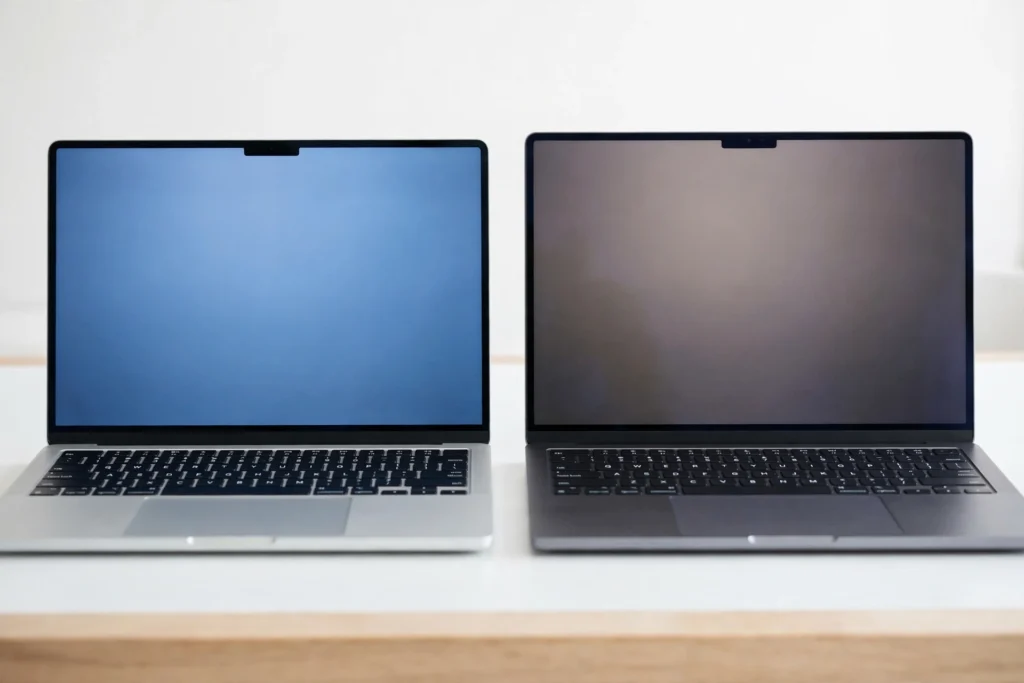
Googlebook vs Windows Laptops: Which One Should You Buy?
A Googlebook is the better buy if you live on an Android phone and in Google apps, because its AI and phone features are built into the system. A Windows laptop is the better buy if you need full desktop software, PC games, or a work-managed machine.
Key takeaways
- Googlebook starts at $899 with five launch models from Acer, ASUS, Dell, HP and Lenovo, running Googlebook OS, an Android-based system with Gemini built in.
- A Copilot+ PC is a certified tier of Windows laptop, not a model name. It needs an NPU rated at 40 TOPS or more, 16GB of RAM, 256GB of storage, and Windows 11 version 24H2 or newer. Most Windows laptops do not qualify.
- Windows still wins on software by a wide margin: full desktop Office with macros and add-ins, Adobe Creative Cloud, and a native Steam game library. Googlebook runs Android apps from Google Play, web apps, and desktop Chrome.
- Gemini is built into Googlebook OS at the cursor and the keyboard, while Copilot is built into Windows and Edge, with its best on-device features locked to Copilot+ hardware.
- Googlebooks are for personal use only at launch, with IT management planned from the second half of 2027. If your employer or school manages your laptop, Windows is the only option for now.
How we wrote this. We have not tested any Googlebook ourselves. This guide uses Google’s own pages and admin guidance (September 21 and 23, 2026), Microsoft’s Copilot+ PC requirements, and reporting from PCWorld (September 22 and October 15, 2026), 9to5Google, Gadget Salvation, UMA Technology, Notebookcheck (November 4, 2026), XenoSpectrum, and price trackers checked November 7, 2026. Every figure has a named source and a date. If you are new to the category, start with our guide to what a Googlebook is.
Table of Contents
- What is a Googlebook, in one paragraph?
- What is a Copilot+ PC?
- Googlebook OS vs Windows 11: two different ideas of a laptop
- Apps and software: where Windows still wins
- Gemini vs Copilot: AI on each side
- Hardware, screens and battery
- Price: what $899 to $1,300 buys on each side
- Phone integration: Android phone vs iPhone
- Updates, support and work use
- Gaming: Android games and cloud streaming vs native PC games
- Googlebook vs Windows laptop at a glance
- Which should you choose?
- FAQ
- Conclusion
What is a Googlebook, in one paragraph?
A Googlebook is a new category of premium laptop, not one machine. Google makes the software and five hardware partners build the laptops: Acer, ASUS, Dell, HP and Lenovo. The system is Googlebook OS, built on the Android technology stack with desktop foundations carried over from ChromeOS, and Gemini AI is built into the system itself. Google launched the category on September 21, 2026, and the first models went on sale in the US on October 4, 2026, with prices starting at $899.
Every launch model has a hardware floor set by Google: at least 16GB of RAM, a neural processing unit (NPU) for on-device AI, a metal chassis, a backlit keyboard and a touchscreen. Techlicious reports the NPU floor as 40 TOPS or more, while Indian Express reports 45 TOPS or more. Both figures are reported here with their sources because they differ. Every Googlebook also includes 12 months of Google AI Pro, which covers 5TB of cloud storage and Gemini Advanced tools, plus 3 months of YouTube Premium and Adobe Photoshop, according to Indian Express (September 23, 2026). For the full model list and specs, read our Googlebook specs guide.
What is a Copilot+ PC?
A Copilot+ PC is a certified tier of Windows laptop, not a model name and not a brand. Microsoft defines it by hardware: an NPU rated at 40 TOPS or more, 16GB of RAM, 256GB of storage, and Windows 11 version 24H2 or newer. The approved chips are the Qualcomm Snapdragon X series, Intel Core Ultra 200V series, and AMD Ryzen AI 300 series. Microsoft announced Copilot+ PCs in May 2024, and the first models went on sale on June 18, 2024, from $999.
The certification matters because it is the only way to get Microsoft’s on-device AI features on Windows. A Copilot+ PC unlocks Recall, Cocreator in Paint, Live Captions with translation, Windows Studio Effects, and Click to Do. A regular Windows laptop, even an expensive one, does not get those features if its NPU falls short. That is the key point for this comparison: every Googlebook ships with AI hardware as standard, while on Windows the AI hardware is a tier you have to check for on the spec sheet.
Googlebook OS vs Windows 11: two different ideas of a laptop
Googlebook OS and Windows 11 start from opposite ends. Googlebook OS is Android at its core, with desktop foundations carried over from ChromeOS. You get a desktop Chrome browser with extensions, native Android apps from Google Play, widgets on the desktop, and Gemini built into the cursor, the keyboard and the desktop. Reviewers describe it as effectively a desktop version of Android 17.
Windows 11 is the desktop-first system. It runs decades of desktop software natively, with a full file system, deep window management, and a software library that covers almost every profession. Copilot is built into the taskbar and Edge. It is the system most people already know, and that familiarity is a real advantage. The difference is simple. Googlebook is phone-first: your Android phone’s settings, passwords, Wi-Fi networks and messages carry over when you sign in. Windows is desktop-first: it assumes the laptop is the main machine, and the phone is a companion connected through an app. For the full picture of the Google side, read Googlebook OS explained.
Apps and software: where Windows still wins
Apps are the biggest gap in this comparison, and Windows wins it clearly. Windows runs the full desktop software library: full desktop Office with macros and add-ins, Adobe Creative Cloud, professional tools for engineering, music, video and finance, and niche industry software that has no Android version at all. If your job depends on any of those, a Googlebook cannot replace a Windows laptop today.
A Googlebook runs three kinds of software. Web apps and browser extensions run through desktop Chrome. General apps and games install from Google Play, and Google says millions of Android apps are supported, many optimised for large screens, keyboards and mice. Development tools and AI agents run in a Linux environment with a Terminal app.
Microsoft 365 is the question most buyers ask first, and the answer is split. Google’s Googlebook FAQ lists Microsoft 365 support for Word, Excel, Outlook and PowerPoint files, and XenoSpectrum reports that some additional features require a separate subscription. On a Googlebook those are the Android versions of the apps, not the full desktop versions, so macros, add-ins and advanced formatting may not carry over. PCWorld’s October 15, 2026 hands-on comparison found the Android Outlook app slow to set up, repeatedly asking for authentication and crashing in testing, while Outlook on Windows stayed usable. If Office is your daily tool, that finding matters more than any spec sheet. For the app question in full, read our guide to Android apps on Googlebook.
Gemini vs Copilot: AI on each side
Both platforms put an AI assistant at the centre, but they do it in different places. On a Googlebook, Gemini Intelligence is built into the operating system. Magic Pointer puts Gemini at your cursor: wiggle the cursor or press Meta or Windows key plus G, select up to 10 items on screen, and Gemini suggests actions. Rambler turns spoken rambling into clean text with headers and checklists. Create My Widget builds a desktop widget from a plain-language description. Gemini Live talks you through what is on screen, and Gemini Spark is an agent that keeps working on complex requests in the background, even after you close the lid. Every Googlebook includes 12 months of Google AI Pro, so the paid Gemini tier is bundled for the first year.
On Windows, Copilot is free and built into the taskbar and Edge, and it works on any Windows 11 laptop. The deeper on-device features need a Copilot+ PC: Recall, Cocreator, Live Captions with translation from more than 40 languages, Windows Studio Effects, and Click to Do. The paid tiers sit on top: Copilot Pro launched at $20 per month in January 2024, while Microsoft 365 Copilot costs $30 per user per month for businesses. Microsoft stopped selling Copilot Pro to new customers on October 1, 2025, folding it into Microsoft 365 Premium at $19.99 per month, according to AI Wiki.
The honest difference is integration versus reach. Gemini on Googlebook is woven into the cursor, the keyboard and the desktop in a way Copilot is not, but PCWorld’s reviewer kept forgetting Magic Pointer existed, while 9to5Google found the voice dictation genuinely handy. Copilot reaches further into office work, because it sits inside the full desktop Office apps, but its best features need certified hardware and, for the full experience, a paid plan. For the Googlebook side in depth, read our Googlebook Gemini features guide.
| AI feature | Googlebook (Gemini) | Windows laptop (Copilot) |
|---|---|---|
| Built-in assistant | Gemini Intelligence in the OS: Magic Pointer, Rambler, Create My Widget, Gemini Live, Gemini Spark | Copilot built into Windows 11 taskbar and Edge; free on any Windows 11 laptop |
| On-screen actions | Magic Pointer: select up to 10 items, Gemini suggests up to 3 actions | Click to Do on Copilot+ PCs: highlight anything on screen to trigger AI actions |
| Voice to text | Rambler in Gboard: spoken rambling becomes clean text with headers and checklists | Windows voice typing and dictation; no direct Rambler equivalent |
| Search your past activity | No equivalent feature | Recall on Copilot+ PCs: opt-in, on-device, Windows Hello, encrypted |
| Image creation | No Cocreator equivalent; Create My Widget builds desktop widgets | Cocreator in Paint on Copilot+ PCs; image tools in Photos |
| Live captions and translation | Not a headline Googlebook feature | Live Captions with translation from more than 40 languages on Copilot+ PCs |
| Paid tier included | 12 months Google AI Pro bundled (5TB storage, Gemini Advanced tools) | Nothing bundled; Copilot Pro was $20 per month, Microsoft 365 Copilot is $30 per user per month |
| Hardware needed for full AI | Every Googlebook qualifies by design (NPU 40+ TOPS) | Only Copilot+ PCs qualify (NPU 40+ TOPS, 16GB RAM, 256GB SSD, Windows 11 24H2) |
Sources: Google blog (September 21, 2026); Microsoft Copilot+ PC requirements; Lilach Bullock (updated around November 1, 2026); CDW (January 8, 2026); AI Wiki; PCWorld (September 21, 2026).
Hardware, screens and battery
On hardware, the Googlebook is strong value. Every launch model starts at 16GB of RAM with 512GB of storage, a metal chassis, a touchscreen, and an OLED display on several models. PCWorld pointed out that the $899.99 Acer Googlebook 14 shares its Intel Core Ultra 5 325 chip, 16GB of RAM and 512GB SSD with the Windows-based Dell XPS 14, which cost $1,409.99 as tested, while the Googlebook adds a nicer OLED display, a lighter body and a 360-degree hinge, according to Gadget Salvation.
Battery life is harder to call. Google claims up to 14 hours of video playback or 16 hours of web browsing. PCWorld’s reviewer got around 14 hours per charge in everyday use, but that was an informal test, not a controlled one. No controlled test has yet established a winner between Googlebook and a comparable Windows laptop under the same mixed workload, as UMA Technology notes. The hands-on reviews also add two cautions. PCWorld Senior Editor Mark Hachman’s October 15, 2026 comparison found Windows 11 better for keyboard comfort, multitasking, app reliability and broad phone compatibility, and called the Lenovo Googlebook 15 keyboard uncharacteristically poor. His 16GB Googlebook system felt somewhat choppy with several apps, Chrome tabs and two displays, while his Windows machine felt smoother. TechRadar gave the Acer Googlebook 14 a 4 out of 5 verdict, calling it a very good first attempt.
Price: what $899 to $1,300 buys on each side
Googlebook pricing is simple: five models, $899 to $1,299. The Acer Googlebook 14 starts at $899 with an Intel Core Ultra 5 325, a 14-inch 2.8K OLED touchscreen and a 360-degree hinge. The Dell XPS Googlebook starts at $999 with a Snapdragon X Elite chip in a compact XPS body. The Lenovo Googlebook 15 starts at $1,099 with a 15.3-inch 2.8K OLED display. The ASUS Googlebook 14 and HP Googlebook 14 both start at $1,299, the HP with a Snapdragon X Elite chip, an all-aluminium body, face unlock and a fingerprint reader. Lenovo and Dell launched $200 below the prices Google first announced, according to Gadget Salvation, citing PCWorld, PhoneArena and Thurrott. For the latest figures, read our Googlebook price guide.
Windows pricing is wider in both directions. Copilot+ PCs launched from $999 in June 2024, and the range now runs from budget to premium. A roundup of Amazon listings on October 31, 2026 showed an Acer Aspire 14 AI Copilot+ PC at about $598, a Microsoft Surface Laptop 2025 13-inch at about $1,069, and an ASUS Vivobook S16 Copilot+ PC at about $1,500, according to UMT Smart Tool. Price trackers checked November 7, 2026 showed the Surface Laptop 2024 13.8-inch with Snapdragon X Plus, 16GB of RAM and 512GB of storage at about $1,148, against a list price of $1,499.99. The price lesson is simple. At $899, a Googlebook gives you premium hardware and bundled AI for the price of a mid-range Windows ultrabook. But Windows also sells Copilot+ PCs below that price. Googlebook wins on hardware per dollar at its price point. Windows wins on choice.
Phone integration: Android phone vs iPhone
Phone integration is Googlebook’s clearest win, and also its narrowest. Sign in and your Android phone’s settings, saved passwords, Wi-Fi networks and messages carry over. Continue On picks up phone tasks in the taskbar, Cast My Apps mirrors phone apps and files on the laptop, and you can access your phone’s files directly. It is the Android answer to the iPhone-to-Mac handoff, and for Android owners it is the feature most likely to sell the laptop.
There are two catches. First, full Googlebook integration needs an Android 17 phone, according to PCWorld’s October 15, 2026 comparison, while Windows Phone Link works with Android 10. Second, Samsung phones were not fully supported on day one, and that support is still rolling out, according to Gadget Salvation. If you carry an iPhone, most of Googlebook’s best tricks do not apply to you: PCWorld says iPhone owners get little beyond notification and text syncing. Windows takes the broader approach. Phone Link connects Android and iPhone to a Windows laptop for calls, messages, photos and notifications, and it can run Android apps in windows on the PC. It is less deep than Googlebook’s integration, but it works with far more phones.
Updates, support and work use
Google promises security patches and new OS features every quarter for up to 10 years on Googlebook, as Notebookcheck reported on September 21, 2026. One condition matters: Tom’s Hardware reported that the 10 years starts at the launch of the chip platform, not the laptop, so Intel Panther Lake models lose almost a year and Snapdragon X Elite models about two. Check the platform date, not just the purchase date. Chromebooks are not going away either: Google says ChromeOS devices keep receiving updates and security patches through mid-2034.
Work and school use is where Windows wins outright for now. Google’s administrator guidance from September 23, 2026 says the first Googlebooks are aimed at personal consumer use. They do not support domain enrollment or centralised fleet management, and the first wave of core management capabilities is planned for the second half of 2027. If your employer or school manages your laptop, a Googlebook is not an option yet. Windows follows Microsoft’s Windows lifecycle and the maker’s driver support, and it has mature domain enrollment, fleet management and enterprise tools today. That is the boring answer, and it is the decisive one for business buyers.
Gaming: Android games and cloud streaming vs native PC games
Gaming is the clearest win for Windows, and it is not close. A Windows laptop runs your Steam library natively, plus the Xbox app and Game Pass, with a discrete graphics card in many models. That is the full PC gaming experience, and no Googlebook matches it.
A Googlebook plays Android games natively, and streams PC titles through GeForce NOW, with a one-year subscription bundled at purchase. Notebookcheck tested this on November 4, 2026 and found the limits quickly: popular Android titles such as PUBG and Fortnite do not work on Googlebook, while GeForce NOW streaming worked well on the Lenovo Googlebook 15, including Gears of War E-Day and Forza Horizon 6, with an Xbox controller connected by Bluetooth and recognised immediately. If you play PC games, buy a Windows laptop. If you only play casual Android games, a Googlebook is fine.
Googlebook vs Windows laptop at a glance
This table puts the whole comparison in one place. Use it to check the trade offs that matter to you before you buy.
| Factor | Googlebook | Windows laptop |
|---|---|---|
| Starting price (US) | $899 to $1,299 (five launch models) | Every price tier, from budget to workstation; Copilot+ PCs from $999 at launch |
| Operating system | Googlebook OS (Android-based, Aluminium OS) | Windows 11 |
| Desktop software | Android apps from Google Play plus web apps; no full Adobe desktop suite | Full desktop app library, including Adobe Creative Cloud and niche industry tools |
| Microsoft 365 | Android versions of Word, Excel, Outlook and PowerPoint; some features need a subscription | Full desktop Office with macros and add-ins |
| PC gaming | Android games natively; PC titles via GeForce NOW streaming (one year bundled) | Native Steam library and Xbox app |
| Built-in AI | Gemini Intelligence in the OS on every model; 12 months Google AI Pro bundled | Copilot free on every Windows 11 laptop; best on-device features only on Copilot+ PCs |
| Phone integration | Deep Android integration (Continue On, Cast My Apps); full features need Android 17 | Phone Link works with Android 10 and iPhone; less deep, far broader |
| Work and school management | Personal use only at launch; management from second half of 2027 | Mature domain enrollment and fleet management today |
| Update promise | Quarterly patches and features for up to 10 years, counted from chip platform launch | Follows Microsoft Windows lifecycle and maker driver support |
Sources: Google blog (September 21, 2026); Google admin guidance (September 23, 2026); Microsoft Copilot+ PC requirements; Gadget Salvation; PCWorld (September 22 and October 15, 2026); Notebookcheck (November 4, 2026); UMT Smart Tool (October 31, 2026); pricehistory.app (November 7, 2026).
Which should you choose?
The right choice depends on what is in your pocket and what is on your to-do list, not on which launch event was louder.
Choose a Googlebook if you use an Android phone every day, especially a Pixel. Your phone and laptop finally work as one system, with Continue On, Cast My Apps and shared passwords. Your work already runs on Chrome, Google Workspace and Android apps, and you want a light, premium laptop with an OLED screen for $899 to $1,100. You are comfortable being an early adopter while Google fills the gaps, and you do not need desktop software or PC games.
Choose a Windows laptop if you rely on full desktop Office, Adobe Creative Cloud, or industry-specific software. You play PC games on Steam or Xbox. Your employer or school manages your laptop. You carry an iPhone, since most Googlebook perks are built for Android. Or you want the widest choice of prices, from a $600 Copilot+ PC on sale to a full workstation. For most productivity buyers, a Windows laptop is still the safer choice, as PCWorld’s October 15, 2026 comparison concluded.
Wait if you own a recent Chromebook. It may be eligible to move to Googlebook OS later, and Google says ChromeOS updates continue through mid-2034. Wait too if you need desktop Linux apps, which Google says are coming later, or if you would rather let second-generation hardware and software iron out the launch quirks. If you want the Mac side of this decision too, read our Googlebook vs MacBook Air comparison, and if you want the value verdict on Googlebook alone, read is the Googlebook worth it.
FAQ
Can a Googlebook run Microsoft Office?
Yes, but not the full desktop version. Google’s FAQ lists Microsoft 365 support for Word, Excel, Outlook and PowerPoint files, and those are the Android versions of the apps, with some features needing a separate subscription. Macros, add-ins and advanced formatting may not carry over, so if Office is your daily tool, Windows is the safer choice.
Can a Googlebook run Steam games?
No, not natively. A Googlebook cannot install Steam or run PC games directly. It plays Android games natively and streams PC titles through GeForce NOW, with a one-year subscription bundled. Notebookcheck found on November 4, 2026 that streaming worked well on the Lenovo Googlebook 15, but PUBG and Fortnite do not work. Windows runs Steam natively.
Do I need a Copilot+ PC for AI features on Windows?
No, not for basic Copilot. Copilot is free and built into Windows 11 and Edge on any Windows 11 laptop. The on-device AI features need a Copilot+ PC: Recall, Cocreator, Live Captions with translation, Windows Studio Effects and Click to Do need an NPU rated at 40 TOPS or more, 16GB of RAM, 256GB of storage, and Windows 11 24H2.
Is Gemini better than Copilot?
Neither is better; they are better at different things. Gemini on Googlebook is woven into the cursor, the keyboard and the desktop, with Magic Pointer and Rambler built into the system. Copilot reaches further into office work, because it sits inside full desktop Word, Excel and Outlook, but its best on-device features need a Copilot+ PC and a paid plan.
How long will a Googlebook be supported?
Google promises security patches and new OS features every quarter for up to 10 years. The clock starts at the launch of the chip platform, not the laptop, so Intel Panther Lake models lose almost a year and Snapdragon X Elite models about two, according to Tom’s Hardware. ChromeOS devices keep receiving updates and security patches through mid-2034.
Can my employer manage a Googlebook?
Not yet. Google’s administrator guidance from September 23, 2026 says the first Googlebooks are aimed at personal consumer use and do not support domain enrollment or centralised fleet management. The first wave of core management capabilities is planned for the second half of 2027. If your employer or school manages your laptop, Windows is the only option for now.
Conclusion
Googlebook vs Windows laptop is not a specs contest. It is a question about your life: your phone, your software, and your work. If you live on Android and in Google apps, a Googlebook finally gives you a laptop that feels like it belongs with your phone, with premium hardware and Gemini built in for $899. If you need full desktop software, PC games, or a work-managed machine, a Windows laptop is still the safer buy, and Copilot+ PCs bring serious AI to Windows if you check for the badge. Pick the platform that fits your day, not the one with the louder launch.
