
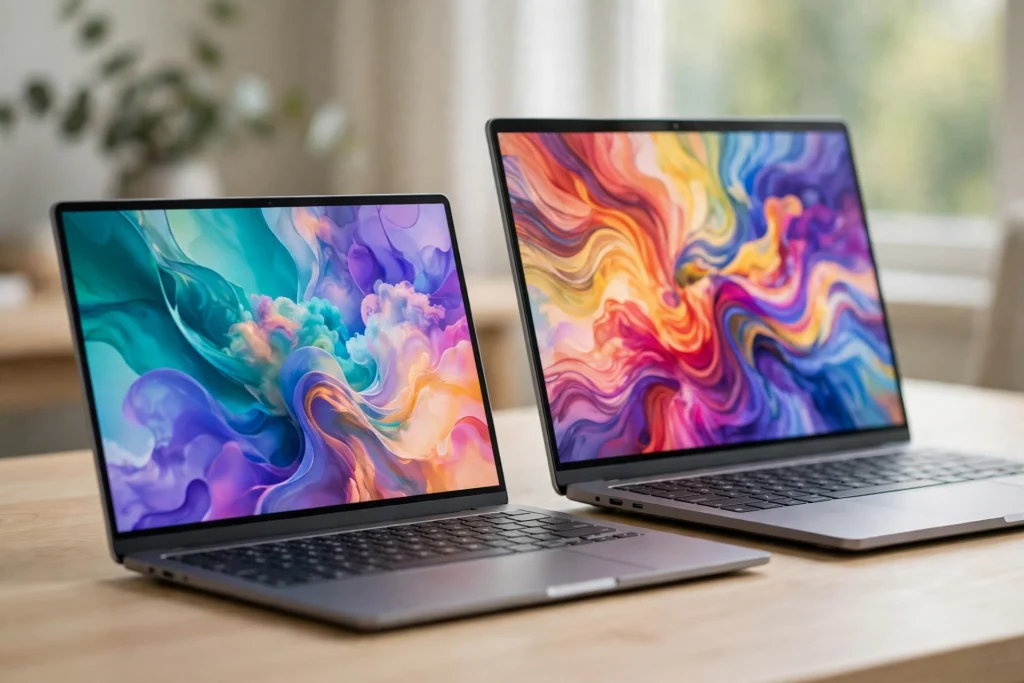
Acer Googlebook 14 vs Lenovo Googlebook 15: Which Should You Buy?
Choose the Acer Googlebook 14 for the lowest price and a laptop that folds into a tablet. Choose the Lenovo Googlebook 15 for the biggest screen and full-size ports. Both share the same Intel Core Ultra 5 325 chip and the same 10 hours 25 minutes in Tom’s Guide’s battery test. The $200 gap buys size and ports, not speed.
Key takeaways
- Price: the Acer starts at $899 in the US and the Lenovo at $1,099.99, a $200 gap. Acer says its $899 price is limited-time.
- Performance is a tie. Both base models run the same Intel Core Ultra 5 325 chip with a 47 TOPS NPU, 16GB of RAM and a 512GB SSD.
- Battery is a tie too. Tom’s Guide measured exactly 10 hours 25 minutes for both in the same live web test on October 9, 2026.
- Display: both are 2880 x 1800 OLED touchscreens at 120Hz. The Lenovo is bigger at 15.3 inches and brighter at up to 1,100 nits HDR peak, but Notebookcheck found its panel limited to sRGB color.
- Ports decide it for many buyers. The Lenovo has USB-A, HDMI 2.0 and two Thunderbolt 4 ports. The Acer is USB-C only, but it is the only Googlebook that folds into a tablet.
- Review scores: Acer 4/5 from TechRadar; Lenovo 7.9/10 from Engadget but 2.5/5 from PCWorld. Both run the same unfinished Googlebook OS.
How we wrote this. We have not tested either laptop ourselves. This comparison is built from the published early reviews of both models, from TechRadar, Expert Reviews, PCMag, Tom’s Guide, The Verge, PCWorld, Engadget, MakeUseOf, XDA Developers, How-To Geek and Notebookcheck, plus Acer and Lenovo official specifications. Where sources conflict, we say so. Checked November 19, 2026.
Table of Contents
- Acer Googlebook 14 vs Lenovo Googlebook 15 specs at a glance
- Price and value: is the Lenovo worth $200 more?
- Design and portability: convertible vs clamshell
- Display: same resolution, different size and brightness
- Performance: the same chip, so a tie
- Battery life: the tested result is a tie
- Keyboard and trackpad
- Ports and extras
- What the early reviews say
- Googlebook OS: the same unfinished software on both
- Which should you buy?
- FAQ
- Conclusion
Acer Googlebook 14 vs Lenovo Googlebook 15 specs at a glance
The two cheapest Intel Googlebooks look almost identical on a spec sheet. The differences are size, form factor, ports and price, not the core hardware.
| Spec | Acer Googlebook 14 | Lenovo Googlebook 15 |
|---|---|---|
| US starting price | $899 | $1,099.99 |
| Display | 14 inch 2880 x 1800 OLED, 120Hz, 500 nits peak | 15.3 inch 2880 x 1800 OLED, 120Hz, up to 1,100 nits HDR peak |
| Processor | Intel Core Ultra 5 325 or Core Ultra 7 355; 47 TOPS NPU (up to 50 TOPS with Ultra 7) | Intel Core Ultra 5 325; 47 TOPS NPU |
| Memory and storage | 16GB LPDDR5X (up to 32GB); up to 512GB SSD | 16GB LPDDR5X (up to 32GB); 256GB or 512GB SSD |
| Battery | 71Wh; up to 16 hours web browsing claimed | 70Wh; up to 12.5 hours claimed |
| Weight and size | 2.51 lb; 13.9 mm thin | 2.84 lb; 15.9 mm thick |
| Form factor | 360 degree convertible 2-in-1 | Clamshell |
| Ports | 2 x USB-C 3.2 Gen 2, 1 x Thunderbolt 4, headphone jack | 2 x Thunderbolt 4, 1 x USB-A, HDMI 2.0, headphone jack |
| Extras | USI 2.0 stylus-ready (pen sold separately) | AI Mouse in the box, quad speakers with Dolby Atmos |
Sources: Acer official specifications via Chrome Unboxed, October 2026; Lenovo press release, September 28, 2026; PCWorld, October 28, 2026; TechRadar, October 2026. One warning: the Lenovo Bluetooth version is disputed. Lenovo and XDA list Bluetooth 6.0, while Notebookcheck measured Bluetooth 5.4 on its review unit. Do not buy the Lenovo for a specific Bluetooth version until Lenovo confirms it. See the full five-model comparison in our Googlebook specs guide.
Price and value: is the Lenovo worth $200 more?
The price gap is $200 at the entry level, and it is the whole decision for most buyers. The Acer starts at $899 in the US ($899.99 at Best Buy, per PCMag, October 11, 2026) and £999 in the UK. The Lenovo starts at $1,099.99 at Best Buy and $1,149.99 at the Lenovo store, per PCWorld, October 28, 2026. Both include the same launch bundle: 12 months of Google AI Pro worth $249.99, three months of YouTube Premium and a year of GeForce NOW. Two warnings: Acer says its $899 price is limited-time, and TechRadar reports the deal was extended to the end of November 2026; and the Lenovo was announced at $1,300 but launched at $1,099.99, per XDA, while Tom’s Guide reviewed a $1,260 configuration. No UK price has been confirmed for the Lenovo yet, per TalkWithTech, October 30, 2026. See every model and country in our Googlebook price guide.
What does the extra $200 buy? A 1.3 inch larger screen, a brighter panel, USB-A, HDMI 2.0, face unlock, a haptic touchpad, quad speakers and an AI Mouse in the box. It does not buy speed, battery life or better software, because both laptops share the same chip, the same tested battery result and the same operating system. It also costs you weight and flexibility, because the Lenovo is 0.33 lb heavier, 2 mm thicker and cannot fold into a tablet. For most buyers the honest answer is no, the Lenovo is not worth $200 more, unless the bigger screen or the full-size ports solve a real problem for you.
Design and portability: convertible vs clamshell
The Acer is the traveller and the Lenovo is the desk laptop. The Acer weighs 2.51 lb and is 13.9 mm thin in an aluminum-magnesium chassis, and it is the only Googlebook with a 360 degree hinge, giving laptop, tent, stand and tablet modes. Acer rates the hinge for 20,000 open-and-close cycles, and the screen is USI 2.0 stylus-ready, though the pen is sold separately. The catch, spotted by The Verge, is that Googlebook OS does not yet support portrait orientation, so auto-rotate only flips the screen 180 degrees.
The Lenovo weighs 2.84 lb and is 15.9 mm thick, with a magnesium-aluminum top and a polycarbonate bottom mixed with 20% carbon fiber. It is a plain clamshell, but light for a 15 inch laptop: Engadget measured 2.85 lb, lighter than a 14 inch MacBook Pro. MakeUseOf praised its rigid chassis, while Notebookcheck called the plastic cheap-feeling with wobbly hinges. Read the full Acer Googlebook 14 review and the full Lenovo Googlebook 15 review before you choose.
Display: same resolution, different size and brightness
Both screens are 2880 x 1800 OLED touchscreens at 120Hz with a 100% DCI-P3 color claim. The difference is size, brightness and one color catch. The Lenovo screen is 15.3 inches against the Acer 14 inches, and it is brighter: Lenovo rates it at 500 nits typical with up to 1,100 nits HDR peak, and Notebookcheck measured more than 1,100 nits in HDR mode. The extra 1.3 inches makes two documents side by side feel roomy on the Lenovo and cramped on the Acer.
The Acer screen is no slouch. Expert Reviews measured 520 nits in SDR and 1,206 nits in HDR, which is excellent for a laptop at this price. PCMag found the glossy finish reflective in bright rooms, and both screens are glossy, so neither is ideal near a sunny window. The catch sits on the Lenovo side: Notebookcheck found the panel limited to the sRGB color gamut even though the specs promise P3, and measured a ColorChecker Delta E of 12.21 in its worst reading. Movies and everyday use look great on both, but neither screen can be trusted for photo or video work where accurate color matters.
Performance: the same chip, so a tie
Do not pay $200 expecting the Lenovo to be faster. Both base models run the Intel Core Ultra 5 325, an eight-core Panther Lake chip with boost speeds up to 4.5GHz, integrated Intel graphics and a 47 TOPS NPU. The Acer also offers a Core Ultra 7 355 option with up to 50 TOPS. Both ship with 16GB of LPDDR5X RAM and a 512GB SSD in the base configuration.
The benchmarks back that up. TechRadar measured the Acer at 2,465 single-core and 9,960 multi-core in Geekbench 6, and PCMag ranked the Acer first among the four Googlebooks it tested in WebXPRT 4 and PCMark Work 3.1. On the Lenovo, XDA measured 2,349 single-core and 10,289 multi-core in Geekbench 7, MakeUseOf averaged 2,296 and 8,578, and Engadget measured 9,011 multi-core. The Acer figures use Geekbench 6 and the Lenovo figures use Geekbench 7, so the two sets are not directly comparable, but every reviewer found everyday work smooth on both. The real performance limit is the same on both, because most Android apps were built for ARM phones and Engadget warns of more bugs or stuttery performance on this Intel chip. Compare all five models in our Googlebook specs guide.
Battery life: the tested result is a tie
This is the most useful finding in this comparison, and no five-model roundup states it plainly. Tom’s Guide ran both laptops through the same live web test, cycling through 30 live websites over Wi-Fi at 150 nits and 120Hz, on October 9, 2026. Both lasted exactly 10 hours 25 minutes.
| Source | Model | Test method | Result |
|---|---|---|---|
| Acer (claim) | Acer | Controlled web browsing | Up to 16 hours; up to 14 hours video |
| Lenovo (claim) | Lenovo | Controlled video playback | Up to 12.5 hours; Google lists up to 13 hours |
| Tom’s Guide | Both | Live web test, 150 nits | 10 hours 25 minutes each |
| PCWorld | Lenovo | PCMark battery rundown | 5 hours 26 minutes |
| Engadget | Lenovo | Local video playback | 8.5 hours |
| Notebookcheck | Lenovo | Wi-Fi browsing at 150 nits | Barely more than 10 hours |
Sources: Acer official specifications; Lenovo press release, September 28, 2026; Tom’s Guide battery test, October 9, 2026; PCWorld, October 28, 2026; Engadget, October 30, 2026; Notebookcheck, November 2026. The maker claims are 3.5 hours apart, but the same-method test says the two laptops are identical, so battery should not decide this purchase. Expect a full working day of light use from either laptop, not the claimed 16 or 12.5 hours. For the full five-model picture, see our Googlebook battery life guide.
Keyboard and trackpad
Neither keyboard wins cleanly, because the reviewers disagree with each other on both laptops. The Lenovo keyboard is the most argued-over feature in either review set. PCWorld hated it: the keys seemed to start level with the keyboard tray, the tray sagged in the middle, and the reviewer stopped writing the review on it. MakeUseOf called the same keyboard fantastic and said long writing sessions were a breeze, and XDA and Engadget also found it comfortable. Try the Lenovo keyboard in a store before you buy. The Acer keyboard drew less argument but no praise either: PCMag called it squishy. On trackpads the Lenovo has the better hardware, with a large haptic touchpad that Notebookcheck called one of the laptop’s only two real advantages, while the Acer uses a mechanical touchpad, though PCMag praised its smooth oversized surface.
Ports and extras
Ports are the Lenovo’s clearest win and the Acer’s clearest weakness. The Lenovo gives you two Thunderbolt 4 USB-C ports, one USB-A port, HDMI 2.0 and a 3.5 mm headphone jack. The Acer gives you two USB-C 3.2 Gen 2 ports, one Thunderbolt 4 port and a headphone jack, and nothing else. There is no USB-A and no HDMI on the Acer, so budget for a hub if you use older accessories. Both have Wi-Fi 7 and a 5MP webcam with a privacy shutter; the Lenovo adds IR face unlock.
The extras tilt the same way. The Lenovo ships an AI Mouse in the box, with a backlit button for launching Gemini and a sensor rated up to 12,000 DPI, per Gear Diary. Its quad speakers with Dolby Atmos earned praise from every reviewer who mentioned them. The Acer answers with the convertible hinge and USI 2.0 stylus support, and its speakers are the weak point: Techlicious called them weak, and The Verge found them muffled in tablet mode.
What the early reviews say
The review pattern is the same for both laptops, good hardware and unfinished software, but the scores split much wider on the Lenovo.
| Reviewer | Date | Acer Googlebook 14 | Lenovo Googlebook 15 |
|---|---|---|---|
| TechRadar | October 2026 | 4/5 | Not reviewed |
| Engadget | October 30, 2026 | Not reviewed | 7.9/10 |
| Tom’s Guide | October 2026 | 10h 25m battery; handled tabs and apps well | 4/5 |
| PCMag | October 11, 2026 | First of four Googlebooks in two benchmarks | Not reviewed |
| PCWorld | October 2026 | Review published; no score captured | 2.5/5 (October 28) |
| Expert Reviews | October 2026 | “Hugely likeable”, held back by early-adopter snags | Not reviewed |
| MakeUseOf | October 19, 2026 | Not reviewed | 7/10 |
| XDA Developers | October 31, 2026 | Not reviewed | 6/10 |
| How-To Geek | October 2026 | Not reviewed | 6/10 |
| The Verge | October 2026 | 4/10, the harshest Acer take | Five-model review, October 22; OS “feels like a beta” |
| Notebookcheck | November 2026 | Not reviewed | No score; “Pretty underwhelming” |
Sources: TechRadar, Engadget, Tom’s Guide, PCMag, PCWorld, Expert Reviews, MakeUseOf, XDA Developers, How-To Geek, The Verge and Notebookcheck, October and November 2026. The Lenovo scores run from 2.5 out of 5 at PCWorld to 7.9 out of 10 at Engadget, with the middle around 6 out of 10. Readers of Android Authority’s poll on October 30, 2026 picked the Lenovo first at 19%, ahead of the Dell at 16% and the Acer at 14.1%.
Googlebook OS: the same unfinished software on both
Nothing in this section differs between the two laptops, and that is the point. Both run Googlebook OS, which is Android 17 with a desktop skin. Both get the same Gemini features, the same G key and the same phone integration, and both need an Android 17 phone, the same Google Account, Bluetooth and Wi-Fi on, and both devices on the same Wi-Fi network for the phone features to work. Neither runs Windows or Mac desktop apps.
The reviewers’ complaints are identical on both models. How-To Geek listed touch input dying, a frozen app drawer and random restarts in standby on the Lenovo, while XDA lost touch input entirely. On the Acer, Expert Reviews found games such as Wuthering Waves, PUBG Mobile and Call of Duty Mobile unavailable in the Play Store. The Verge reviewed all five Googlebooks on October 22, 2026, said Googlebook OS feels like a beta, and did not recommend buying any Googlebook in its current state. Google has since shipped a November update with fixes, but no reviewer has yet re-tested either laptop on the new build. Compare the two against the MacBook Air in our Googlebook vs MacBook Air comparison, and read our worth it analysis before you spend $899 or $1,099.
Which should you buy?
Choose the Acer Googlebook 14 if: you want the cheapest way into Googlebook, you carry your laptop around, you like the convertible hinge for notes, reading and media, you want stylus support, or you want the thinner and lighter body. At $899 with the same chip, the same tested battery and the same screen resolution, it is the value pick of the pair. The main risks are the limited-time price, which Acer can raise, and the USB-C-only ports, which mean buying a hub.
Choose the Lenovo Googlebook 15 if: you work mostly at a desk, you want the largest Googlebook screen for split-screen work, you need USB-A and HDMI without a hub, you want face unlock and a haptic touchpad, or you want the better speakers and the AI Mouse in the box. At $1,099.99 you are paying $200 for size, ports and extras, not for speed. Try the keyboard in a store first, and do not buy it for photo work, because Notebookcheck found the display limited to sRGB color.
Wait if: you need desktop apps, proven software, or a lower price. The Verge did not recommend buying any Googlebook yet as of October 22, 2026. Students on a tight budget should also compare a Chromebook Plus, which starts at $369, in our Googlebook vs Chromebook comparison. If the Acer is right but you want the lightest body instead of the hinge, the Dell XPS Googlebook at $999 is worth a look in our Acer vs Dell XPS comparison.
FAQ
Is the Lenovo Googlebook 15 worth $200 more than the Acer Googlebook 14?
For most buyers, no. The extra $200 buys a larger, brighter screen, USB-A, HDMI, face unlock and an AI Mouse. It does not buy speed or battery life, because both share the same chip and tested battery result. Pay it only if the screen or the ports matter to you.
Which has better battery life, the Acer Googlebook 14 or the Lenovo Googlebook 15?
Neither. In the only same-method test, Tom’s Guide ran both through its live web test on October 9, 2026 and both lasted exactly 10 hours 25 minutes. Acer claims up to 16 hours and Lenovo up to 12.5 hours, but those are controlled maker tests. Expect a full working day of light use from either one.
Do the Acer Googlebook 14 and Lenovo Googlebook 15 have the same processor?
Yes, in the base configuration. Both run the Intel Core Ultra 5 325, an eight-core Panther Lake chip with a 47 TOPS NPU. The Acer also offers a Core Ultra 7 355 option with up to 50 TOPS. In everyday work the two base models perform the same, so do not pay extra expecting more speed.
Which is better for students?
The Acer, for most students. It costs $200 less, weighs 2.51 lb against 2.84 lb, and folds into a tablet for notes and reading. The Lenovo suits desk work and its 15.3 inch screen for split-screen study. Both lasted the same 10 hours 25 minutes in Tom’s Guide’s battery test.
Which has the better screen?
The Lenovo, on brightness and size. Its 15.3 inch OLED reaches up to 1,100 nits, and Notebookcheck measured more than 1,100 nits in HDR. The Acer 14 inch OLED is excellent, with Expert Reviews measuring 520 nits in SDR and 1,206 nits in HDR. The catch: the Lenovo panel is limited to sRGB, so neither screen suits photo work.
Can either laptop run Windows apps?
No. Both run Googlebook OS, which is Android 17 with a desktop skin, so neither runs Windows or Mac desktop apps. You get Android apps from the Play Store and web apps through Chrome. How-To Geek and XDA found desktop app support weak on the Lenovo, and the same limits apply to the Acer.
Conclusion
The Acer Googlebook 14 and the Lenovo Googlebook 15 are the same laptop in two sizes, and the $200 gap is a size and ports decision, not a performance decision. Both share the Intel Core Ultra 5 325, 16GB of RAM, a 512GB SSD, a 2880 x 1800 OLED screen at 120Hz, the same 10 hours 25 minutes in Tom’s Guide’s battery test, and the same unfinished Googlebook OS. Buy the Acer for the cheapest Googlebook, the lightest carry and the only convertible hinge. Buy the Lenovo for the biggest screen, the brightest panel, USB-A and HDMI, and the AI Mouse in the box. Either way, buy for the hardware and the price, not for polished software today.
Related guides: Acer Googlebook 14 Review, Lenovo Googlebook 15 Review, Googlebook Specs: All 5 Models Compared, Googlebook Price Guide, Googlebook Battery Life, Googlebook vs MacBook Air, Is the Googlebook Worth It?, Googlebook vs Chromebook, What Is a Googlebook?, Acer Googlebook 14 vs Dell XPS Googlebook
Sources: TechRadar, Acer Googlebook 14 review, October 2026, https://www.techradar.com/computing/laptops/acer-googlebook-14-review; Expert Reviews via Windows Forum, October 2026, https://windowsforum.com/news/acer-googlebook-14-review-premium-android-laptop-with-app-gaps-and-no-it-management-yet.448130/; PCMag, Acer Googlebook 14 review, October 11, 2026, https://www.neoteo.com/en/acer-googlebook-14-review-benchmarks-and-limits; Tom’s Guide battery test, October 9, 2026, https://www.tomsguide.com/computing/laptops/googlebooks-have-a-battery-life-problem-heres-what-our-results-show; The Verge via Mezha, October 2026, https://mezha.net/eng/news/75ce5b2c_googlebook_laptops_impress_with/; PCWorld, Acer Googlebook 14 review, October 2026, https://www.pcworld.com/article/3255332/acer-googlebook-review.html; PCWorld, Lenovo Googlebook 15 review, October 28, 2026, https://www.pcworld.com/article/3266532/lenovo-googlebook-15-review.html; MakeUseOf, Lenovo Googlebook 15 review, October 19, 2026, https://www.makeuseof.com/i-tested-lenovos-googlebook-15-and-its-an-easy-laptop-to-like/; How-To Geek, Lenovo Googlebook 15 review, October 21, 2026, https://www.howtogeek.com/lenovo-googlebook-15-review/; Notebookcheck, Lenovo Googlebook 15 review, November 2026, https://www.notebookcheck.net/Lenovo-Googlebook-15-Review-Pretty-underwhelming.1437361.0.html; XDA Developers, Lenovo Googlebook 15 review, October 31, 2026, https://www.xda-developers.com/lenovo-googlebook-15-review/; Engadget, Lenovo Googlebook 15 review, October 30, 2026, https://www.engadget.com/2301498/lenovo-googlebook-15-review/; TalkWithTech, October 30, 2026, https://talkwithtech.com/is-lenovo-googlebook-15-worth-it/; Gear Diary, September 28, 2026, https://geardiary.com/2026/09/28/lenovo-googlebook-15/; Lenovo press release, September 28, 2026, https://news.lenovo.com/pressroom/press-releases/first-googlebook-premium-ai-experiences-sleek-lightweight-design/; Techlicious, Acer Googlebook 14 review, September 29, 2026, https://www.techlicious.com/review/acer-googlebook-14-review-starter-googlebook/; Starry Hope, Which Googlebook to Buy in 2026, https://www.starryhope.com/chromebooks/which-googlebook-to-buy-2026/; Chrome Unboxed, Acer Googlebook 14 official, https://chromeunboxed.com/the-acer-googlebook-14-is-official-the-only-360-convertible-in-the-lineup-starts-at-899/.
By Joshe Martin. Joshe Martin covers Googlebook and Chromebook laptops for ailaptopguide.com. We have not tested either laptop ourselves. Every price and figure is credited to a named source and date. Prices are launch prices from the sources listed and may change; check the retailer listing before you buy.
