
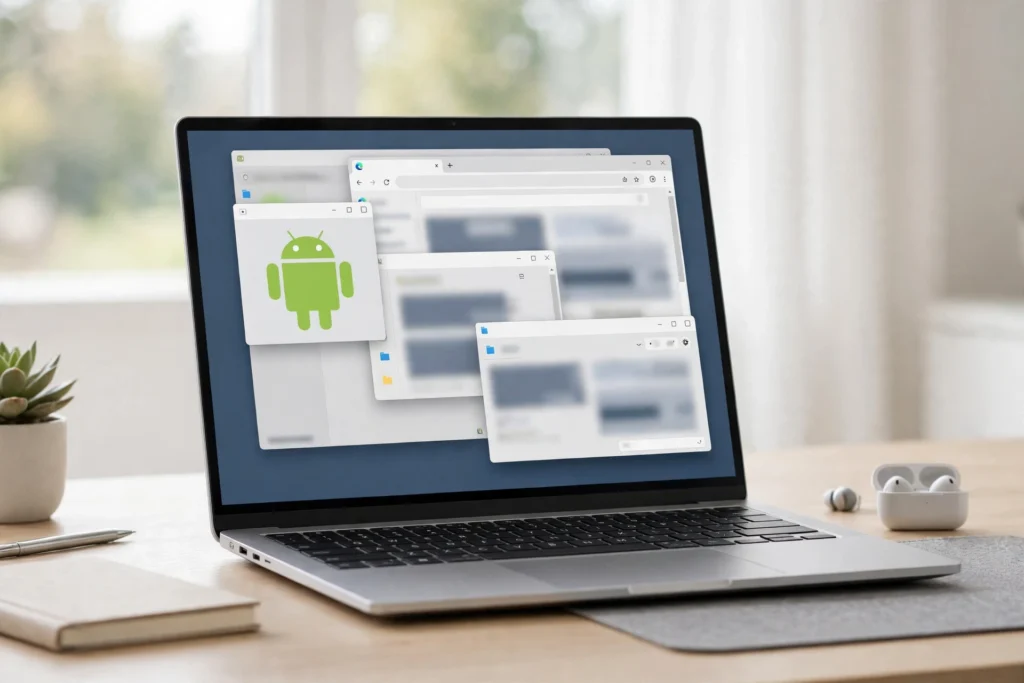
Can Googlebook Run Windows Apps?
No. A Googlebook cannot run Windows apps, and double-clicking a Windows .exe file will not install or open it. Googlebook OS is built on Android, and Google has said it uses no Windows emulation or compatibility layers. You can still get work done through web apps, Android apps, the Linux terminal, or a remote Windows PC, as this guide explains.
Key takeaways
- A Googlebook cannot run Windows .exe apps natively, and Google has announced no official compatibility layer.
- Most everyday work is covered by web apps or Android apps from Google Play, including Microsoft 365.
- The Linux terminal exists, but Linux support has regressed, and no publication has verified Wine on a Googlebook.
- Remote desktop and cloud Windows are the only routes to full Windows software.
- If you depend on one Windows-only program with no web, Android, or Linux version, do not buy a Googlebook.
How we wrote this. We have not tested any Googlebook ourselves. This guide uses Google’s statements as reported by TechRepublic and Computerworld, Google’s FAQ, and hands-on reporting from 9to5Google (October 16, 2026) and XDA (November 3, 2026), plus Chrome Geek, Wanda-Tech, Jaroha, GadgetSalvation, and ECN-Apps. Checked November 19, 2026.
Table of Contents
- What a Googlebook actually runs
- Why Windows apps do not run on a Googlebook
- Your options at a glance
- Use the web version
- Use the Android version
- The Linux terminal, and why Wine is not a fix
- Remote desktop and cloud Windows
- What about Microsoft Office?
- Popular Windows-only apps: what to do
- Should you buy a Googlebook if you need Windows apps?
- FAQ
- Conclusion
What a Googlebook actually runs
A Googlebook runs four kinds of software, and Windows desktop programs are not one of them. First, Android apps from Google Play run natively, because Googlebook OS is built on the Android 17 stack, and Android apps run on the laptop itself rather than inside a container, as Notebookcheck reported. Second, web apps run in the full desktop Chrome browser, which supports extensions. Third, the Linux Terminal Preview provides a Debian Linux environment for development tools. Fourth, Gemini AI is built in. The first Googlebooks went on sale in the United States on October 4, 2026: five models from Acer, ASUS, Dell, HP, and Lenovo, starting at $899, according to Jaroha and GadgetSalvation. For the full picture, see our Googlebook OS Explained guide.
The test is simple: if the program you need exists as an Android app, a web app, or a Linux tool, a Googlebook can probably run it. If it exists only as a Windows .exe installer, you need one of the workarounds below.
Why Windows apps do not run on a Googlebook
Googlebook OS has no Windows emulation and no legacy PC compatibility layers. Google told Computerworld exactly that, as reported by TechRepublic and Jaroha.
Buyers get confused here, because Chromebooks do have workarounds. On a Chromebook you can install Wine in the Linux container, buy CrossOver, or use Parallels Desktop on an enterprise-managed device. None of that transfers to a Googlebook automatically. Jaroha notes ChromeOS offered a Linux environment and a paid enterprise route to Windows apps through Cameyo technology, neither of which Googlebook OS carried over intact. A search for Googlebook with Wine, CrossOver, or Parallels returns no Googlebook-specific result. No publication has verified any of them on a Googlebook, and Google has announced no equivalent. A downloaded Windows installer will not work either: the .exe file downloads in Chrome, but nothing on the system can run it, and the same applies to .msi installers.
Your options at a glance
Five routes cover almost every Windows app people ask about.
| Workaround | What it runs | What you need | Works offline? | Best for |
|---|---|---|---|---|
| Web version in Chrome | Microsoft 365, Google Workspace, Notion, Canva, Slack | Internet, service account | Mostly no | Office work, documents, email |
| Android version from Google Play | Microsoft 365, Photoshop, Lightroom, CapCut | Google Play | Often | Light editing, notes, media apps |
| Linux terminal | Linux tools and some Linux desktop apps | Linux Terminal Preview | Yes | Developers, command line tools |
| Remote desktop | Full Windows on another PC you own | A Windows PC left on, Chrome Remote Desktop | No | One Windows-only program |
| Cloud Windows PC | Full Windows in the cloud | Paid subscription, fast internet | No | Heavy Windows software |
Sources: TechRepublic; Wanda-Tech, October 10, 2026; Jaroha; Chrome Geek, November 2026; ECN-Apps.
Use the web version
The web version is the easiest workaround for many apps. The Googlebook runs the full desktop version of Chrome with extension support, so web apps behave the way they do on any laptop. Wanda-Tech lists Google Docs, Microsoft 365 online, Notion, Canva, and Slack as examples, and they run in tabs or as installed web apps. To install a site as an app, open it in Chrome, then use the install icon in the address bar or the “Save and share” menu.
Web versions have real limits: they need an internet connection for most work, and some desktop features are missing. Complex Excel macros and add-ins are the classic example, and Wanda-Tech warns they need testing before you buy.
Use the Android version
The Android version is the second route. Google’s FAQ lists Microsoft 365, Photoshop, Lightroom, and Premiere among the apps with versions for Googlebook, and Chrome Unboxed reports that Photoshop, Lightroom, and CapCut run natively, as Jaroha summarizes.
Quality varies a lot. 9to5Google’s commentary, quoted by Jaroha, says many apps are a shell of their Windows and macOS counterparts, and TechAmerica says the same about Photoshop and Lightroom. An Android app can look right and still miss desktop features you rely on, such as keyboard shortcuts, multi-window work, and plug-ins.
The Linux terminal, and why Wine is not a fix
The Linux terminal is real, but weaker than the Linux support Chromebooks had. Googlebook OS includes a Linux Terminal Preview built on Debian, in an isolated virtual machine, according to Wanda-Tech, for development tools and command line utilities. That suits developers; see our Googlebook for Developers guide.
9to5Google’s Ben Schoon wrote in the HP Googlebook 14 review (October 16, 2026) that Linux support has regressed tremendously and there is no way to emulate apps for other platforms. XDA’s review on November 3, 2026 adds: Linux apps must be installed from the Terminal, not by double-clicking a .deb file, and installed apps do not show up in the app drawer. XDA also reports no x86 emulation on Snapdragon models, so the x86 Linux version of VS Code did not install.
That is why Wine is not a fix. Wine translates Windows calls so Windows programs can run on Linux, and it works for some apps on a Chromebook. On a Googlebook the Linux environment is cut down, Snapdragon models have no x86 emulation, and no publication has tested Wine on a Googlebook. CrossOver, the paid version of Wine, has no Googlebook version either.
Remote desktop and cloud Windows
Remote desktop and cloud Windows are the only routes to full Windows software, because the program runs somewhere else. Compatibility is perfect, but you need a connection the whole time.
Chrome Remote Desktop is the simplest free option. Chrome Geek reports it works on Googlebook through the official Android app from Google Play or at remotedesktop.google.com, and connects to Windows, macOS, and Linux computers. Install the host software on the Windows PC, sign in with the same Google Account, and set a PIN. The host PC must stay on.
Microsoft’s own client is the second option: the Microsoft Remote Desktop client, now Windows App on Google Play, connects a Googlebook to Windows Pro PCs, Windows 365 Cloud PCs, and Azure Virtual Desktop, per Chrome Geek. ECN-Apps agrees, listing Windows 365 Cloud PC, Microsoft Dev Box, and AWS WorkSpaces, and states the Googlebook includes no local Windows compatibility layer such as Proton or Wine for ARM Windows binaries. A cloud PC is a full Windows desktop rented by the month, so you need a paid subscription and a fast connection. You can also cast a remote desktop app from your Android phone; see our Cast My Apps requirements guide.
What about Microsoft Office?
Microsoft Office works on a Googlebook only through the web and Android versions, not the Windows desktop version. Google’s FAQ says the Microsoft 365 app can open, edit, download, and save Word, Excel, Outlook, and PowerPoint files, with extra features needing a subscription. The web version runs at microsoft365.com, and Chrome Geek reports the free tier includes the full web apps for Word, Excel, PowerPoint, and OneNote with 5 GB of free OneDrive storage (November 12, 2026). Chrome Geek lists Microsoft 365 Personal at $99.99 per year. The Android version installs from Google Play, and suits mobile document scanning, quick PDF signing, and lightweight offline review, per Chrome Geek. The limits matter for work: Wanda-Tech warns that complex macros and Excel add-ins need testing before you buy. Full Office detail belongs to our upcoming Microsoft Office on Googlebook guide.
Popular Windows-only apps: what to do
If your app is not in the table, check for a web version, an Android version, and a Linux version, in that order. Three noes means remote desktop, a cloud PC, or a Windows laptop.
| App or type | What to do on a Googlebook |
|---|---|
| Microsoft Word, Excel, PowerPoint | Use the Microsoft 365 web app or Android app. Test macros first. |
| Adobe Photoshop, Lightroom | Android versions exist, but they are not the full desktop apps. |
| PC games and Steam | No native Steam. Google promotes GeForce NOW, but NVIDIA still describes support as coming, per Wanda-Tech. |
| Niche work software (accounting, CAD, industry tools) | Check for a web or Linux version first, then use remote desktop, a cloud PC, or stay on Windows. |
| Apps with a Linux version | Try the Linux terminal, but expect terminal-only installs and no x86 emulation on ARM models. |
| Apps that exist only as a Windows .exe | Remote desktop or cloud Windows only. There is no local way to run them. |
Sources: Google FAQ via TechRepublic; Wanda-Tech, October 10, 2026; TechAmerica; 9to5Google, October 16, 2026; XDA, November 3, 2026; ECN-Apps.
Should you buy a Googlebook if you need Windows apps?
Buy a Googlebook if your work already lives in a browser or in Android apps. If your documents are in Google Workspace or Microsoft 365 on the web and your other apps have web or Android versions, a Googlebook will cover your day. Check the five models and prices in our Googlebook specs guide and our Googlebook price guide.
Do not buy a Googlebook if you depend on one Windows-only program with no web, Android, or Linux version. That includes niche accounting packages and full desktop creative suites. A remote desktop or cloud PC can cover a single program, but it adds cost and needs a constant connection. GadgetSalvation notes Google says the first Googlebooks are designed for personal use, with IT management tools arriving in the second half of 2027. Students should check their course software list against the table above first; see our best Googlebook for students guide.
Run this checklist before you buy:
- List every program you use each week, then check each for a web, Android, and Linux version.
- Open your real files in the web or Android version and test the one feature you cannot live without.
- If one program fails all three checks, price a remote desktop or cloud PC setup.
- If that cost is too much, buy a Windows laptop instead. See our Googlebook vs Windows laptop comparison and our guide to whether a Googlebook is worth it.
FAQ
Can I install .exe files on a Googlebook?
No. A Googlebook cannot install or run Windows .exe files, and the same applies to .msi installers. Googlebook OS is built on Android with no Windows emulation, as Google told Computerworld. The file will download in Chrome, but nothing on the system can run it.
Does Wine work on a Googlebook?
Not that anyone has verified. Wine runs Windows programs on Linux, but Googlebook’s Linux support has regressed according to 9to5Google, Snapdragon models have no x86 emulation according to XDA, and no publication has tested Wine on a Googlebook. Do not plan a purchase around it.
Can I use Microsoft Office on a Googlebook?
Yes, through the web version or the Android app. Google’s FAQ says the Microsoft 365 app opens, edits, downloads, and saves Word, Excel, Outlook, and PowerPoint files. The web apps are free with 5 GB of OneDrive storage per Chrome Geek (November 12, 2026); extra features need a subscription.
Can I run Windows on a Googlebook through remote desktop?
Yes. Chrome Remote Desktop is free and connects a Googlebook to a Windows PC, through its Android app or at remotedesktop.google.com. Microsoft’s Windows App client connects to Windows 365 and Azure Virtual Desktop. The program runs on the remote machine, so you need a connection the whole time.
Can a Googlebook run Photoshop?
Partly. An Android version of Photoshop runs natively on a Googlebook, and the same applies to Lightroom, but neither is the full desktop application. TechAmerica reports the Android versions handle certain editing tasks but are not direct substitutes for the desktop apps, so test your exact workflow first.
Should I buy a Googlebook if I need Windows apps?
Buy one if your apps have web or Android versions that cover your work, and test them with your own files first. Do not buy one if you depend on a Windows-only program with no web, Android, or Linux version, unless you will pay for remote desktop or a cloud PC.
Conclusion
A Googlebook cannot run Windows apps, and no compatibility layer, emulator, or installer changes that. It can cover most everyday work through web and Android apps, help developers through the Linux terminal, and reach full Windows software through remote desktop or a cloud PC. The right question is whether the programs you use have a web, Android, or Linux version that does your job. Answer that with your own app list, and the decision makes itself.
Related guides: Googlebook OS Explained, Googlebook vs Windows Laptop, Cast My Apps Requirements, Googlebook for Developers, Googlebook Specs: All 5 Models Compared, What Is a Googlebook?, Googlebook Price, Is Googlebook Worth It?
Sources: Google FAQ via TechRepublic, https://www.techrepublic.com/article/news-chromeos-vs-googlebook-os/ and https://www.techrepublic.com/article/news-googlebook-cheat-sheet/; Computerworld via TechRepublic and Jaroha, https://jaroha.com/articles/main/what-googlebook-os-is-and-how-it-differs-from-chromeos-and-windows; 9to5Google, Oct 16, 2026, https://9to5google.com/2026/10/16/hp-googlebook-14-review/; XDA, Nov 3, 2026, https://www.xda-developers.com/hp-googlebook-14-review/; Wanda-Tech, Oct 10, 2026, https://wanda-techs.com/en/pc-en/googlebook-os-features-apps-price/; Chrome Geek, Nov 12, 2026, https://www.chromegeek.com/use-microsoft-365-on-chromebook/ and https://www.chromegeek.com/chrome-remote-desktop-for-chromebook/ and https://www.chromegeek.com/best-remote-desktop-apps-for-chromebook/; GadgetSalvation, https://www.gadgetsalvation.com/blog/googlebook-vs-windows-laptop-is-googles-new-laptop-worth-it-or-just-a-glorified-chromebook; ECN-Apps, https://ecn-apps.com/pages/articles/googlebook-android-chromeos-macbook-air-2026.html; TechAmerica, https://techamerica.ai/reviews/googlebook-os-faces-early-criticism-over-android-apps-linux-support-and-laptop-usability; Aluminium-OS, https://aluminium-os.com/googlebook-price-specs-os-compared/.
By Joshe Martin. Joshe Martin covers Googlebook and Chromebook laptops for ailaptopguide.com. We have not tested any Googlebook ourselves. Every price and figure is credited to a named source and date.
